

Nuclear Steam Boiler Control application
The Nuclear Steam Boiler Control application illustrates, for educational purposes, how tactile interactivity concepts are brought into the nuclear power plant control room with a realistic Steam Boiler Control Panel. The Nuclear Steam Boiler Control application has been automatically generated from SCADE Suite® and SCADE Display®.
The steam boiler controller is a software program which serves to control the level of water in a nuclear power plant steam-boiler. It is important that the program works correctly because the quantity of water present when the steam-boiler is working has to be neither too low nor too high; otherwise the steam-boiler or the turbine sitting in front of it might be seriously affected.
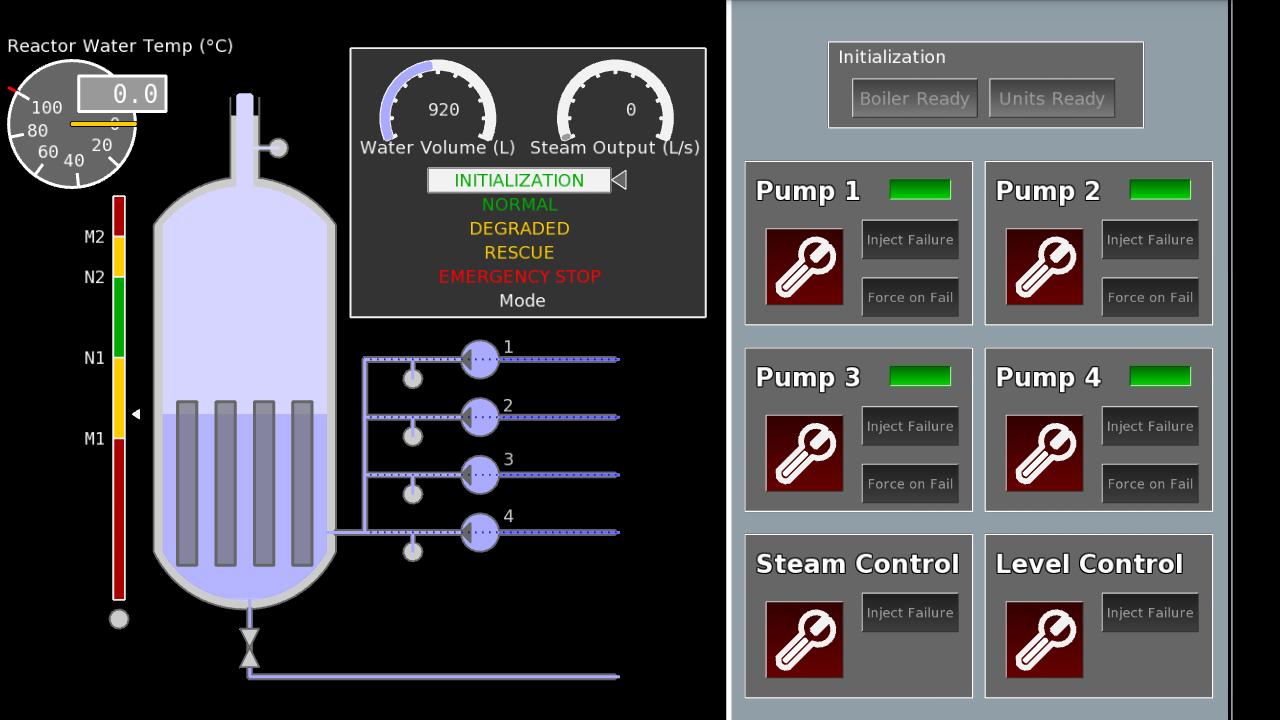
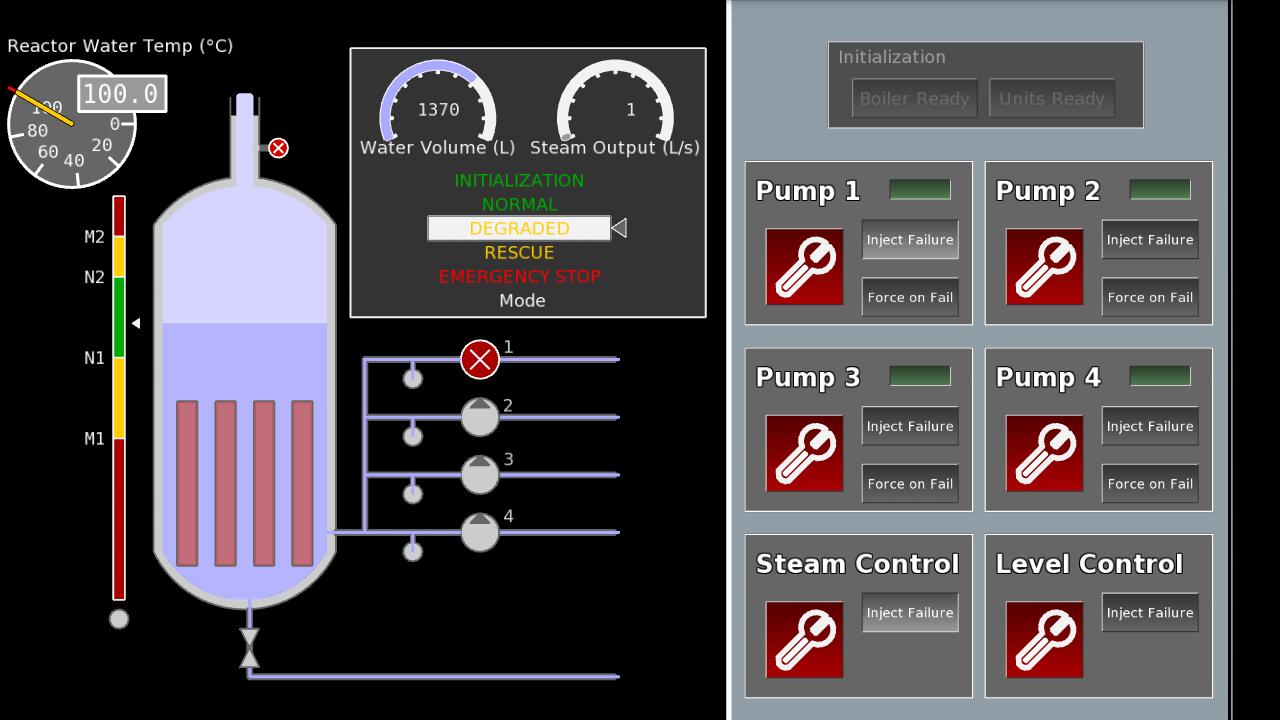
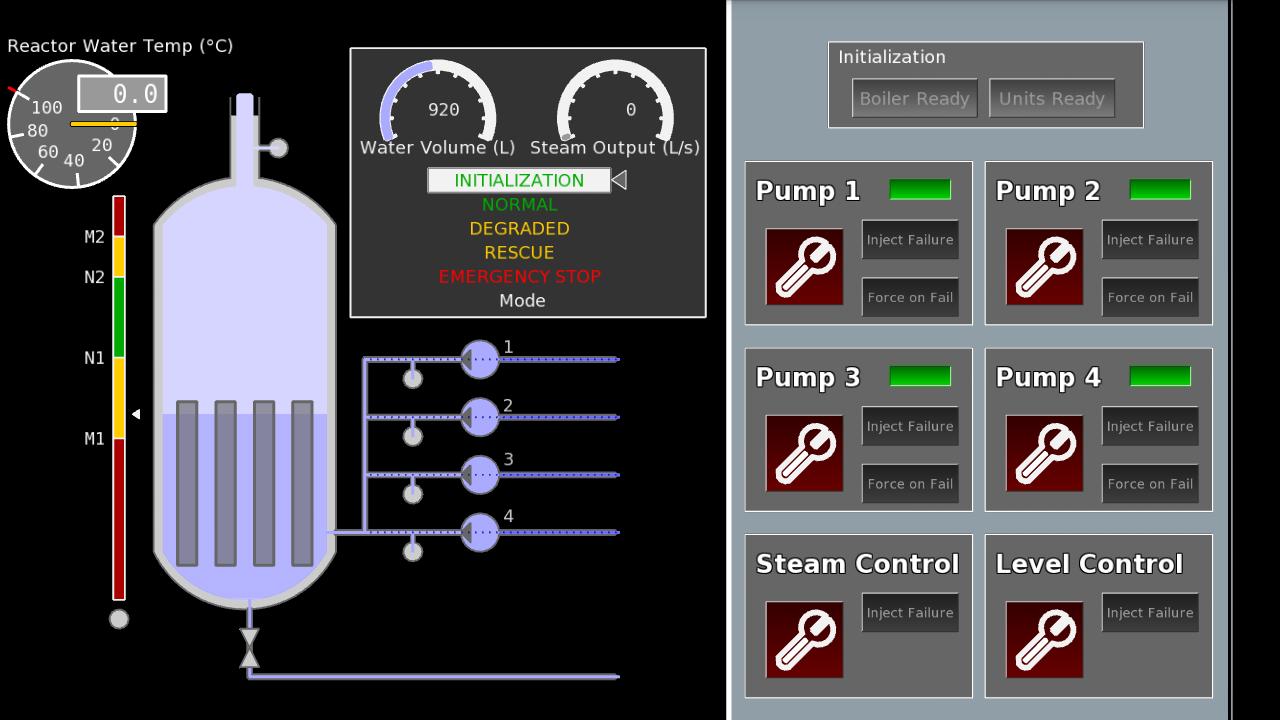
The SCADE steam boiler control panel is divided into two distinct parts:
- the right part allows controlling the system environment: system initialization, failure injection and repair (pumps, steam controller, level controller)
- the left part allows monitoring the steam boiler controller: water level, water temperature, steam output flow, pumps activation, failure controls, etc.
Instructions:
- tap on the Boiler Ready button to start the system initialization sequence: the 4 pumps fill the steam boiler water tank up to minimum normal water level N1
- then tap on the Units Ready button to conclude the system initialization sequence: the 4 pumps fill the steam boiler water tank up to maximum normal water level N2, and at the same time the water reactor begins to heat, thus producing steam and reducing the water level
- when the system operates in NORMAL regulation mode, the pumps automatically activate to fill the water tank when minimum normal water level N1 is reached, up to maximum normal water level N2
- failures can be introduced anytime by the user for each pump (1,2,3,4) via the control panel using the “Inject Failure” buttons, but will only be detected by the system when pumps are activated. After failure detection by the system, user can repair each pump using the “Repair” buttons. User can manually force pumps activation using the “Force on Fail” buttons.
- failure can be introduced anytime by the user for the steam controller and for the level controller via the control panel using the respective “Inject Failure” buttons. Such failures are automatically detected by the system, and can be repaired anytime using the “Repair” buttons.
- the steam boiler control system will automatically stop when reaching the EMERGENCY STOP mode







 Download