

Exif GPS . Геотаг с фотографиями в партии!
Exif GPS is the right app for photographers that want to know where their photo were shot.
Integrated GPS modules for cameras are available only on high-end expensive products or mobile phones. Если у вас есть камера, у которой нет интегрированного модуля GPS, вы можете использовать Exif GPS на вашем телефоне Android, чтобы отслеживать все положение съемки.
*Please, read all the description carefully!*
*If you have trouble with this app, before low rating, email me.*
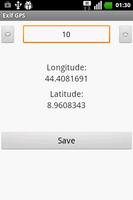
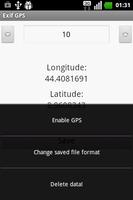
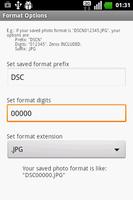
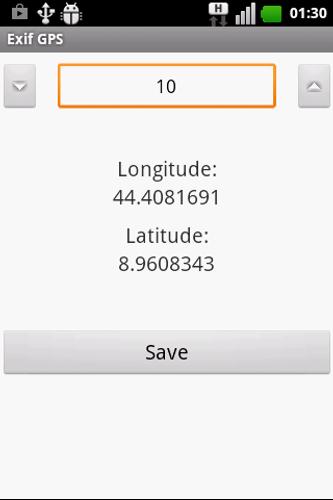
It's very easy to use: simply activate GPS for precise localization and insert the photo number you are about to shoot. When you hit the save button, the current position and the photo name is saved on your SD card. You can change the file format in the menu.
You're set! You can integrate later the info on the text file with the exif data.
Вы можете сделать это вручную, с любой программой по вашему выбору или следовать приведенной ниже процедуре, которая показывает, как работает моя программа для этой цели (только Windows).
1) Go to my website (http://goo.gl/cyffNI) and download "Exif GPS desktop". Please, note that instructions are on this page as well.
2) Go to http://www.sno.phy.queensu.ca/~phil/exiftool/ and download the "exiftool" from the official site.
3) Unzip "exiftool" in a directory of your choice and *RENAME* it from "exiftool(-k).exe" to "exiftool.exe".
4) Plug the telephone on the PC and access the SD card.
5) Copy the file "ExifGPS.txt" located in the root of your SD card *in the SAME folder* that contains the photos you want to geotag.
6) Open "Exif GPS desktop" (you'll need the last update of Java)
7) Select the folder you used to save "exiftool" as in 3)
8) Select the folder you used to save photos to be geotagged and "ExifGPS.txt"
9) Hit the "Geotag!" кнопка.
10) Done!
Hope you will enjoy.
Rate & comment and before any low rating please check this procedure carefully here and on my website.
If you have any trouble or suggestion, feel free to email me or reddit (http://goo.gl/gfO29X)!
+V 1.0 launch on Play Store!
Customizable file name
GPS
Desktop Version




 Скачать