

Can manage your diet and menstruation with one app, DietCalendar Ladys!
DietCalendar Ladys is the application for women that have both functions of our LadysCalendar's and DietCalendar!
You can manage your diet and menstruation with one app, DietCalendar Ladys!
Users of DietCalendar and LadysCalendar: From Menu → Backup → Export SDcard, save the existing data of DietCalendar and LadysCalendar. Open DietCalendar Ladys → Menu → Backup → Import LadysCalendar or DietCalendar or both and OK.
*Initial Window*
When you launch DietCalendar Ladys, the initial window is "Base Setting".
*Base Setting*
Enter user information. There are descriptions on the setting window as well.
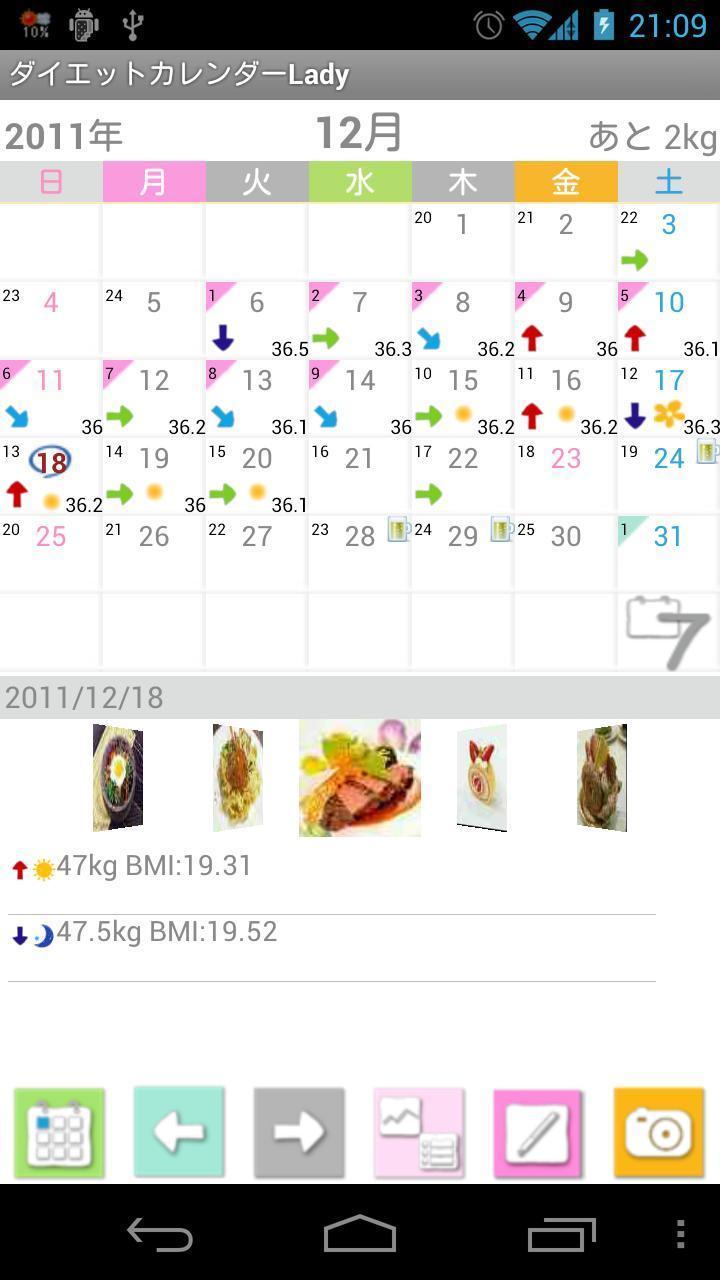
*Calendar1*
1.「Today」button: go back to today's date.
2.「Left」&「Right」button: move the date right and left.
3.「Graph&List」button: select Graph or List to display.
4.「Temperature」button: a calculator will be displayed. Enter the temperature → OK.
5.「Camera」button: save the photos of today's meal or anything.
6.「Weeklydisplay」button: Press right-corner button of the calendar to switch the display from monthly to weekly.
*How to save the data of menstruation and weight*
1. Tap the screen "Touch here to Register".
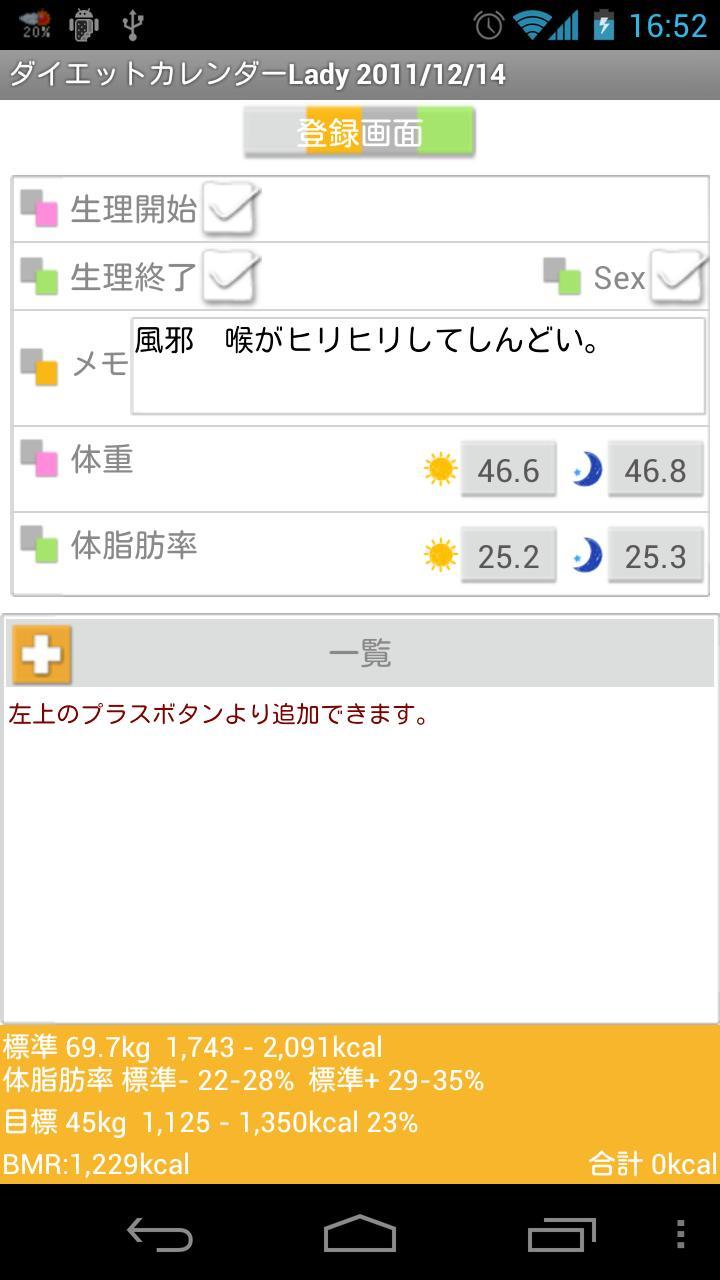
*Registeration Window*
2.「Menstrual Start」: check here when the period starts.
3.「End」: check here when the period ends.
4.「Sex」: when you check here, ♡mark will be displayed on the date.
5.「Memo」: keep memos or use this memo as a diary.
6.「Weight」&「Body fat per」: you can save morning and night data.
7. Press Plus button of List.
8. Move to "Detailed" window. You can add more photos here, save memos for the photo and save the calories of what you have eaten. Tap the 「Photo」icon → from「Photos」pop-up, select 「From Album」or 「Camera」to save photos.
9. Press 「Back」button of the mobile to save.
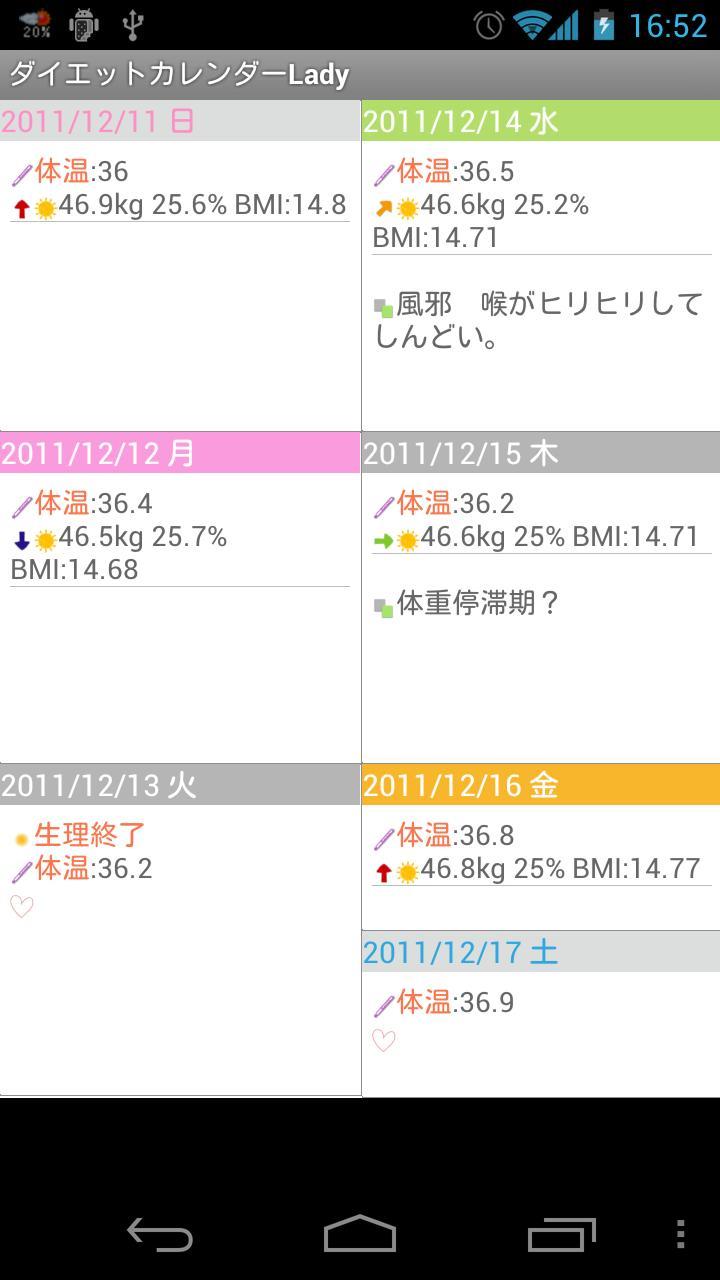
10. You can confirm the information you have saved on the list.
*Calendar2*
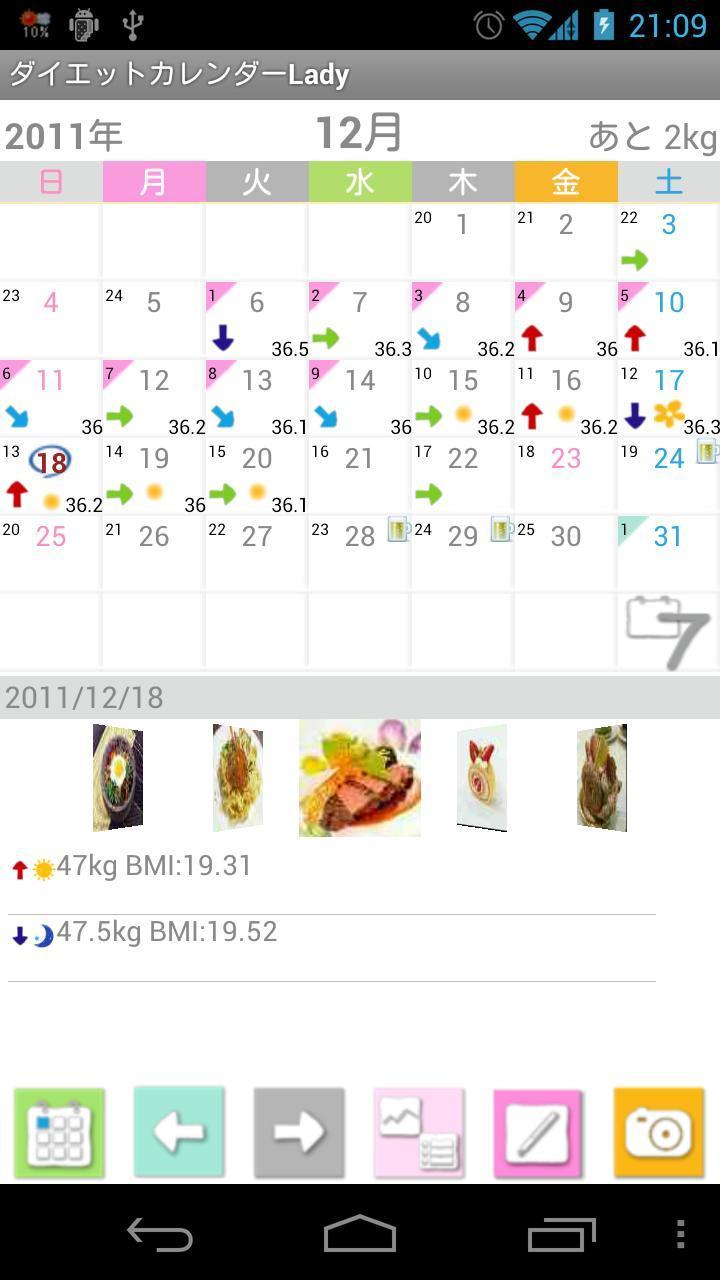
1. You can see now the data you have saved reflected on the calendar.
2. There are 4 different types of arrow to show the fluctuation of the weight on the date.
3. Orange dots show days of ovulation.
4. When you enter the temperature, it will displayed right-bottom corner of the date.
5. The remaining of your target weight will displayed on the top-right corner of the screen.
*Marca*
You can add 2 marks on each calendar to organize your daily plans!
1. Menu → Mark → Tap and select a mark you like → Tap the date and add.
2. When you want to delete the mark that you have just added, tap twice the same mark and it will be deleted.
*Setting Mark*
There are so many marks on the list so here, you can customize the mark list by selecting only marks you want to use.
1. Menu → Setting Mark.
2. When the mark list is opened, all marks are selected.
3. Tap marks that you want to use then the background of the mark will be black. This means, marks are not selected.
4. Press「Save」to save.
*Temperature Graph*
♥mark is 「Sex」, ★mark is 「Menstrual Start」and ☆mark is 「Menstrual End」.
When there is no data of temperature, these marks will not displayed on the graph.
*Weight Graph*
Press top-right corner button of the screen to switch the graph from 「Weight」to 「Body fat per」.
※ Pague ver sem anúncios









 Download