

This app is deprecated for devices running Android 5.0 (Lollipop) or higher.
Este aplicativo é compatível apenas com as versões mais antigas do aplicativo principal - SMSBackuPrestore e não está disponível para usuários em execução no Android 5.0 (Lollipop) ou mais recente. Please use the latest version of the main app to upload to the cloud.
Add-On for SMS Backup & Restore - Allows the app to:
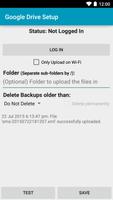
- Automatically upload to Google Drive.
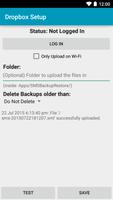
- Automatically upload to Dropbox.
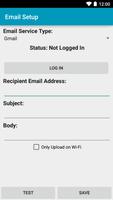
- Send automated emails after a backup.
This app does not appear in the list of apps in the phone launcher. It is used by the SMS Backup & Restore app and gets opened from the "Backup Settings" screen of that app.
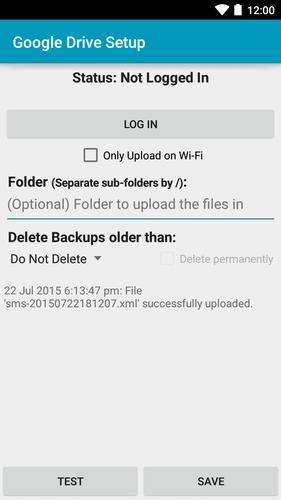
Google Drive:
It may not work with all devices as the Google Play Services may not be available. Please get in touch with us if you have problems.
Dropbox Settings:
This app only has access to its own folder and does not have access to other Dropbox folders.
Verifique o "Use o navegador para obter autenticação" se desejar usar seu navegador padrão/externo para obter autenticação, em vez da funcionalidade interna.
Email Settings:
All the settings on the screen are dependent on the Mail Service Provider that you use. The details about the service can be found on the provider's site. Some of the common ones are linked at the bottom of this section.
• Sender Email Address: The email address from which the email should be sent.
• Recipient Email Address: The email address of the recipient. If you are sending the email to yourself then this will be the same as the Sender Email Address.
• SMTP Server: The HostName/IP Address of the email SMTP server. For example: smtp.gmail.com for Gmail.
• Port: The port used by the SMTP server. Normally 25/465/587. For example: 465 for Gmail.
• Security: The security used for connecting to the SMTP server. Use SSL/TLS for Gmail.
• Require Login: Checked if the SMTP server needs you to authenticate before sending emails. Check this for
Gmail.
• User Name: The user name required to authenticate with the SMTP server. For Gmail, its your email address.
• Password: The password required to authenticate with the SMTP server. For Gmail, its your Gmail password. If you use 2-step authentication in Gmail, you'll need to generate an application specific password.
• Subject: The subject for the email.
• Body: The message content for the email.
This App needs access to the following:
• Network communication: To connect to Email/Dropbox/Google servers.
• Your accounts: Used for Google Drive account setup.
• View Network Connections: So that the app does not try to upload when there is no network connectivity.
• Test access to Protected Storage: To read the Backup file on the SD card.






 Download