

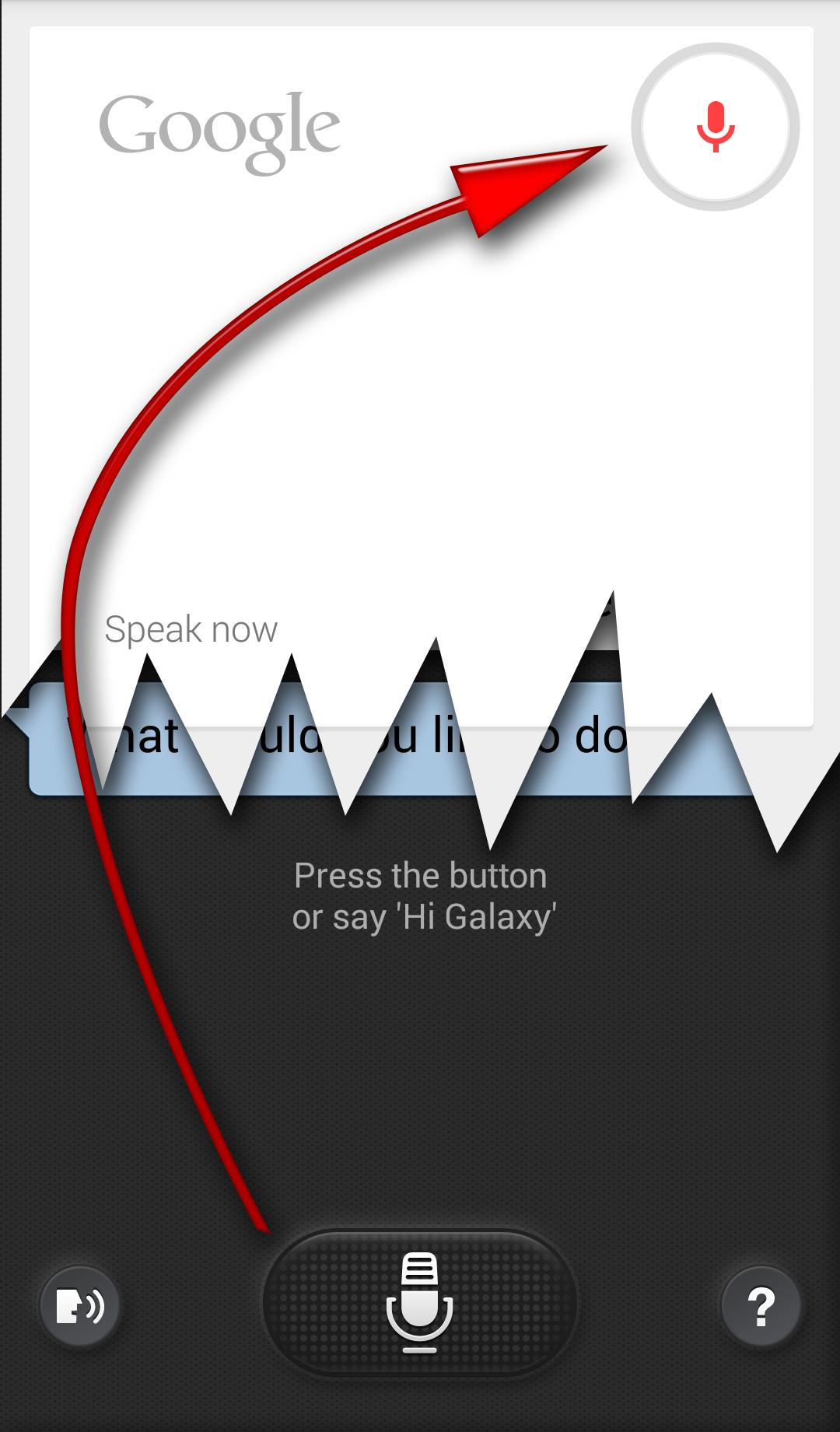
Kept for compatibility - please consider to use S for Switch Voice 2
Kept for compatibility - please consider to use S for Switch Voice Free or Pro
Newer, better (still free) version is available below http://play.google.com/store/apps/details?id=hu.viczian.deathtosvoice
Please read instructions carefully before installing this version
Preparations: (do not install the app before steps 1-4!)
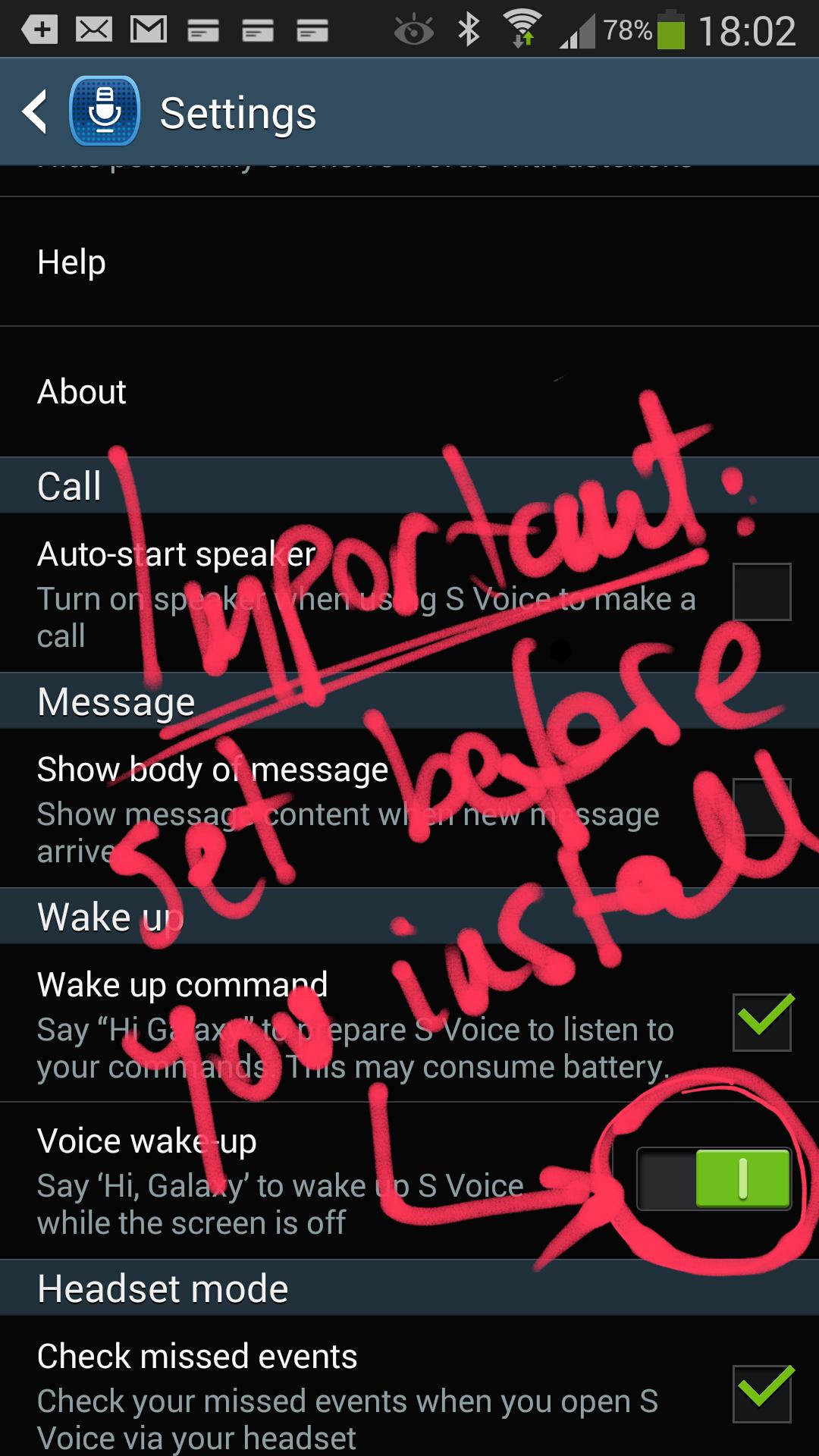
1. start S Voice
2. go to: Menu / Settings
3. enable "Voice wake-up" in the Wake up section
4. [optionally enable "Open via the home key"]
5. install this app S for Switch Voice
6. it will prompt you to install "Secure settings": it's not necessary, makes the switch quicker if you are rooted. Don't need to install it if your phone is not rooted
7. reboot your Galaxy Note 3
Important: this is the necessary order, you won't be able to go into SVoice menu once S for Switch Voice is installed (you will have to uninstall)!
Comment utiliser:
As long as you have this utility installed on your phone whenever (and however) you open S Voice , Google Voice Search will open instead of it... This includes:
- Voice wake up (Say "Hi Galaxy" with screen off)
- Double tap on the Home key (if you set it up in S Voice )
- Double click / long-press the headset button
- Open the S Voice app in any other way
Set the language for Google Voice Search to "English (US)" to be able to issue multiple voice commands by saying "Okay Google"
-
c-net reference: http://howto.cnet.com/8301-11310_39-57617786-285/start-google-now-with-your-voice-on-the-galaxy-note-3/
-
Q&A:
Q: Cannot open app. I touch the icon... nothing happens.
A: Nothing is supposed to open.Once installed it will do its thing (after phone restart)
Q: Is this an alternative to Home2 ?
A: In a way yes: S for Switch Voice will trigger Google Voice Search as soon as S Voice appears on screen, but for battery conservation the monitoring frequency is reduced following the first few seconds after the screen turns on. It is optimized to appear instantaneously after screen-off voice wake-up. So if your usecase involves double pressing HOME to activate Voice Search, I would recommend using it in combination with Home2 .
Q: I couldnt do the okay google multiple command via google now
A: You need to say "Hi Galaxy" when the screen is turned off . That's the only phrase which will wake the phone. There is no way to start S Voice or Google Voice Search if the screen is on. The listening mechanism is turned off.
Exception: when Google Voice Search is already running (as in my video). After it has replied to your command or question it will wait for the voice command "Okay Google" this time. This cannot be changed either.
For "Okay Google" to work inside Google Now you need two things:
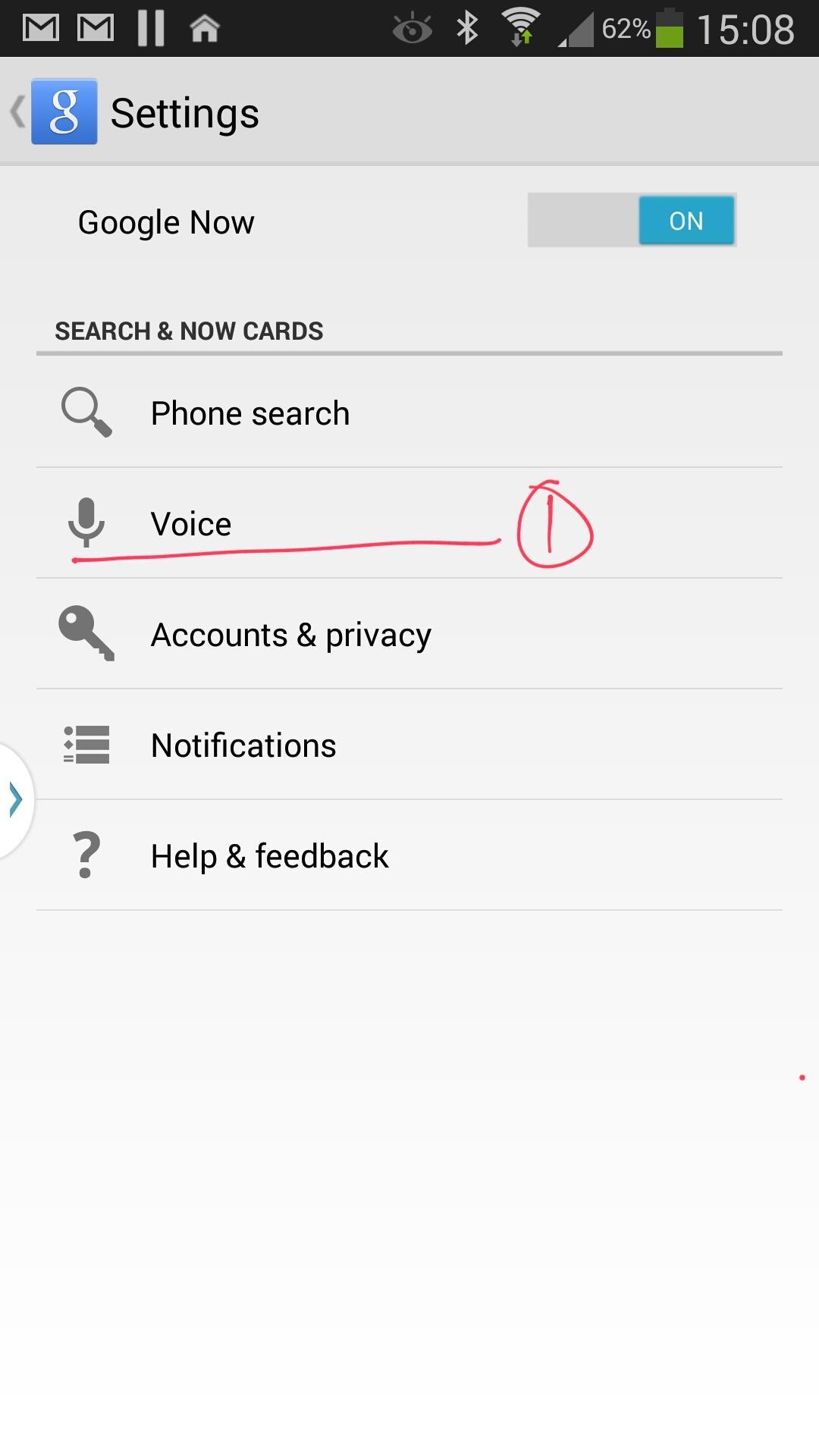
a) set Google Now language to English (US) Menu/Settings/Voice/Language
b) Enable hotword detection : Menu / Settings / Voice / Hot word detection
Q: What's the impact of always-on voice-wakeup on the battery life?
A: Almost not noticable on the Snapdragon800 based Note 3 , since this CPU has a dedicated core to monitor voice commands. This is only true for the Note 3 , S4 and older phones don't have this hardware feature :-(
-
Created using Tasker Application Factory.
Newer, better (still free) version is available below:
https://play.google.com/store/apps/details?id=hu.viczian.deathtosvoice
Version pro:
https://play.google.com/store/apps/details?id=hu.viczian.deathtosvoiced









![[old v1] S for Switch Voice](https://images.downzr.com/uploads/20250809/logo_689730a6187581.jpg)
 Télécharger