

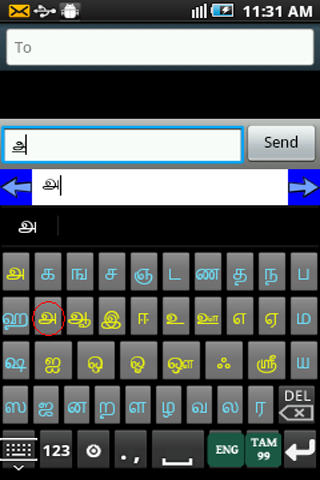
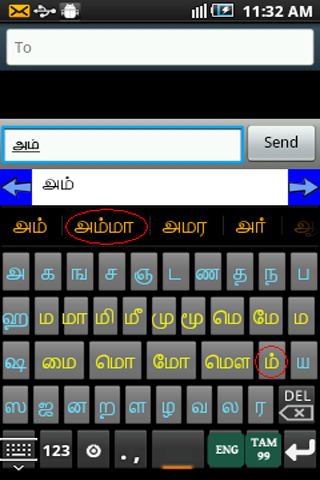
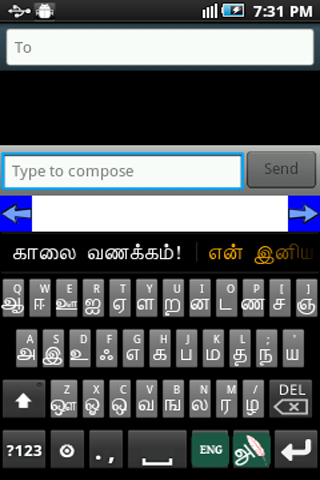
Tamil Keyboard Tamil Voice Keyboard Android Keyboard
Ezhuthani 2 - Tamil Soft Keyboard
Ezhuthani Version 2 est un clavier unique pour les utilisateurs naïfs avec des dispositions de clavier tamil99 et ezhuthi avec avec des mots clés à part entière à part entière avec des modèles de messages de réponse tamoul.
We will definitely add more features and more keyboard layouts in the future based on your feedback and encouragements. We tested on major Android phones and Tabs ( version 2.3 and above, for Previous Versions you can use the Ezhuthani 1.0.9 or older versions ). Use the keyboard layout the way you want, and leave your comment with changes and features you want in it.
How to Enable Ezhuthani (Tamil Keyboard) on your Mobile
Android Version 2.0 and above
Settings - Locale and Text - Select Ezhuthani (Tamil Keyboard).
Long press in a text box and select input method and then select Ezhuthani (Tamil Keyboard).
Android Version 3.0 and above
Paramètres - Langue et entrée - Configurer les méthodes d'entrée - Activer Ezhuthani (clavier tamoul) - Retournez - Méthode d'entrée actuelle - Sélectionnez Ezhuthani (clavier tamoul)
Android Version 4.0 and above
Settings - Language and input - Enable Ezhuthani(Tamil Keyboard) - Select Default - Select Ezhuthani(Tamil Keyboard)
Other Steps to ensure working of Ezhuthani :-
Après l'installation, vous pouvez vérifier l'installation d'Ezhuthani, ouvrir des «paramètres» et accéder au «langage et clavier» - vous pouvez voir le clavier Ezhuthani sur la liste.
To Make Input method as Ezhuthani Tamil Keyboard. Théoriquement, vous pouvez utiliser avec n'importe quelle zone de texte (SMS, recherche ou partout où le TextInput nécessite), vous pouvez trouver une icône de clavier en haut à gauche de la barre de titre, veuillez cliquer dessus.
Choose an input method such as "Ezhuthani Keyboard." Your Android Mobile will now use this method.
You can find Ezhuthani Tamil Keyboard Controls to type Tamil, Enjoy!
Mary Martin Team dedicated this product to the Tamil Community as a Free Android App. Please use and enjoy!
Mary Martin Team!





 Télécharger