

Capture, edit and share screenshots on the go
Full version without ads and more features
https://play.google.com/store/apps/details?id=com.ashampoo.snap.screenshot.pro
3 different screenshot methods!
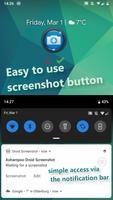
As you wish: Take Screenshot by using the floating screenshot button, the button inside the notification or by hardware key combination.
Capture, edit and share screenshots on the go
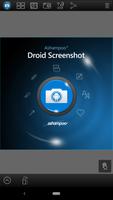
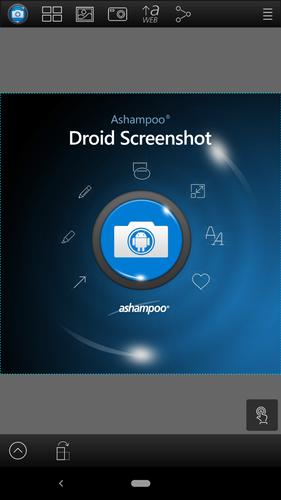
Ashampoo Droid Screenshot is a fully-fledged mobile application to capture, edit and share screenshots and images on your Android device.
التقاط محتويات الشاشة ، والتقاط الصور باستخدام الكاميرا المدمجة أو ببساطة تحميل الصور الحالية وإضافة الأسهم والأشكال والطوابع والنصوص لتوضيح وجهة نظرك. And when you're finished, share your images through any installed file services (E-Mail, Picasa, Google+, etc.).
Save and store what you see
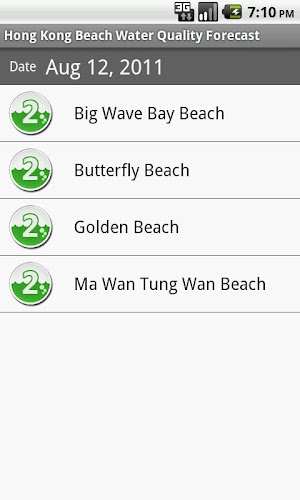
Imagine you are browsing Facebook and come across a hilarious post or chat message that could very well be the next epic chat fail. Just take a screenshot and remove sensitive information with Droid Screenshot and come back to it later.
Record and document unforeseen events on the spot
Don't just rely on your memory alone! استخدم لقطة شاشة Droid لتسجيل وتوثيق المواقف غير المواتية مثل حوادث السيارات وإضافة الأسهم والملاحظات لتفصيل تسلسل الأحداث التي تسببت فيها.
Record thoughts and ideas right in your photos
Droid Screenshot gives you a set of creative tools to draw and write on your images. عزز لقطات شاشة عطلتك وأخبر أصدقائك بالضبط أين كانت غرفتك أثناء إقامتك الأخيرة أو التي أعجبك بشكل خاص على هذا الشاطئ. Just mark the spots right in your photos with Droid Screenshot.
Share images with anyone
Use the integrated Ashampoo Web upload and share unique Internet links with others. Your images will be accessible through any web browser and automatically expire after 30 days so your images won't stay online forever. Of course, Droid Screenshot also supports all built-in sharing capabilities including Facebook and Google+.
يأسر
• Instant-ready: No manual launching required (background service)
• Notification Bar status messages wtih a screenshot button
• Smart trigger: Screenshots taken through Android-default hardware key combination auto-open in Droid Screenshot
• Floating screenshot button: Keep taking screenshots and edit them later
• System integration: Use "Open with Droid Screenshot" in other apps, import and edit images through Gallery, take and modify camera snapshots
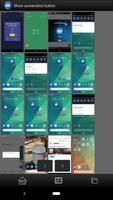
Screenshot Manager
• Select multiple screenshots to share or delete them all at once
يحرر
• Pan/Zoom
• Draw arrows
• Draw rectangle/ellipse/line shapes
• Stamps (cliparts)
• Marker
• قلم
• Add text
• Crop image
• Scale canvas
• Shadow/outline support: Arrows, Texts, rectangles, ellipses, lines
يشارك
• Set edited images as wallpaper in launcher
• Supports all installed sharing capabilities (Facebook, Google+, Picasa, Twitter etc.)
Only in Droid Screenshot (Paid version)
• لا إعلانات
• Image scaling supported
• AshWeb upload: Upload images to AshWeb and share unique links
• Enable/disable Notification Bar messages
• Many additional stamps/cliparts
FAQ: http://www.ashampoo.com/lpa/droid_screenshot_help





 تحميل
تحميل