

The to-do list that does it all. Syncs with Toodledo and Google Tasks.
This is no ordinary to-do list app. Ultimate To-Do List gives you unique tools to help you organize, simplify, and get things done.
Simple, but powerful. Whether you need a basic to-do list, need to manage complex projects, or fall somewhere in-between, the app can be set up to meet your exact needs. Turn on the features you need. Turn off those you don't.
Organize your to-do list any way you like. You - not the app - decide what's most important. Use a task management system such as Getting Things Done (GTD) or Master Your Now (MYN), or set up your own system.
Stop forgetting things. Highly customizable lists and reminders ensure you won't miss anything important. If you want, the app can even nag you repeatedly until you get the task done. Reminders can be based on time or location.
Record and review your tasks hands-free. Use the app's voice mode to create, update, and read tasks while you're in the car, wearing gloves, or changing a diaper.
Keep track of important information that is not a to-do item. The app's notes area lets you record reference information that you know you will need later on.
Make the most of your large-screen device. Several split-screen options are available to handle larger smartphones, 12 inch tablets, and all sizes in-between.
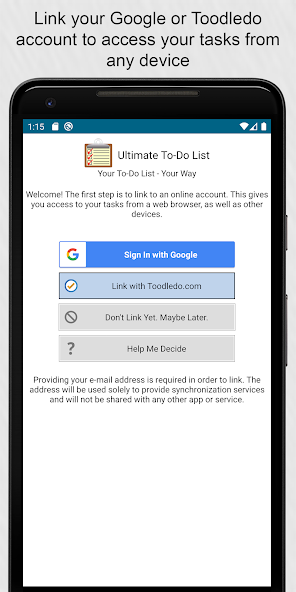
Stay in Sync. Link the app to a Google or Toodledo.com account and your devices will be perfectly in sync. Sync can occur automatically.
Works with Wear OS. A Wear OS add-on is available that allows you to browse and check-off tasks and view and snooze reminders. Reminders for your tasks appear as notifications on your watch at the time you set. From the notification, you can snooze the reminder or mark the task as complete. (All other features listed here are for phones and tablets only.)
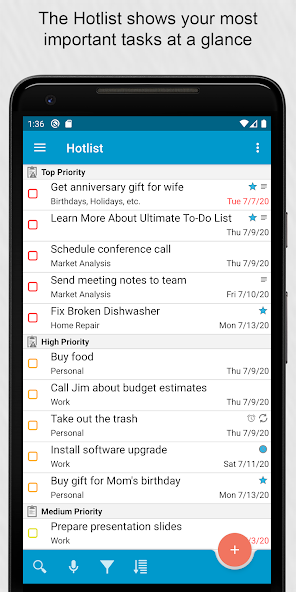
Organize your tasks in numerous ways. Folders, subtasks, 5 priority levels, manual sorting, and status tracking are all available to help you stay organized.
Contexts and Locations allow you to focus only on the tasks you can do right now. For example, while you’re at work you will only see work tasks. When you get home later in the day, only the home tasks appear.
Sharing and Collaboration features allow you to assign tasks to others and track status. Use Toodledo’s collaboration features or use the app’s ability to link to multiple accounts.
Advanced repeating patterns make it easy to set up tasks that are performed daily, weekly, monthly, or with more complex patterns.
Time tracking allows you to track both the estimated and actual length of your tasks. A built-in timer is included.
Advanced filter, sort, and display options allow you to filter your tasks on any field, sort by up to 3 levels, and adjust the display to show exactly what you want.
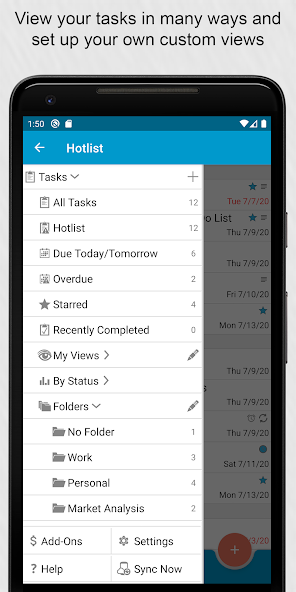
Saved searches and custom views make it easy to keep track of multiple lists - each with its own filter, sort, and display settings.
Calendar integration allows you to view your tasks on your device’s calendar, allowing you to see both calendar events and to-do items on one screen.
A plugin for the Tasker automation app allows you to automate some common tasks. For example, after missing a call a to-do item could be created to call the person back. The plugin supports automated task creation, marking of tasks complete, and display of lists. It also provides a Tasker event which will be triggered when a to-do item is marked as complete. This event will trigger a set of actions that you specify. This plugin is available for the phone and tablet version.
Contacts integration gives you to the ability to link your tasks to a contact. This is great when a to-do item involves contacting or meeting with someone, or to group together tasks that require input or assistance from a specific person.
Choose between 6 themes. 3 light and 3 dark themes are available.
 Download