

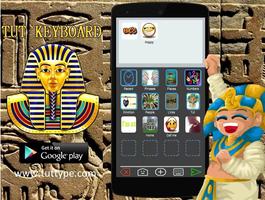
Tut is cool! Make messages using words, photos, stickers, emoji and text.
Tut is cool! Make messages using words, photos, stickers, emoji and text.
Tut's patent pending keyboard works with text, email, WhatsApp, Facebook Messenger , LINE, WeChat and others.
***Make your messages yours by including photos of yourself, friends, places you go, and things you love!***
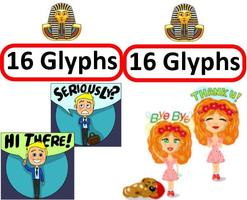
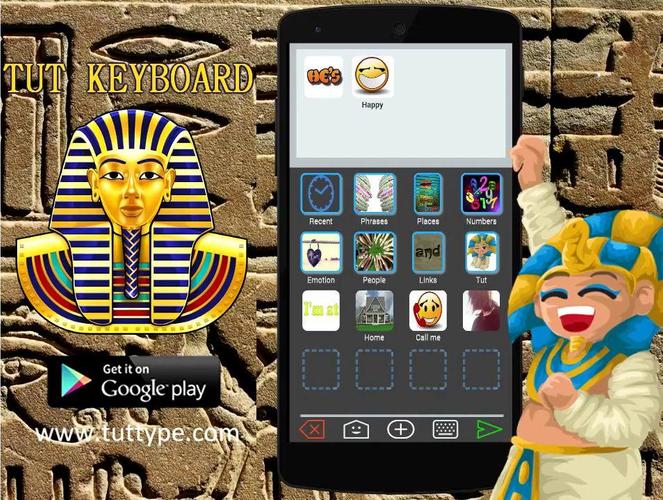
Why type a word or sentence when you can pick it in one touch? Tut’s graphic keyboard puts a word or an entire phrase in single key. We call the keys Tut Glyphs—King Tut, Hieroglyphics— ;)
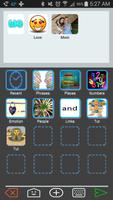
Tut Keyboard gives you the Tut Pyramid, a whole new way to organize and quickly pick the photos, words, emoji, stickers and phrases you use most.
Tut is global! Sending images rather than words links countries and languages, and you can use any language to name your images. Tut can help you learn a new language, or teach yours to others!
Please visit at www.tuttype.com and like us on Facebook at "TutKeyboardApp" !
---Features---
• Tut Glyphs are the keys for picking words, phrases, photos, emoji or stickers in one touch.
• Tut’s Plus button quickly adds images from your Gallery—personal or downloaded.
• Drag any key (Tut Glyph) over another to create a folder, add a name, delete or move it.
• The Tut Pyramid lets you access thousands of words, photos, emoji or stickers in 3 touches!
• Tut's arrow button sends your message, or reads a message from your messaging app, email, or text app
• Add cool photo, phrase and sticker Packs from the in-app store
---Using Tut---
Start at Tut to read or write messages. Press and hold the green arrow to select your messaging app. Press the green arrow with no Tut message to read. Press the green arrow with a Tut message to send.
Exit Tut using the Home Key, not the Back key. This way Tut responds instantly next time.
Have fun! Take pictures of yourself, friends, places you go and things you love. Combine these with phrases you use often to make personal messages. "See you at Macy’s" can be the word “See” then a picture of your friend, then a picture of Macy’s!
Use folders to organize your Tut Glyphs (keys) so you can get to them quickly. Have a folder for People and inside a folder for Friends and another for Family. That way you build your Tut Pyramid. Put together a message in seconds, even with thousands of Tut Glyphs.
Put names on your Tut Glyphs. Sometimes it helps to put a name under a photo or sticker so the other person knows what it means to you.
If you want to type in the traditional way, no problem! The keyboard key in Tut brings up your traditional keyboard for adding text to your Tut Message.
Lock it down. For example; press the lock button in a folder with numbers. That way you can enter many numbers without returning to the main screen. When you are done with the folder, use the red return button.
*Registered trademarks are the property of their respective owners
Please be patient the first time you load Tut, it can take up to 30 seconds to download all the goodies!
 Download