

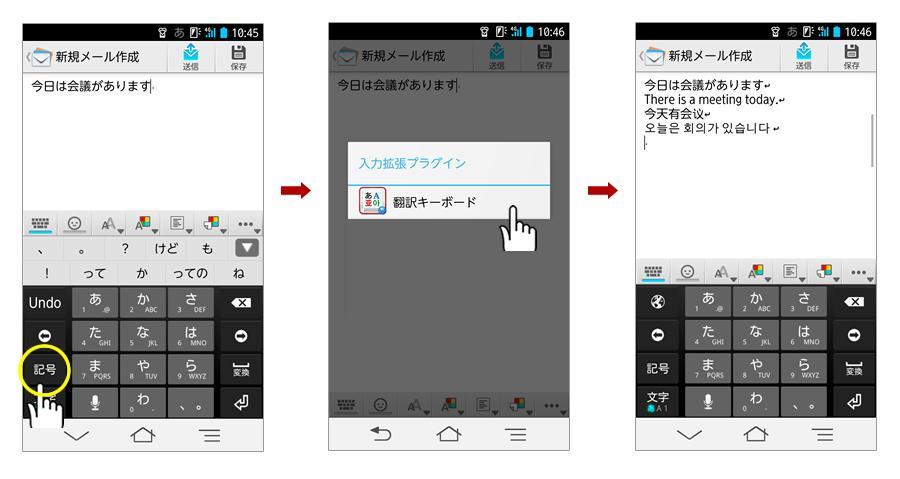
The translation app which you can call from an input system, "Wnn Keyboard Lab".
***************************************************************************************
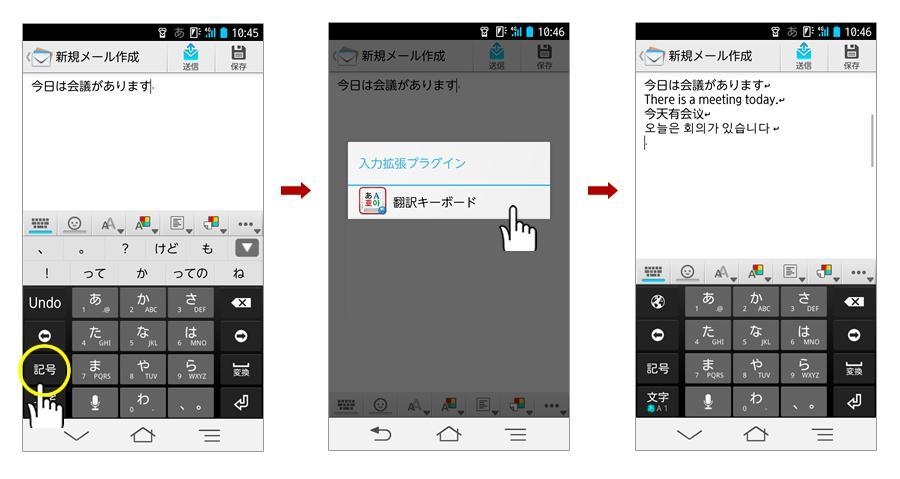
"Translating Keyboard" is a translation app which you can call from an input system, "Wnn Keyboard Lab", of OMRON SOFTWARE Co., Ltd.
This app can quickly translate texts that you are typing and is available for not only emails, chatting, but various applications including Twitter, Evernote and others.
Downloading "Translating Keyboard" is free of charge, and you can try translating up to 30 times.
◆ Keyboard Features
・Translate texts as you are typing at once.
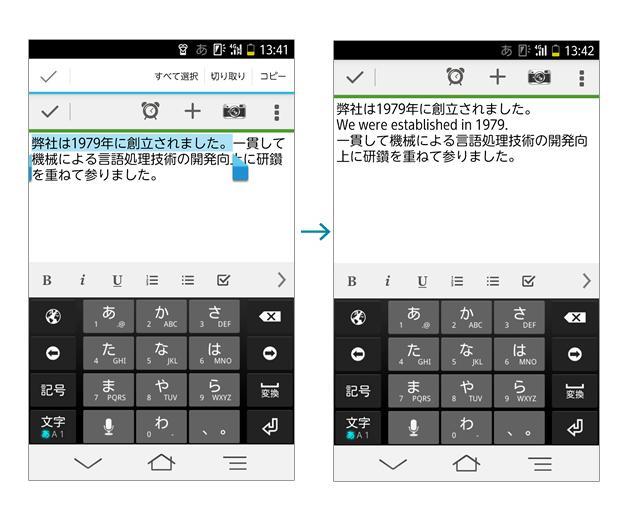
・Partly translate texts that you are typing by specifying the part you would like to translate.
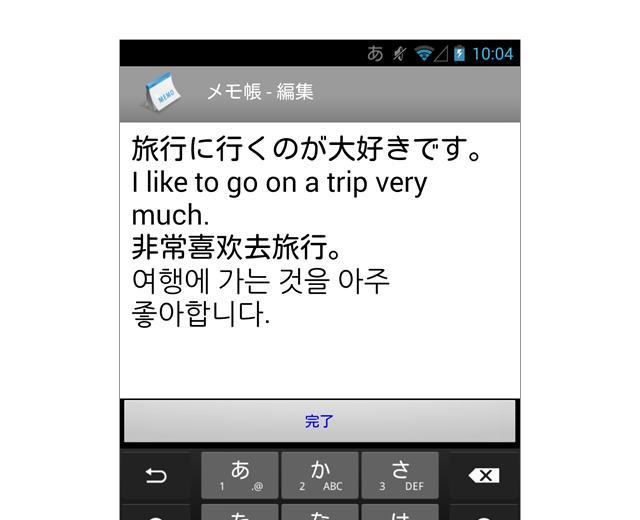
・Translate both from Japanese to foreign languages (English, Chinese, Korean) and from foreign languages (English, Chinese, Korean) to Japanese.
・As for translating from Japanese to foreign languages, English, Chinese and Korean will be instantaneously translated.
Product introduction (http://www.kodensha.jp/mobile/android/honyaku_keyboard/ )
◆ Operating System
Android OS older than ver. 4.0
◆ 【Price】
・App main body:Free
・Usage Fee (monthly)
Only 1 language 105 yen (tax included)
2 languages or more 210yen (tax included)
◆ Notes
・To use "Translating Keyboard", Wnn Keyboard Lab is required.
Install Wnn Keyboard Lab from Google Play.
・Wnn is a registered trademark of Omron Corporation.
・To use "Translating Keyboard", internet access such as mobile network (3G, 4G) or Wi-Fi environment is required.
・Translations of "Translating Keyboard" is machine translated so that they are not always accurate.
◆ Initial Settings (http://www.kodensha.jp/smpapp/honyaku_keyboard/)
[Wnn Keyboard Lab Usage Setting]
Tap "Use Wnn Keyboard Lab" from setting screen on Wnn Keyboard Lab.
1. Tap【Activate】in the "Activate Wnn Keyboard Lab" button, and check Wnn Keyboard Lab.
2. Tap【Choose】in the [Switch Input Method] screen, and choose Wnn Keyboard Lab.
[Translating Keyboard Usage Setting]
From setting screen in the Wnn Keyboard Lab
1. [Change settings]→[Connect to External App]→ Tap【Use】in [Input Extended Plug-in].
2. [Change settings]→[Connect to External App]→ Check [Send all texts to input extended plug-in] button.
※ This product includes the following libraries distributed under Apache 2.0 license.
・Apache Commons Lang
・JSONIC
・language-detection
***************************************************************************************








 Download