

Talking Clock and Timer - manage your time well!
This is a demo version only.
It will automatically disable after 30 minutes.
You can close and reopen the App for the next 30 min. period.
Talking Clock Pro is the most technologically advanced voice time announcement application for the Android device market. It is available in 13 languages: English US, English UK, Russian, Spanish, German, French, Japanese, Turkish, Dutch, Swedish, Portuguese, Italian and Polish; new languages such as: Korean, Chinese and many more will be added in due course.
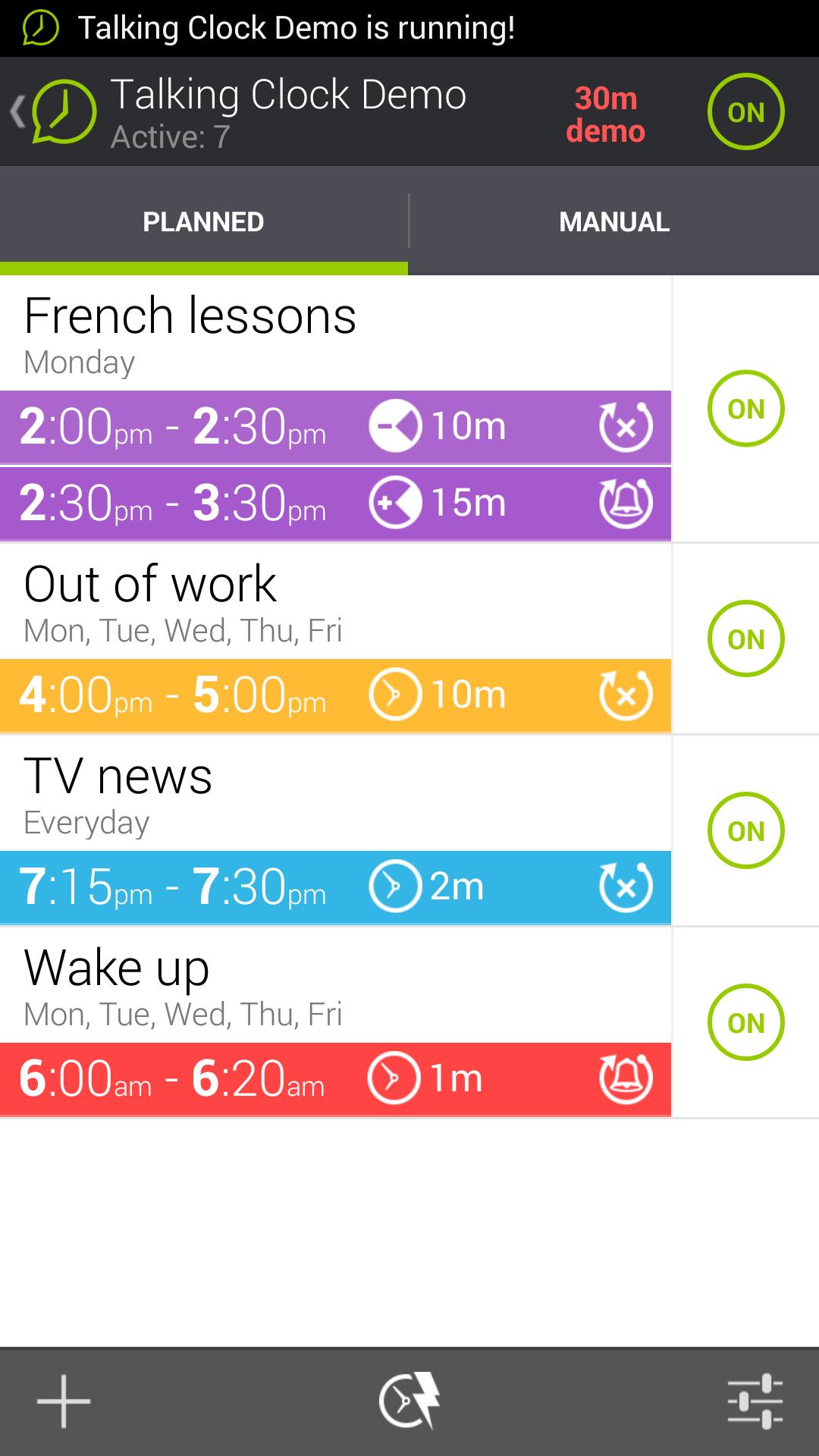
This application allows the user to plan single or multiple time schedules, either planned or manual. In addition the schedules can be flexibly repeated to meet the needs of the user.
The application runs with an attractive colorful time display in landscape format.
Talking Clock Pro announces the time according to the user’s schedule at certain time intervals.
The Talking Clock Pro will announce:
- Actual time
- Time elapsed
- Time remaining
- Own record
- Alarm with and option to choose custom sound
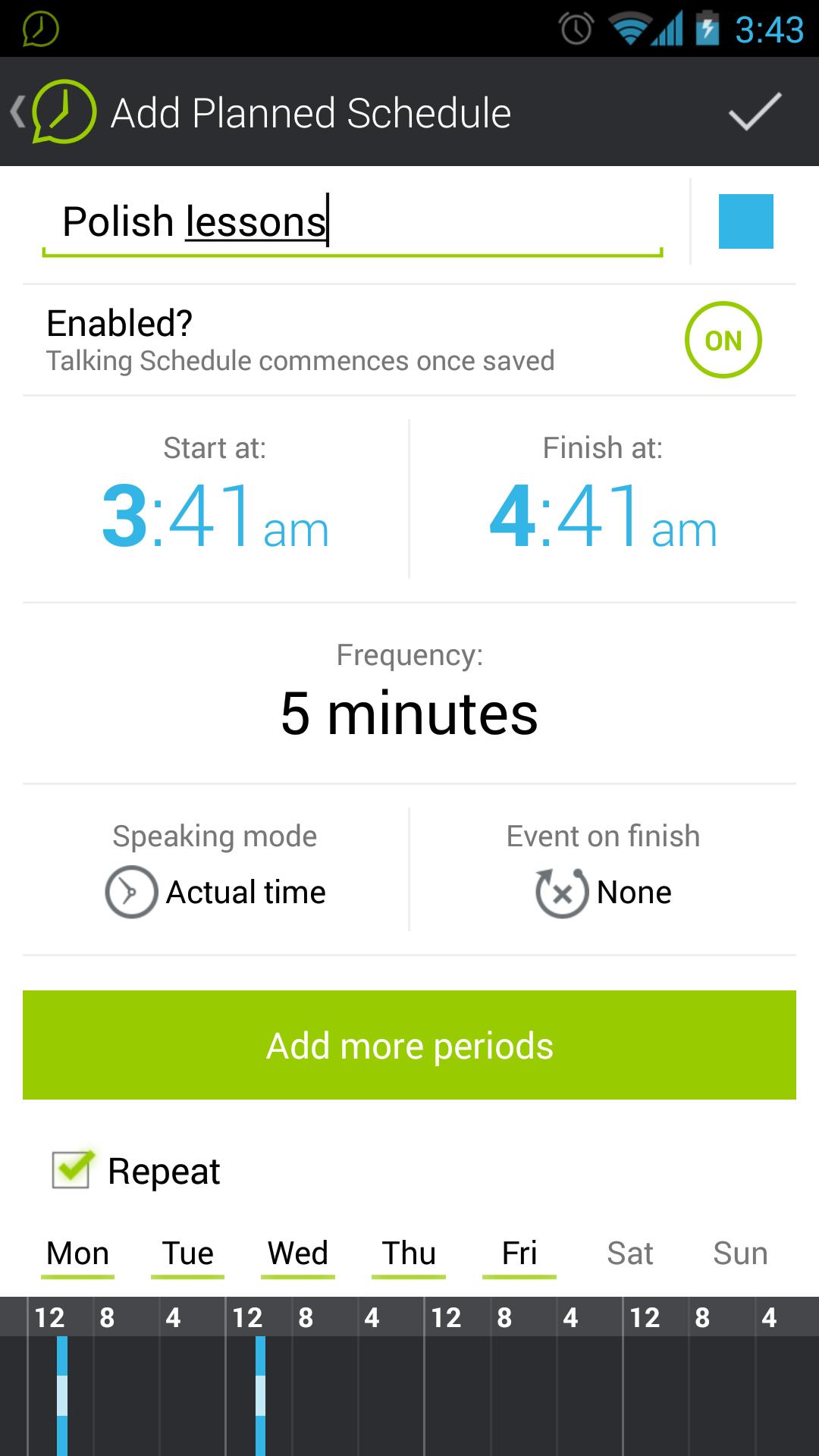
Each named schedule can contain numerous flexible talking periods including spoken mode, announcement frequency, as well as event on finish, which can even be “own record” or alarm.
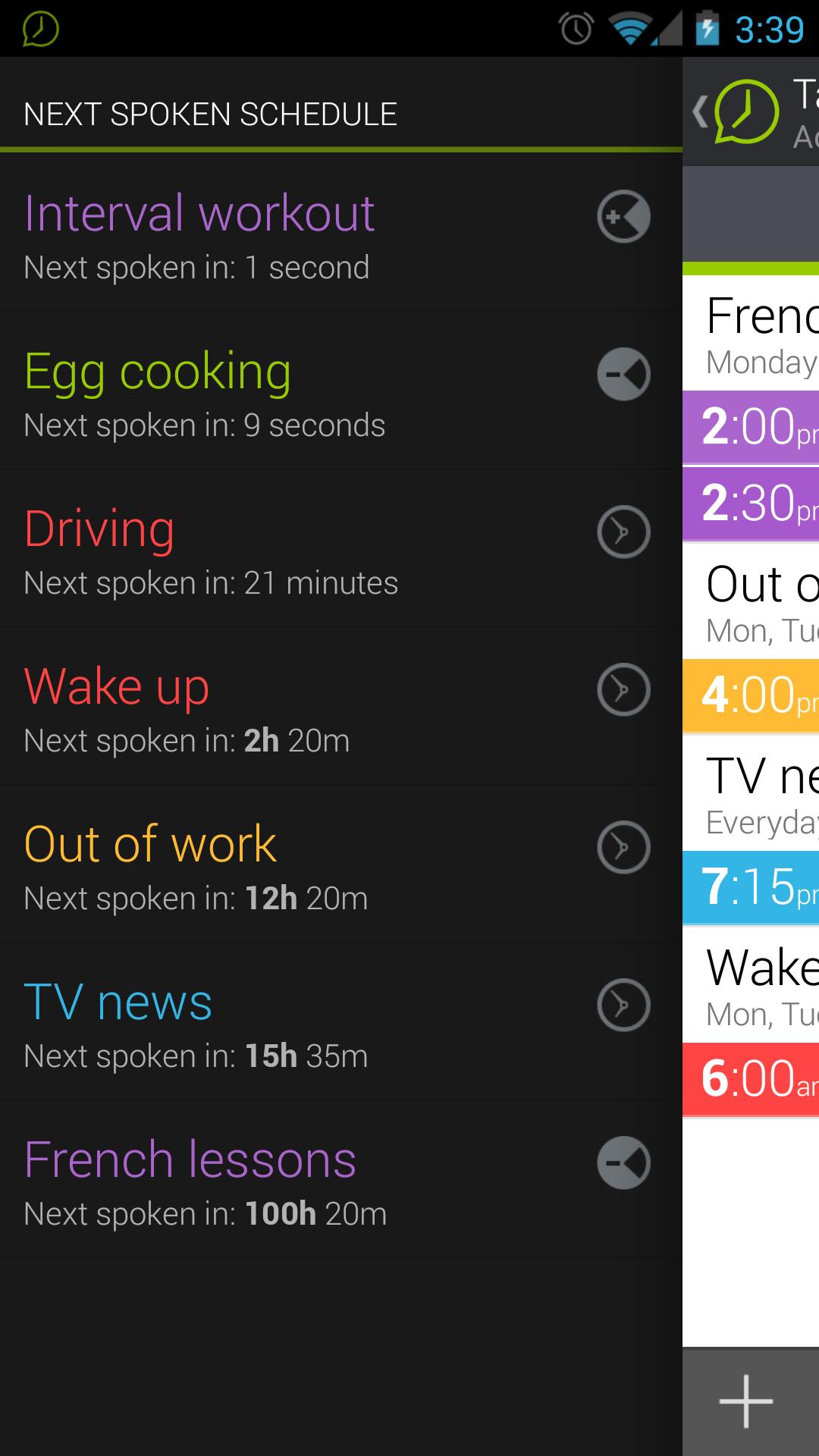
When activated, any number of schedules can run simultaneously and will automatically commence according to the user defined schedule. It offers additional flexibility whereby each period can provide alternative types of announcement.
Our speaking clock helps you to manage a series of chronological events by announcing the time at certain points in time, ensuring you complete the action according to your schedule.
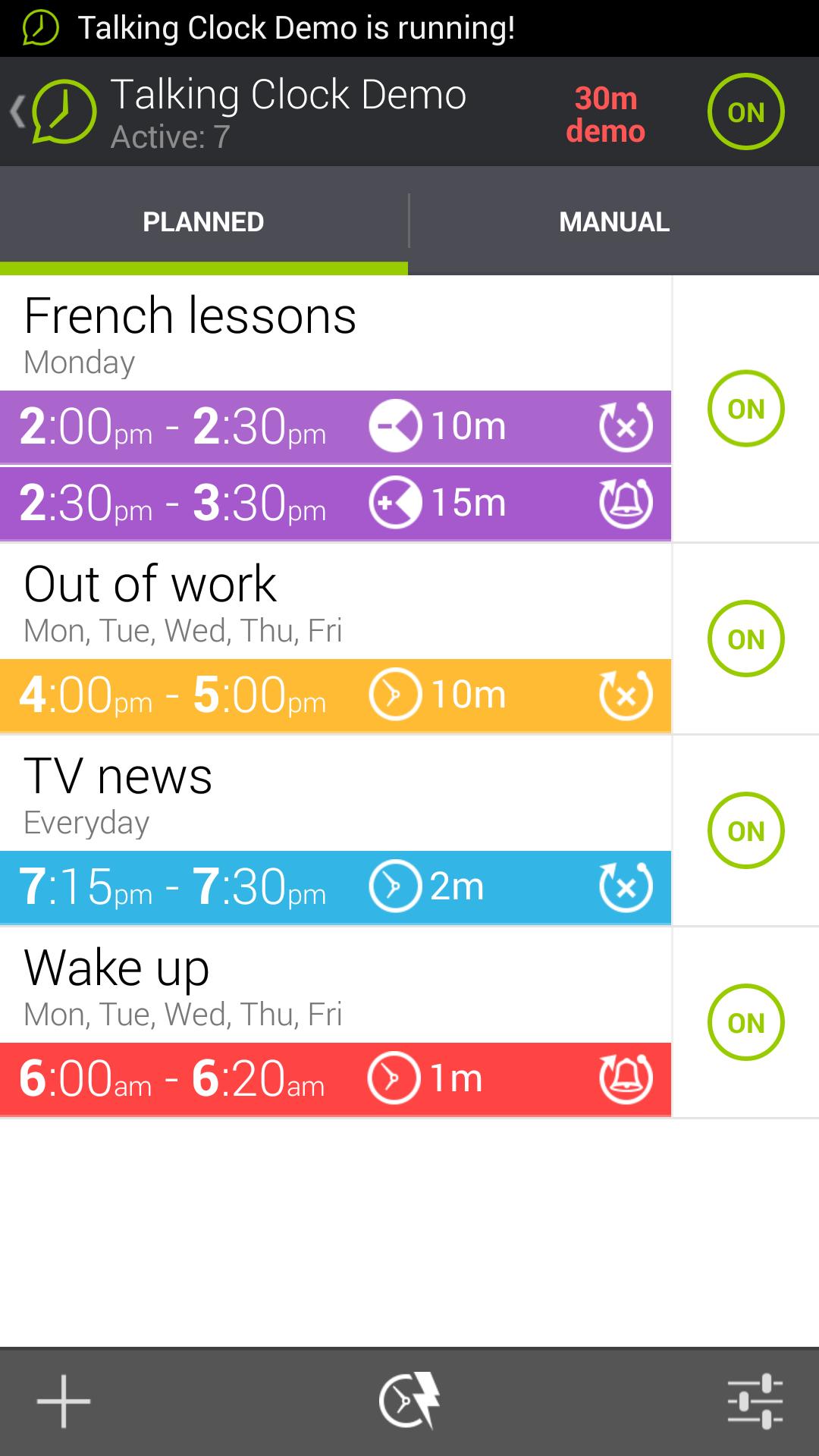
The schedules are clearly placed in 2 tabs: Planned & Manual.
Create a Planned schedule to set a specific time during the day.
For example Monday to Friday 3.00pm to 5.00pm with announcements every 10 minutes prior to leaving work.
The Manual function allows you to set a time period which can be activated and deactivated on demand. For example a 7 minute period for preparing lunch or dinner.
Version 1.20:
fixed scheduler issues
new app icon
Version 1.19:
fixed scheduler on Kitkat
Version 1.18:
Swedish, Dutch support, scheduling bug fixes, volume independent from system (except when it's silenced)
Version 1.16:
Turkish voice support added (thank you Salih from Istanbul)






 Download