• Home
  • Games
    Action-adventure Simulation Business Role Playing Sports Competition Casual Intelligence Card Strategy Music Rhythm Text Puzzle Flying Shooting Love Development
  • Apps
    Business Office Newsletter Social Life Entertainment Online Shopping Practical Tools Travel Financial Management Educational Learning Information Reading Sports and Health
  • Articles

English 中文(简体) 中文(繁体) 한국어 日本語 Português Español Русский العربية Indonesia Deutsch Français ภาษาไทย
Home Apps Business Office Soft Arabic Keys
Soft Arabic Keys

Soft Arabic Keys

1
2
3
4
5
Download
  • Version 1.0
  • Category Business Office
  • Package Name edu.fitchburgstate.csc.arabicIME
  • Update Time March 2, 2025
  • Size 49.62KB
About this app

Type easily in Arabic or English with Soft Arabic Keys

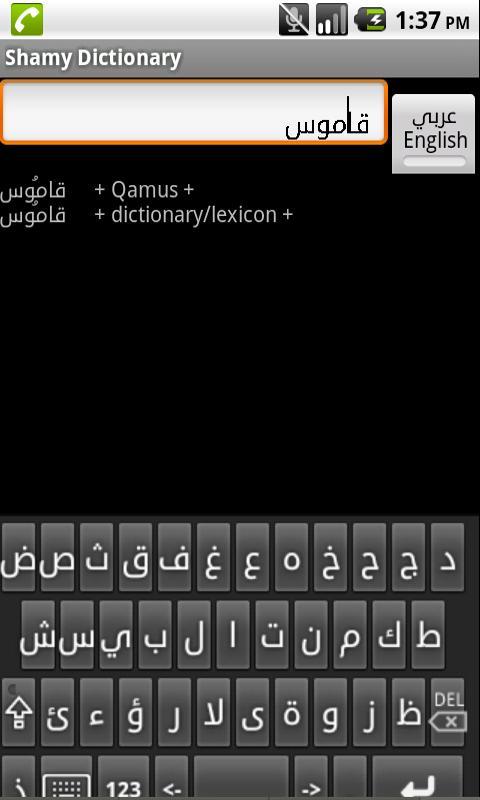
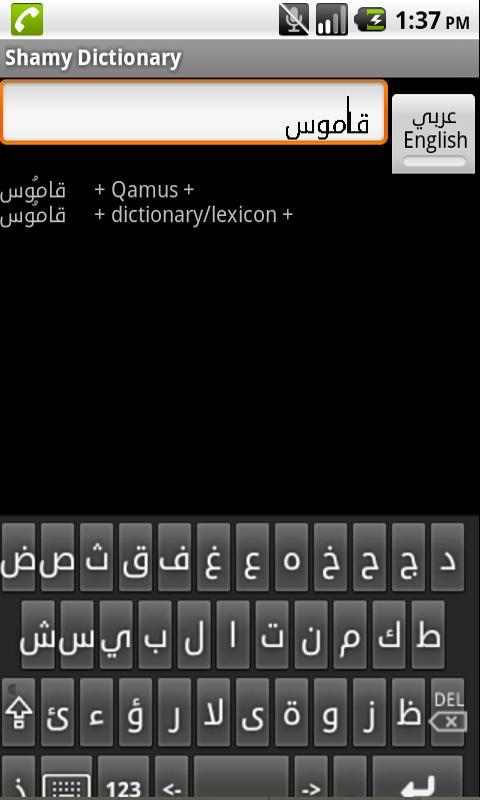
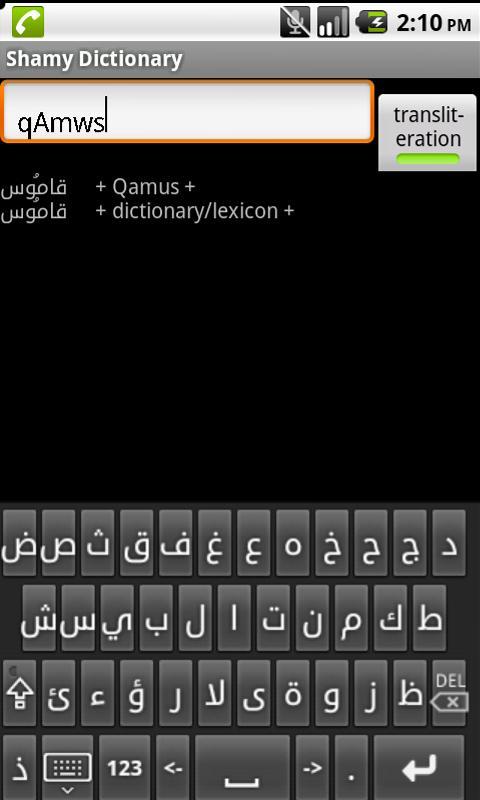
Soft Arabic Keys is an IME (input method) for entering Arabic Text. When you download the application onto your phone, it appears on the language and settings entry of your settings app. If you Enable it, it will appear as one of your choices of input methods when you long-click on an editable field.

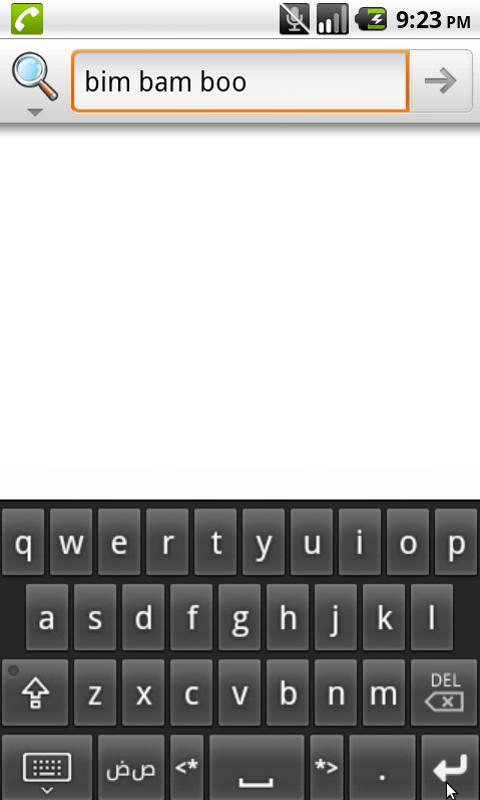
Soft Arabic Keys lets you enter the Unicode codepoints for Arabic letters by pressing on buttons arranged on the screen like an Arabic typewriter keyboard. You can also enter English text by cycling between a total of six different entry screens.

Soft Arabic Keys lets you enter Arabic text, but for Android versions before Honeycomb (Android 3.0) the app you are using the text for is in charge of showing it correctly, and many do not. If your phone does not have Arabic fonts loaded, you will not be able to read the characters entered on the screen, even though they are internally correct. (Nor will you be able to read the characters on the keyboard buttons, because they use system fonts.) Soft Arabic Keys uses the plane 6 Unicode Arabic codepoints, but even if your phone has an Arabic font installed, these codepoints show on the screen as disconnected characters unless the app in which they are used is Arabic-aware.

Soft Arabic Keys has buttons for moving the cursor left and right and extending the selection left and right, for people who prefer using the keyboard rather than clicking on the text itself.

Soft Arabic Keys is based the Android Sample Soft Keyboard. The sources are available from [email protected].

Download(49.62KB)
Users also viewed
  • guide for minion rush 2016

    guide for minion rush 2016

    3.0 April 18, 2026
  • Talking Clock & Timer Demo

    Talking Clock & Timer Demo

    1.3 April 18, 2026
  • SmartPad: Notes, Todo & Snaps

    SmartPad: Notes, Todo & Snaps

    1.3 April 17, 2026
  • SimpleAlertDialog-Demos

    SimpleAlertDialog-Demos

    1.0.1 April 16, 2026
  • Insweathus - Instagram Weather

    Insweathus - Instagram Weather

    1.1.1 April 16, 2026
  • kiteworks for Blackberry

    kiteworks for Blackberry

    6.5.1.06 April 16, 2026
  • Robot Mobile

    Robot Mobile

    3.2.2 April 15, 2026
  • Russian for Magic Keyboard

    Russian for Magic Keyboard

    1.0 April 15, 2026
  • File Transfer to PC

    File Transfer to PC

    1.0 April 14, 2026
  • ATOSS Mobile WFM

    ATOSS Mobile WFM

    12.3.4 April 13, 2026
  • Korean for TouchPal Keyboard

    Korean for TouchPal Keyboard

    5.8.1.5 April 12, 2026
  • Barcelona zipper lock screen

    Barcelona zipper lock screen

    2.0 April 12, 2026
  • Private Notepad

    Private Notepad

    6.10.0 April 11, 2026
  • WP OpenGL Data API Sample

    WP OpenGL Data API Sample

    2015/06/15 23:33 April 10, 2026
  • KRO4MOBILE Kellnerkasse

    KRO4MOBILE Kellnerkasse

    5.3 April 10, 2026
About Privacy Policy Terms of Service Cooking Policy

© Copyright 2017-2026 downzr.com