

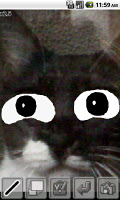
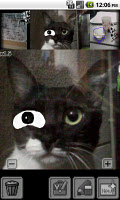
Writing by hand photos, images, to map!
Has released a version *** Multi-touch, in the case of compatible handsets, please use the snap memo MT.
!!!!!!!!!!!!!
Does not work and there is no free space on the SD card of 10Mbyte,
Please prepare a new SD card or SD card to organize the data.
Will be forced to exit immediately even though the work-up prior to version
When you uninstall, please delete the folder of the SD card snapmemo.
!!!!!!!!!!!!!
*** Data is stored in a folder of SD card SnapMemo, please try to delete the folder, such as when you can no longer successfully saved. (Existing data will disappear)
The bug report *** please e-mail the contents in detail.
Input is cumbersome to take notes. . .
You want to write a little note I want to take a picture. . .
You want to write to the Google map. . .
You want to attach to the mail a little painting. . .
For applications that do not have features they want in the photo I want to graffiti. . .
You want to put the text not only beautiful handwriting. . .
Or more *** CPU1GHz, or more recommended RAM512M
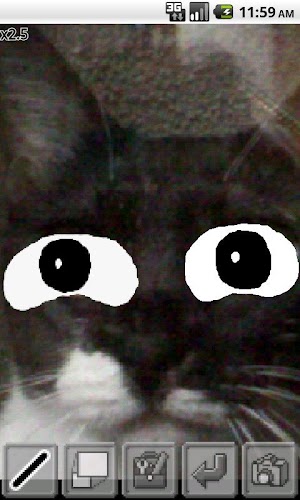
You can write photos, images in the terminal, the GoogleMap.
You can also paste keyboard input.
Other features include copy and paste, eraser, and paste the image.
Can also write fine because you can be edited in the magnified view,
You can also send e-mail and other apps notes that you create.
There is also the home screen Widget paste like sticky paper.
Size is 1x1, 2x1, 2x2, 3x1, 3x2, 4x1.
The data is stored in the (SnapMemo folder) SD card.
*** As has been the use of a video, please visit instead help
http://www.youtube.com/watch?v=JHGTGajJGtY
Will cause heavier Widget *** In case of Android1.6, failing to register
At that time, once to uninstall, please re-install them.
By the terminal is more likely to fall *** When you open a Google map
Feature List
- Note List
- Create a new note (720x480 or 480x720)
Edit - note
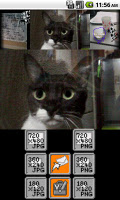
- Other apps (email, Twitter, etc. EVERNOTE) (5 species of size x1 ~ x1 / 5, jpg or png) to send a note
- Change display order note
- Remove notes
- Click to enlarge (display move)
Edit - note
- Save (be canceled)
- Writable in the state a larger view (display move) to enlarge
- Automatic movement when zoom (ON-OFF)
*** The color of the icon will change and write range up to move
- Handwriting input
- Select three pen
- Select five pen size
- From the acquired image color (eyedropper)
- Select a pen color stepless
- Paste text (for newline)
- Text rotation
- Copy and paste
- Crucifixion Gallery
- Crucifixion history
- Copy rotation, scaling
- (Erase write-only) eraser
- Type can be selected for erase size 5 rubber
- Photography
- Launch Gallery
- Launch Google Maps
- Change image position
- Changing the image size (scaling)
- Image rotation (every 45 degrees)
- Select background color
- Delete image
- Move button area to enlarge
- Widgets
- Show Notes
- Create a new memo
- Start application
- Move the display image
- Simple widget
- Select Note
- Expansion, positioning
- Edit, create a new
Is a free app.
Update History
v3.0
Add a simple Widget choose to display only the note (s to view larger)
Edited image has to be registered in the Gallery
v3.1
I like to keep the selected position of a simple Widget
Was to understand the color of the icon when writing to a range of automatic movement when moving to enlarge
Took into account the memory consumption
v3.2
Was to be able to paste it into the background a Google map
Change on how to load the image
Re-adjusting the memory consumption
v3.3
Was to be able to paste it into the background a Google map
Change on how to load the image
Re-adjusting the memory consumption
v3.4
From simple editing widget, I decided to allow New
v3.5
Was to allow the search address in Google Maps



 Download