

Set your screen orientation for Apps
Screen Rotation Toggle control
our user says--
Excellent ! Very useful and unique app, saves us from manually rotating the phone endless times, now even better after last update to sort apps list. Responsive developer attends suggestions, highly recommended !
It was exactly what I was looking
-----------------------------------------------------------------------------------------------------------------------------------------------------
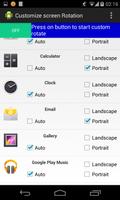
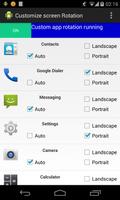
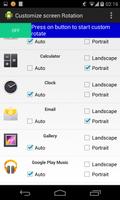
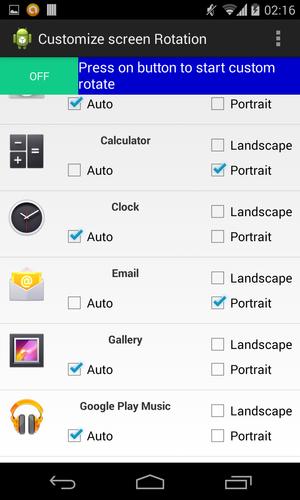
Customize your screen rotation for every installed application.It gives you list of all installed application on your cellphone ,for every installed app you can customize the screen orientation that in which default orientation you want to open the given application if that default orientation is supported by you app .
Just you have to select option among portrait,landscape,and auto(sensor based) and then press at the top most ON button.
After starting the service whenever you will open your application it will be opened in screen orientation set by you in this app if that orientation is supported by that app..
If you want to remove custom screen rotation just press the top most button again it will turn of this app service and you can use you phone setting whatever it is.
This tool gives you power to define screen rotation for each and every application of yours.
if you want auto-rotate for some app,and for some app portrait and landscape screen orientation then use this app just click on check box and turn on the app you are done.
OR just save the custom orientation for Application and turn the app on whenever required.
Manages every app individually,and toggles the scree according to your need.
it locks the screen in given orientation for every application.
One of our user says--
Excellent ! Very useful and unique app, saves us from manually rotating the phone endless times, now even better after last update to sort apps list. Responsive developer attends suggestions, highly recommended !
From the developer of live name wallpaper,caller name announcer, flash alert,vertical menu style theme
if you have any issue please let me know we will try to resolve it.
Optimized Battery use,as many of u were complaining about it.




 Download