• Home
  • Games
    Action-adventure Simulation Business Role Playing Sports Competition Casual Intelligence Card Strategy Music Rhythm Text Puzzle Flying Shooting Love Development
  • Apps
    Business Office Newsletter Social Life Entertainment Online Shopping Practical Tools Travel Financial Management Educational Learning Information Reading Sports and Health
  • Articles

English 中文(简体) 中文(繁体) 한국어 日本語 Português Español Русский العربية Indonesia Deutsch Français ภาษาไทย
Home Apps Practical Tools SatFinder Lite
SatFinder Lite

SatFinder Lite

1
2
3
4
5
Download
  • Version 3.0.2
  • Category Practical Tools
  • Package Name com.ftpcafe.satfinder.lite
  • Update Time February 17, 2025
  • Size 1.77MB
About this app

SatFinder Lite, an Android satellite finder.

SatFinder Lite, an Android satellite finder.

The Lite version is slimmed down version of the full SatFinder, which has additional functionality such as Target Satellite view and no ads.

SatFinder is a tool for finding TV satellites and aligning satellite dishes. Use your Augmented Reality Camera view to see and target satellites in the sky. It can be used anywhere in the world since all major TV satellites are in the database.

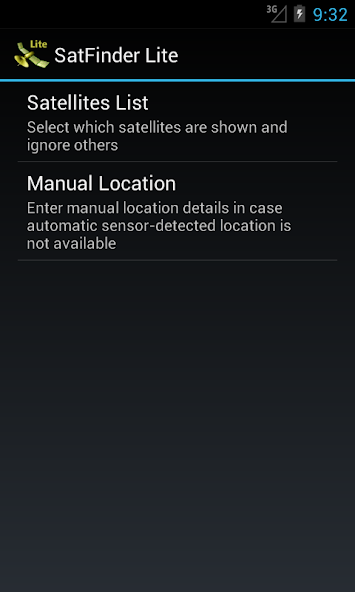
*New feature: Ability to manually enter Location latitude and longitude details in case Location cannot be automatically determined in case of "no connectivity"

SatFinder uses your phone sensors to detect your physical location and calculates azimuth and elevation needed for your satellite antenna to face. Since the satellite position calculation depends on the accuracy of your device sensors, your device should be calibrated by shaking and moving it in a figure 8 fashion, once SatFinder has been started. If you have any problems please email our support @ [email protected]

Augmented Reality View:

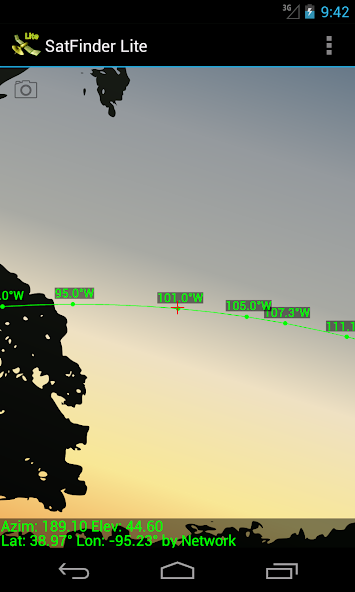
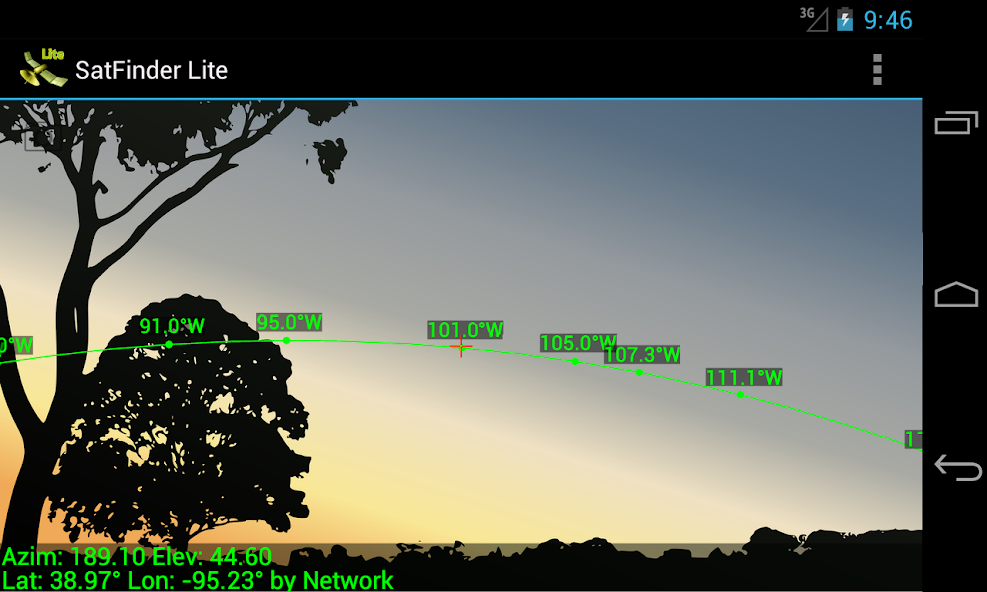
- Use your camera for Augmented Reality View which paints the satellite icons in places where they're positioned in the sky. It gives a realistic view to the sky and it helps to make sure there is a line of sight (LOS), i.e. no obstacles, such as tree branches or house tops, between the satellite dish and the satellite itself.

- Touch screen to take a screenshot of Augmented Reality view

- Pinch to zoom satellites in and out. Double tap to reset.

Target Satellite View (in full version only):

- Use Target Satellite View to find or to "lock onto" a particular satellite. Direction arrows simply guide you to the desired satellite position.
What's New in the Latest Version 3.0.2

Last updated on Oct 19, 2023 Updated the build version to accommodate the Google Location Permission policy. This app is only using Location information while the app is in active use.
Download(1.77MB)
Users also viewed
  • PureSense Irrigation Manager

    PureSense Irrigation Manager

    1.4.0 December 2, 2025
  • GLview

    GLview

    6.4.101 November 30, 2025
  • DevelopQuickSetting

    DevelopQuickSetting

    1.1 November 30, 2025
  • Signal Care Free

    Signal Care Free

    3.0.6 November 30, 2025
  • Sensor Check

    Sensor Check

    1.2 November 30, 2025
  • Gallery Pro

    Gallery Pro

    1.1 November 30, 2025
  • Japanese for GO Keyboard-Emoji

    Japanese for GO Keyboard-Emoji

    3.0 November 29, 2025
  • One tap boost

    One tap boost

    1.0.1 November 28, 2025
  • Beautiful Cloud WatchFace Free

    Beautiful Cloud WatchFace Free

    1.0 November 28, 2025
  • Floating Info

    Floating Info

    2.1 November 28, 2025
  • AMemoryTool Swap Enabler Root

    AMemoryTool Swap Enabler Root

    Dauis v6.8 November 28, 2025
  • RealTime Utilities - Sidebar

    RealTime Utilities - Sidebar

    1.1 November 28, 2025
  • 14 days Transparent Weather

    14 days Transparent Weather

    2.1.0 November 27, 2025
  • Ultimate Mandolin Tuner

    Ultimate Mandolin Tuner

    1.11.4 November 27, 2025
  • Photo Shine

    Photo Shine

    1.0.2 November 27, 2025
About Privacy Policy Terms of Service Cooking Policy

© Copyright 2017-2025 downzr.com