

RoboPad++ lets you control your robot and program its movements!
RoboPad++ lets you control your Printbots using a mobile phone or tablet!
Currently you can control the PrintBots Renacuajo, Beetle and Evolution, but lots of friends will be joining them soon!
RoboPad++ uses Bluetooth to connect to the microcontroller board of the Printbot and then... let the fun begin!
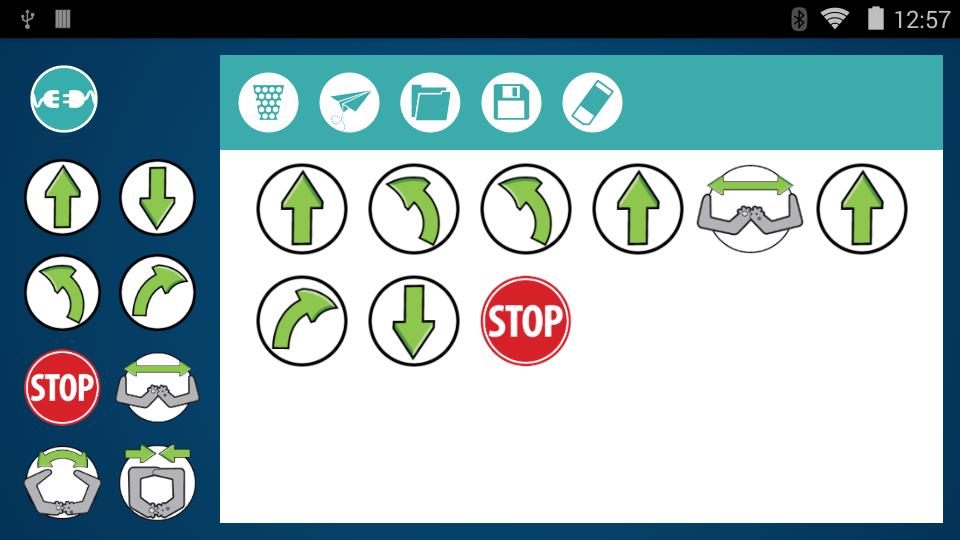
RoboPad++ is a more advanced version of the application RoboPad, adding an editor that allows you to program movements and send them to your Printbot. You can easily change the order of the movements by clicking on them, or delete them by dropping them into the bin icon. You can also save your list of movements to load them again later.
By default, the Printbot stops after each movement to make them easier to observe, but you can disable this option at any moment in the settings menu, available in the Printbot selection screen.
Furthermore, now it supports the new Bq Zum Core 2.0
Place your Renacuajo over a black line and activate the line-follower mode to let the Renacuajo follow the black line automatically. You can also make your Evolution Printbot avoid obstacles by itself.
The Beetle's movements can also be controlled by the amount of light received in the light-avoider mode. For example, cover the left light sensor to turn left, or cover both sensors to stop the Beetle.
You can learn how to assemble the Renacuajo and Beetle robots at bq's DIWO website:
http://diwo.bq.com/en/tag/printbot-en
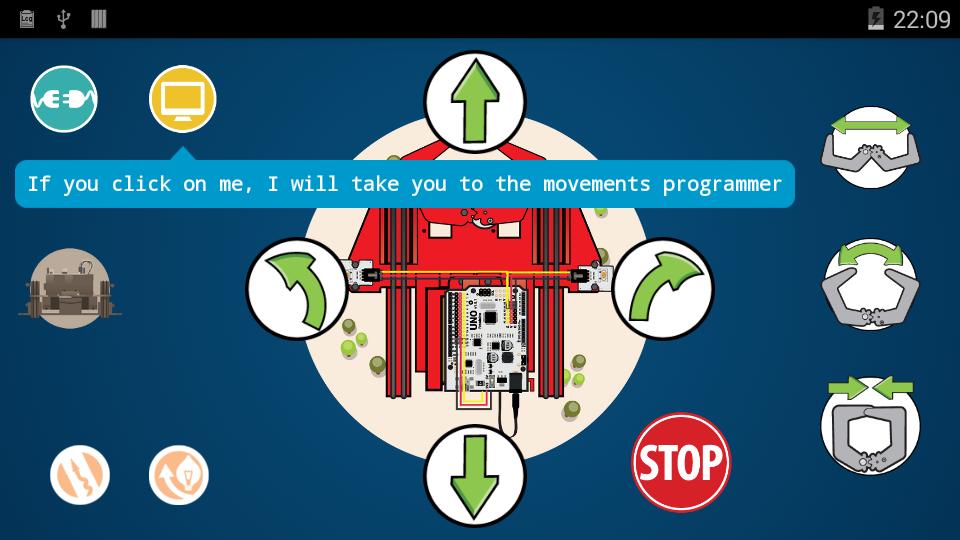
You can see a schematic of the connections at any time by clicking on the icon of the Printbot.
You have to load on your Printbot the corresponding program depending on your board and the type of Printbot for using RoboPad++.
Download the programs following the instructions here:
http://diwo.bq.com/en/robopad-3
Bq Zum Core 2.0
Select the Zum Core 2.0 board when you press the button that looks for a Printbot and connect to it. The Zum Core 2.0 uses BLE (Bluetooth Low Energy) so you will need a mobile phone or tablet with Android 5.0 Lollipop onwards.
Bq Mi primer Kit de Robótica
Select the Zum Core board when you press the button that looks for a Printbot and connect to it.
Remember to connect the Bluetooth module to the pins of the microcontroller board as follows or it could break down:
TXD - pin 0
RXD - pin 1
VCC - 5V
GND - GND
Available languages: English and Spanish.
The location permission is needed in order to search for near Bluetooth devices. You can only connect to paired Printbots if the permission is not accepted.
FAQ
- How do I use RoboPad++?
Follow the steps in http://diwo.bq.com/en/robopad-3/
- Which pin is needed when connecting to a board for the first time?
Try using 1234 if you are using a Zum Core or the Bluetooth module of Mi primer Kit de Robótica.
If you have any question or suggestion you can contact us by sending an email to [email protected]. Andy and Anita will be happy to answer.




 Download