• Home
  • Games
    Action-adventure Simulation Business Role Playing Sports Competition Casual Intelligence Card Strategy Music Rhythm Text Puzzle Flying Shooting Love Development
  • Apps
    Business Office Newsletter Social Life Entertainment Online Shopping Practical Tools Travel Financial Management Educational Learning Information Reading Sports and Health
  • Articles

English 中文(简体) 中文(繁体) 한국어 日本語 Português Español Русский العربية Indonesia Deutsch Français ภาษาไทย
Home Apps Sports and Health Red Robin Customizer
Red Robin Customizer

Red Robin Customizer

1
2
3
4
5
Download
  • Version 1.8.4
  • Category Sports and Health
  • Package Name com.lrxd.rrCustomizer
  • Update Time July 29, 2025
  • Size 50MB
About this app

Red Robin Customizer

Every diet deserves some Yummm®.

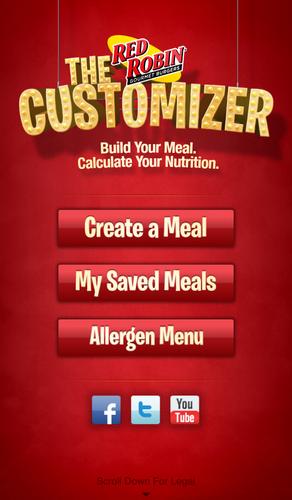
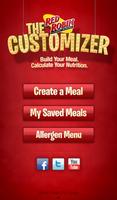
Enjoy all of your Red Robin menu favorites while keeping within your dietary restrictions. The Customizer app allows you to choose a menu item; add or remove ingredients; add sides, desserts and beverages; calculate the nutritional values; and save your meal creation to refer to or edit again later.

Red Robin has a long-standing tradition of customizing meals to order. So get creative and sub out that sesame bun for a whole grain bun; or replace a burger patty with grilled chicken; or better yet, go meatless with a Gardenburger® or BOCA Original Vegan Burger.

Let’s face it; nutritional values can be daunting at times. So use this tool to keep your Red Robin favorites within reach and keep the Yummm in your lifestyle.

This App IS a tool to allow you to customize your favorite Red Robin menu items so they fit within your dietary restrictions. This App is NOT an online ordering tool.

Features:

1. Access up-to-date online nutritional values for Red Robin ingredients (an internet connection required).

2. Create a meal and customize it to fit within your dietary restrictions.

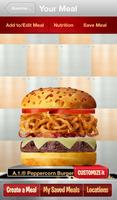
3. Visually edit ingredients on burgers and chicken sandwiches in “Customize it” mode:

• Change existing ingredients with easy swipe functionality.

• Remove ingredients (click ‘–’ icon next to ingredient).

• Add additional ingredients (click ‘+’ button at top of screen and swipe through ingredients).

4. Add or remove ingredients on entrees, sandwiches, salads and appetizers.

5. Add or delete menu items in the “Add to/Edit Meal” tab:

• Add sides, soups, beverages and desserts to your meal (click ‘+’ button at top of screen).

• Remove items or ingredients (click ‘–’ icon next to item or ingredient).

• Replace your existing burger, sandwich, entrée or appetizer (click ‘+’ button).

6. Save your meal

7. View and edit saved meals (click “My Saved Meals”).

For all questions please contact [email protected].

What's New in the Latest Version 1.8.4

Last updated on Feb 11, 2016 Bug fixes for compatibility with new versions of Android OS.
Download(50MB)
Users also viewed
  • Esport3

    Esport3

    3.6.3 August 30, 2026
  • Pro Wrestling Revolution

    Pro Wrestling Revolution

    1.19.26.977 August 29, 2026
  • Breast Cancer Symptoms

    Breast Cancer Symptoms

    1.0 August 29, 2026
  • Medicine M.R.P-Health Free app

    Medicine M.R.P-Health Free app

    1.0 August 29, 2026
  • A-League Live

    A-League Live

    8.1.16 August 29, 2026
  • Forever Fit

    Forever Fit

    1.3 August 29, 2026
  • Pimple Remover Tips

    Pimple Remover Tips

    4.0 August 28, 2026
  • DGK FT 2014

    DGK FT 2014

    1.2.2 August 28, 2026
  • 100 Bemarian 101 Ilaj

    100 Bemarian 101 Ilaj

    1.5 August 28, 2026
  • Spice Minister

    Spice Minister

    2.0 August 28, 2026
  • Gnaural for Android FREE

    Gnaural for Android FREE

    1.0.20140623 August 27, 2026
  • Basketball Score

    Basketball Score

    3.3.0 August 27, 2026
  • kcuts Go

    kcuts Go

    1.9.0 August 27, 2026
  • GPS Orienteering

    GPS Orienteering

    6.4 August 26, 2026
  • Prognosis : Hematology

    Prognosis : Hematology

    4.2.5 August 26, 2026
About Privacy Policy Terms of Service Cooking Policy

© Copyright 2017-2026 downzr.com