


PicCollage Beta gives you early access to PicCollage features!
This is the BETA version of PicCollage, where you get to try the newest features first!!!
Simple and Easy
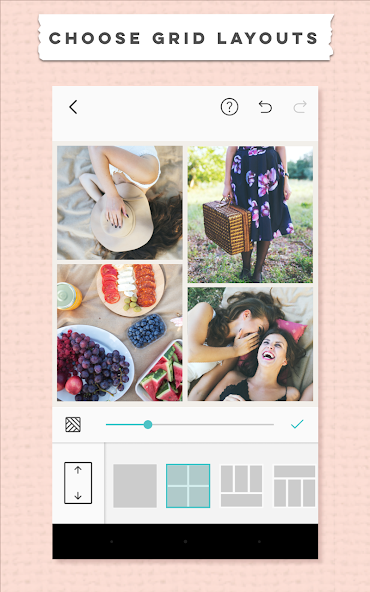
Create a photo collage in seconds with our easy-to-use photo grid feature! Choose from a wide variety of grid layouts and collage templates or just freestyle and create a photo collage on your own! Change the size of your photo collage with the touch of a button and share to Instagram, Twitter, Facebook and more.
Stickers for Every Occasion
Decorate your collage with thousands of seasonal, fun and artsy stickers! Enjoy exclusive content from huge brands such as Hello Kitty, Pacman, tokidoki and many more!
Unlock Your Creativity
Customize the photo border, background, photo grid, filter and more with our photo editor! You can even use our powerful web search feature to find the perfect photos to add to your collage.
Awesome Features
• Draw on your collages with our brand new Doodle tool!
• Grid layouts - Select multiple photos to make a photo grid in seconds!
• Choose from a wide selection of canvas sizes, including support for fullscreen Instagram Stories and Snapchat Stories.
• Import multiple photos from your camera roll, Facebook, Instagram and web image search.
• Simple touch gestures to rotate, resize, flick to delete.
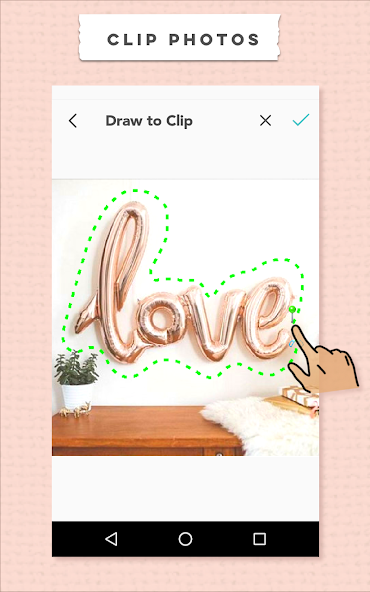
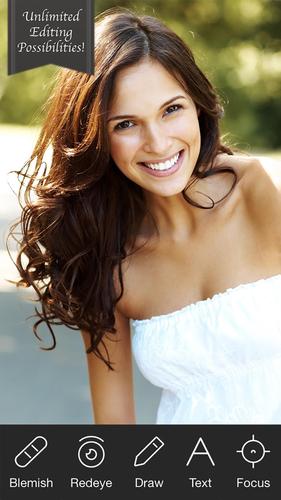
• A robust photo editor with custom effects, filters, adjustable borders, photo clipping and more!
• Create a photo clipping with our easy-to-use image cropping tool.
• Choose from an ever-growing library of exclusive stickers and backgrounds!
• Use pre-made Templates to instantly create themed collages.
• Add GIFs to your collages and share them as looping videos to Facebook, Instagram, Snapchat and more.
• Choose Freestyle to create a scrapbook of your special moments.
• Print your photo collage at home with the touch of a button by connecting to your wireless printer!
Recent updates include:
• Tons of seasonal templates, greeting cards and stickers.
• Create a collage in landscape format on your iPad and iPhone!
• New seasonal sticker packs and backgrounds!
• It’s easier to scale or rotate scraps with one finger! Just move the dot to arrange your photos, stickers or text scraps.
• Powerful web image search to help you find relevant photos.
• Print your creations as phone cases, canvas prints, magnets, greeting cards and posters!
• Put an outbound link in your PicCollage profile!
• Follow others and Remix their photo collage with your own!
• Submit your photo collage to a Remix Contest to get shoutouts, more followers, and stand a chance to win awesome prizes from our sponsors!
"You can impress your mother, brag to your co-workers, and make your vacation look even better than it really was, all before you pack your suitcase to return home ... It could be the fastest way you'll ever find to organize a batch of photos ... Also makes gorgeous emails and can turn your image into a real postcard." - LA Times and Newsday
We’re so happy you chose us as your favorite photo collage and photo editor app! Excited to see what you make!
PicCollage(TM) and “Pic Collage” are trademarks of Cardinal Blue Software. For more detailed terms of service: http://cardinalblue.com/tos
Privacy Policy: https://picc.co/privacy/




 Download