

Performance and working time recording for Painter Services
With this app, painting firms can record work completed.
This data can then be exported later as a CSV file and further processed in any program (i.e. for financial accounting).
Collection of details can be done onsite with help from a smartphone or tablet.
Customers and employees can confirm the services entered with a signature on a mobile device. This avoids any later conflicting information regarding the work to be completed.
All employees involved with the paintwork have access to the collected data at all times.
This app continuously replicates all user data with ginstr cloud.
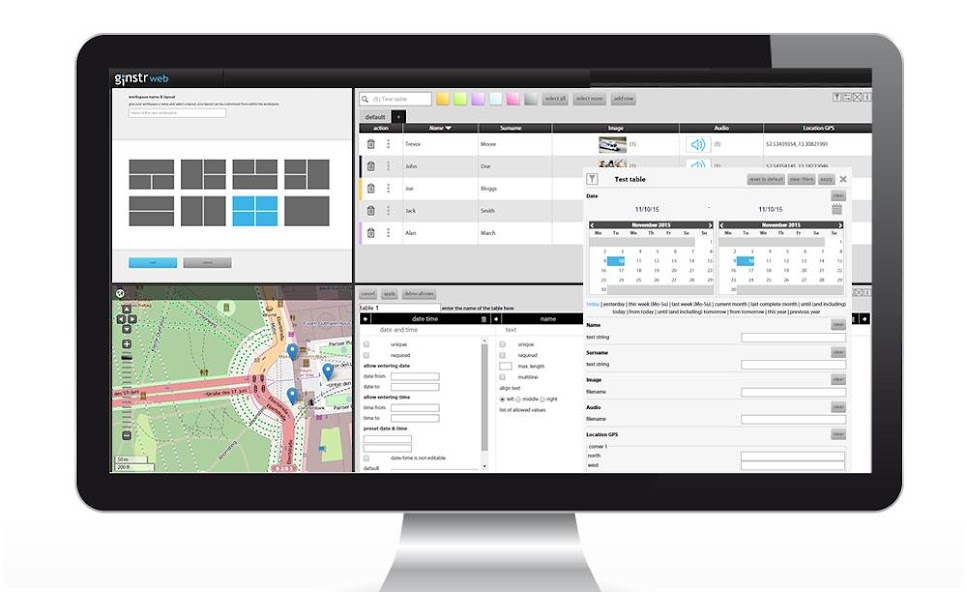
The data can then be analysed, processed, sorted, filtered, exported and shared with other departments, such as accounting or dispatching, in ginstr web - the web based platform for use with all ginstr apps.
Link to ginstr web: https://sso.ginstr.com/
Features:
The following data is collected:
▶ report date
▶ customer (from previously recorded customer lists)
▶ workplace (via GPS if available)
▶ completed work
▶ hours worked
▶ additional hours
▶ car allowance
▶ use of equipment
▶ building rubble
▶ material usage
▶ employee signature
▶ payment agreement
▶ customer signature
Benefits:
All work performed is entered quickly, thoroughly and effortlessly – no services rendered without documentation.
Customers and employees can confirm the accuracy of the daily report with a signature on a mobile device, thus avoiding any later disagreements regarding the extent of the services performed.
The work reports are automatically transferred to the ginstr cloud immediately after detection and can be further processed into invoices moments later by employees in the office.
Invoices can be issued faster and lost work reports are a thing of the past. With help from the ginstr app, one can ensure all work reports are carefully and thoroughly filled out to avoid any misunderstandings.
Furthermore, the responsible individuals in the company are kept completely up to date on the work progress of each object via prompt, real-time data transmission.
This app is offered to you at no cost; however, in order to use the app you must purchase a ginstr subscription.
















 Download