

Smart and simple print spooling from all your mobile devices
Konica Minolta, Inc. will end the support for PageScope My Print Manager Port on 31st March 2022.
Please check out Dispatcher Paragon.
https://www.konicaminolta.eu/eu-en/software/user-cost-management/dispatcher-paragon
-----------------------------------------
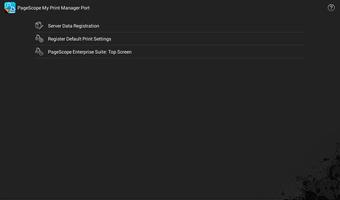
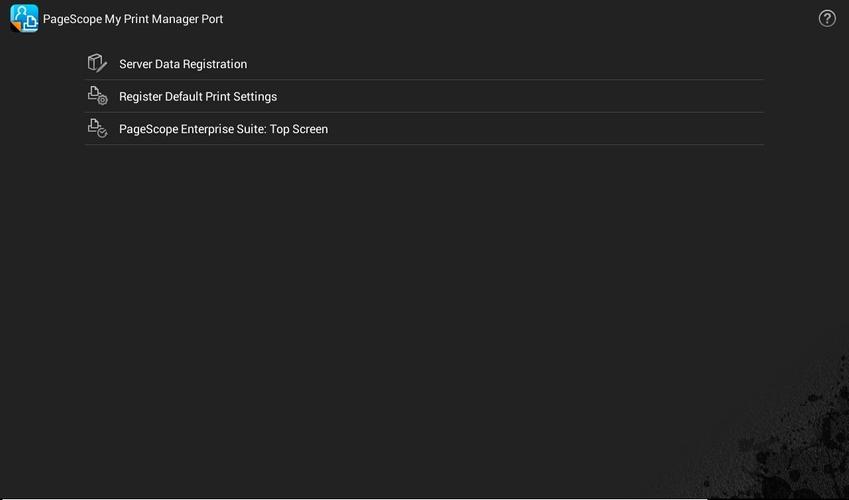
PageScope My Print Manager Port for Android is an application that enables each user to spool print data from an Android mobile device to a KONICA MINOLTA My Print Manager server on the Wi-Fi network; this application provides follow-me printing, offering enhanced job security and flexibility.
For information regarding PageScope My Print Manager, please refer to the URL provided below:
https://www.biz.konicaminolta.com/solutions/pses/index.html
Please note the following:
[Main Features]
* Print function
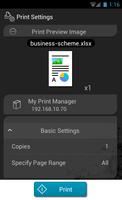
- Print jobs managed by any function within the PageScope Mobile App for Android can be spooled to a PageScope My Print Manager server to be printed.
PageScope Mobile for Android:
https://play.google.com/store/apps/details?id=com.kmbt.pagescopemobile.ui&hl=en
-> Print jobs in My Document
Any print job saved in My Document or in Online Storage services (GoogleDrive, Evernote, Dropbox, Microsoft SharePoint, File Server) can be spooled to the server and printed.
-> Print Email text and file attachments
Email text and file attachments received via an e-mail address in PageScope Mobile can be spooled to the server and printed.
-> Print WEB page
Web pages accessed by the browser in PageScope Mobile can be spooled to the server and printed.
-> Camera function and photo print
Images shot by the camera function in the Photo album can be spooled to the server and printed.
- Print jobs from other applications available on the Android mobile device can be spooled to the server by using the "Intent" function and printed.
* Confirm spooled print jobs and change job settings
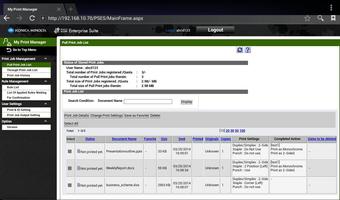
- Users can confirm their own spooled print jobs using the Web browser available on the Android mobile device.
It is possible to change print settings such as number of prints, simplex/duplex.
Users can quickly search and find a print job by specifying settings such as job name.
[Operating Environment]
OS:
Android 2.3 / 4.0 / 4.1 / 4.2 / 4.3 / 4.4 / 5.0 / 5.1 / 6.0 / 7.0 / 7.1 / 8.0 / 8.1 / 9.0
Memory:
256MB(RAM) & above
Screen resolution:
320x240(QVGA) & above
Tested devices:
Samsung GALAXY S II (OS 2.3.3)
Samsung GALAXY Nexus(OS 4.0.1)
Motorola XOOM Wi-Fi(OS 4.0.4)
Motorola XOOM Wi-Fi(OS 4.1)
ASUS Nexus7(OS4.2)
ASUS Nexus7(OS4.3)
LG Nexus5(OS4.4)
HTC Nexus9(OS5.0)
Motorola Nexus6(OS5.1)
Huawei Nexus6P(OS6.0/8.0/8.1)
GooglePixel 3(OS9.0)
The device must be a mobile computing device such as smartphone or tablet with Wi-Fi connectivity enabled.
The device must have undergone Google CTS testing. (Devices with independently customized operating systems such as e-book readers are not supported.)
[Precautions]
- Wi-Fi environment is required.
- Telecommunication costs are considered separate charges.
- When using this application, PageScope Enterprise Suite Ver.3.1.01000 or later is required.
- When using this application with PageScope Mobile, PageScope Mobile for Android Ver.3.0.0 or later is required.



 Download