

[Not Supported Anymore] Download our new WordKik apps!
Please download our NEW WordKik Apps called "WordKik Parental Control beta" and "WordKik Browser beta".
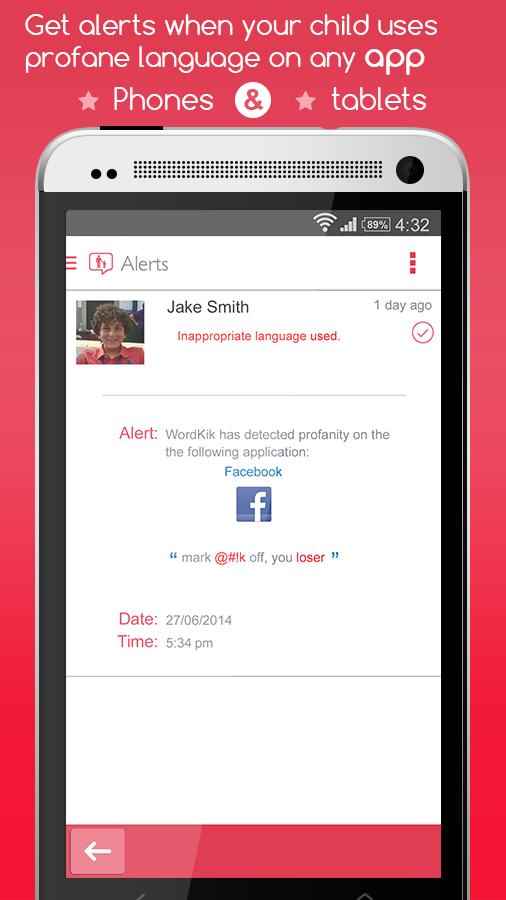
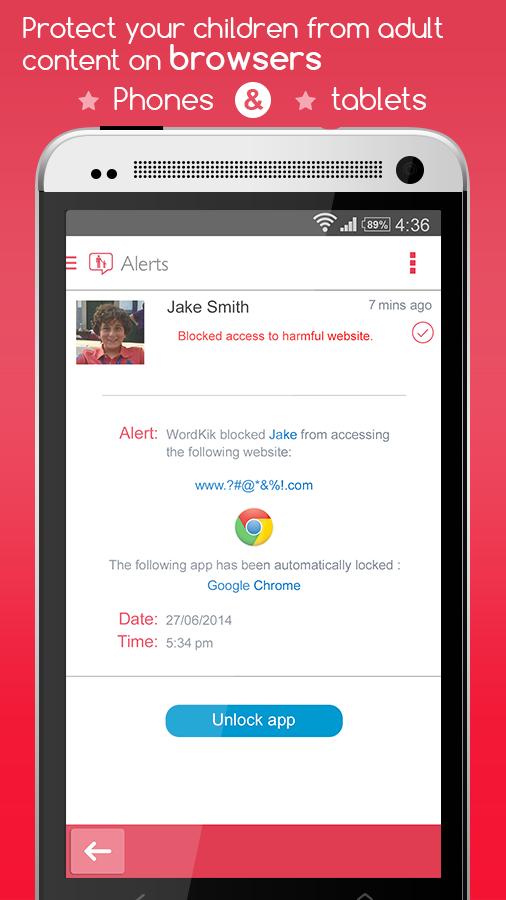
Take control of your children's devices like android phones or tablets. WordKik Parental Control protects your child from seeing adult content on their android browser and WordKik alerts you if your child uses inappropriate words on any app they are using.
User instructions: WordKik is made up of two different apps, WordKik Parental Control must be installed onto the parents android phone/tablet. WordKik child must be installed onto your child's phone or tablet.
WordKik Parental Control is used to monitor and control the child's devices.
WordKik Child is also available on the Google Playstore.
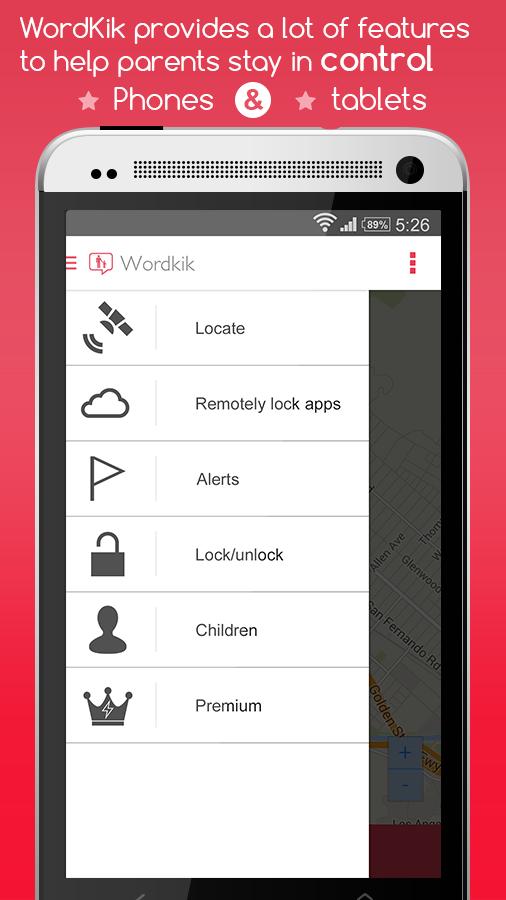
WordKik Parental Control offers a lot of features that puts you back in control of your children's devices. You can monitor up to four of your children's devices for FREE.
Features:
✔Get alerts if your child uses inappropriate words on their social networking app or SMS. The alert will detail what your child said and on what app they said it on.
✔Get notified if your child goes onto a website with adult content. Don't worry WordKik Child will also prevent your child from seeing the adult content. Works with child's default android browser. Our app will tell you what adult content your child searches for even in incognito mode.
✔Locate your children's devices on a single map. Know the last location of your child's device.
✔ Lock your child's entire phone or tablet with a countdown timer. Easily set the lock time on your child's profile and instantly a pop up appears on the child's phone/tablet.
✔ You also have the power to remotely lock/unlock any app on your child's phone/tablet using WordKik Parental Control or locally using WordKik Child app.
------------------------------------------------------------------------------------------------------------------------------------------------------------------------------
How to use:
1) Install WordKik Parental Control on parents smart phone/tablet.
2) Install WordKik Child on your child's Phone/tablet.
3) In the children section of WordKik Parental Control create your child profile when you complete your child profile you get a generated code.
4) Enter the generated code into WordKik Child.
5) The setup is complete and your child is now protected.
How to uninstall WordKik Child :
1) Delete your child's profile from WordKik Parental Control.
2) Go to settings app on your child's device.
3) Find and enter Security.
4) Scroll down and click on Device Administrator.
5) Uncheck WordKik Child App.
6) Now you will be able to uninstall WordKik Child app from App Manager like normal.
Other Notes:
***1. Keep your WordKik Parental Control password safe, make sure your children don't know it. Your password is very important because it is used to access settings on your child's phone or tablet. If your child knows your WordKik Parental Control password they will be able to uninstall WordKik Child from their phone/tablet.***
Developers advice :
✔ Lock all browsers on child's device except for their default browser. If child's device runs android 5.0.0 their default browser will be Google Chrome.
✔Lock Google Playstore to avoid your child from downloading mature rated apps.
----------------------------------------------------------------------------------------------------------------------------------------------------------------------------
For support do not hesitate to contact us on [email protected] for any issues you are having.
Contact us on skype [email protected] for any issues you are having.
Visit our website at www.wordkik.com
Like us on facebook www.facebook.com/wordkik
Follow us on twitter @wordkik








![[OLD] WordKik Parental Control](https://images.downzr.com/uploads/20260623/logo_6a3a97e1b24251.jpg)
 Download