


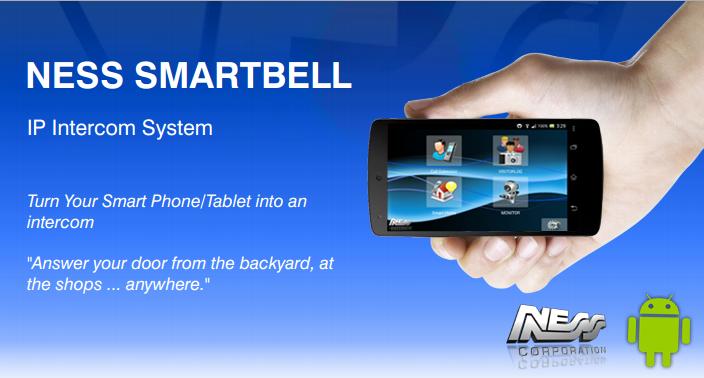
Ness Smartbell allows you to turn your smart phone into a Intercom.
Ness Smartbell is a app for Android that communicates with the Ness eGateway IP Intercom controller that allows you to control your IP intercom devices anywhere in the world.
You can receive an intercom call from your front door station and quickly talk and monitor visitors with your Smart phone. It makes your Smart phone a versatile remote video display & talk unit. In addition to this you can also use your Smartphone to talk from Smartphone to Smartphone via the eGateway. While local in the premises your Smartphone would connect via the premises WiFi network, while away from the premises the Smartphone will communicate via 3G.
Important:
Requires an activated DSL account and Wi-Fi router to connect your Ness IP intercom hardware. A Ness Smartbell video door phone (Door Station) and a Ness Smartbell eGateway adapter are required to work with IP INTERCOM. Purchasing of hardware is required. See supplier's website for more installation and pairing tips.
Features:
Ability to answer visitors at your door / gate etc on your Smartphone from anywhere in the World.!
Scenarios:
Visitor presses door phone, Image displayed to Smart phone. Owner listen to activity for secure, discreet monitoring. Answer the intercom call by pressing “Talk” and communicate with video Door station for both Video and Audio communication. Quick door release from safely inside building or anywhere.
Connectivity: Easy installation by plugging the Door Station hardware into the eGateway hardware and then pairing your Smartphone (running this Smartbell App) into the eGateway for a maintenance free operation. Control intercom on Wi-Fi/WAN networks. Accessible in anywhere via the internet and 3G connectivity. Applicable with mobile devices (Smart phone & tablet).
To purchase the hardware required visit the Ness Website and search for Ness Smartbell - nesscorporation.com
For technical support contact [email protected]
or
For sales contact [email protected]
For a demo, please contact your local Ness Dealer or Ness branch.
Training and setup video can be found here: https://www.youtube.com/watch?v=xC9c5TiQGTc
- Small Misc Updates.






 Download