

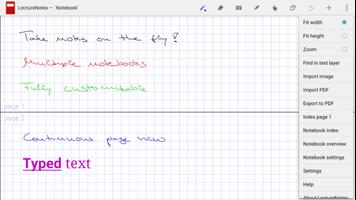
LectureNotes is an app for note-taking by handwriting on the screen.
LectureNotes is an Android app for note-taking by handwriting on the screen, in particular with a stylus.
It has been designed while having a user at university (or at school) in mind, for instance a lecturer who is using it for preparing her/his lecture or even for actual teaching (by writing on the device and projecting the screen content for the audience) or a student who is using it for taking handwritten notes during a lecture. However, it has found many users outside university, for instance businesspersons who use it for business notes and sales presentations or artists who use it to create sketches and drawings.
Its major target devices are tablets with Android 3.0 or later. The basic functionality works on all devices with Android 3.0 or later, but some which are hardware-dependent such as pressure sensitivity might not.
NOTE: This is the free trial version, in which the number of notebooks is constrained to two, with no more than eight pages per notebook.
Reviews:
* https://www.youtube.com/watch?v=K32hUvoo7mI
User feedback:
We would love to hear from you, please send feedback and feature requests to us by email. If you encounter a problem with the app, please email us and we will do our very best to fix it quickly.
Major features:
* requires only minimal permissions and no internet connection (we do respect your privacy!)
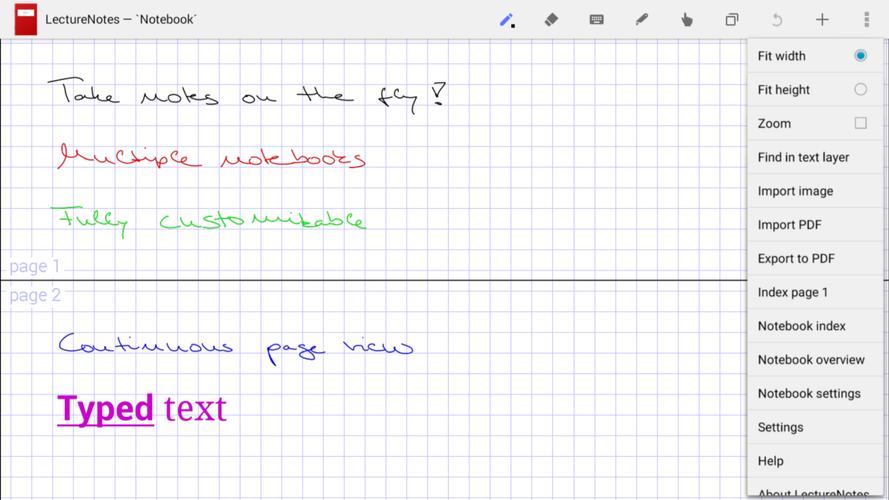
* allows multiple pages to be simultaneously visible on the screen (i.e. continuous page view)
* allows smooth writing, typing, scrolling, and zooming
Additional features:
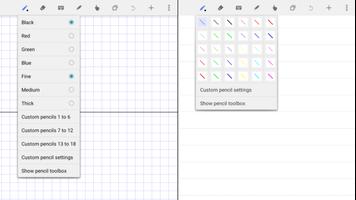
* multiple layers in notebook pages
* image import and image set import into notebook (including image import directly from camera)
* single- and multi-page PDF import (requires PDFView to be installed)
* notebook export as compressed PDF
* notebook export to Evernote (requires Evernote app to be installed)
* notebook export to OneNote (requires OneNote app to be installed)
* audio recording and replay (requires LectureRecordings to be installed)
* video recording and replay (requires LectureVideos to be installed)
* presentations (requires LecturePresentations to be installed)
* sharing and import of notebook pages
* keyword attachment to notebook pages and automatic indexing
* insertion, deletion, and rearrangement of notebook pages
* sharing and import of notebooks
* organization of notebooks in folders
* backup and restore of notebooks board
See the help page https://www.acadoid.com/apps/ln/help/ for more details.
Possible issue: For certain functionality, the app requires other apps to be installed: Notebook and folder import, notebooks board restore, and image set import require a file manager app to be installed; image import directly from camera requires a camera app to be installed; PDF import requires a file manager app and PDFView to be installed; export to Evernote requires the Evernote app to be installed; export to OneNote requires the OneNote app to be installed.















 Download