• Home
  • Games
    Action-adventure Simulation Business Role Playing Sports Competition Casual Intelligence Card Strategy Music Rhythm Text Puzzle Flying Shooting Love Development
  • Apps
    Business Office Newsletter Social Life Entertainment Online Shopping Practical Tools Travel Financial Management Educational Learning Information Reading Sports and Health
  • Articles

English 中文(简体) 中文(繁体) 한국어 日本語 Português Español Русский العربية Indonesia Deutsch Français ภาษาไทย
Home Apps Practical Tools Launcher - MagicLockerTheme
Launcher - MagicLockerTheme

Launcher - MagicLockerTheme

1
2
3
4
5
Download
  • Version 1.2
  • Category Practical Tools
  • Package Name mobi.lockscreen.magiclocker.theme.free.haron.launcherfree
  • Update Time October 11, 2025
  • Size 765.76KB
About this app

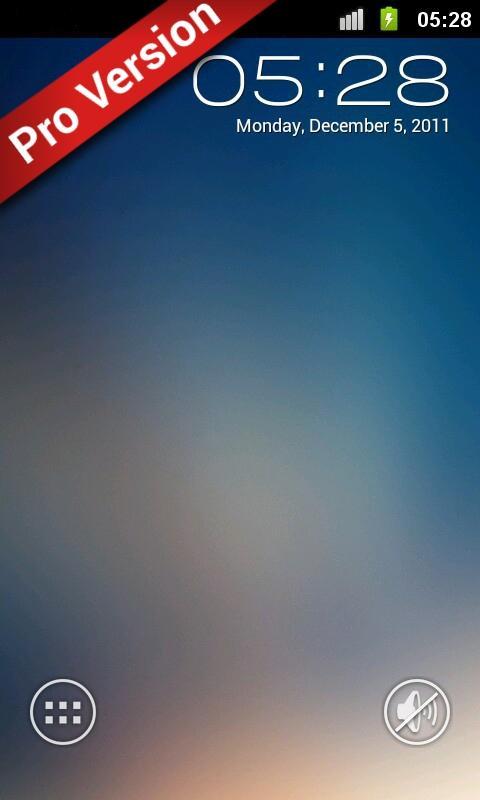
'Launcher - MagicLockerTheme' is a MagicLocker Theme App

'Launcher - MagicLockerTheme' is a MagicLocker Theme App. To run this theme app, you must install MagicLocker App first

********

* Author: h_zee13

*

* Description:

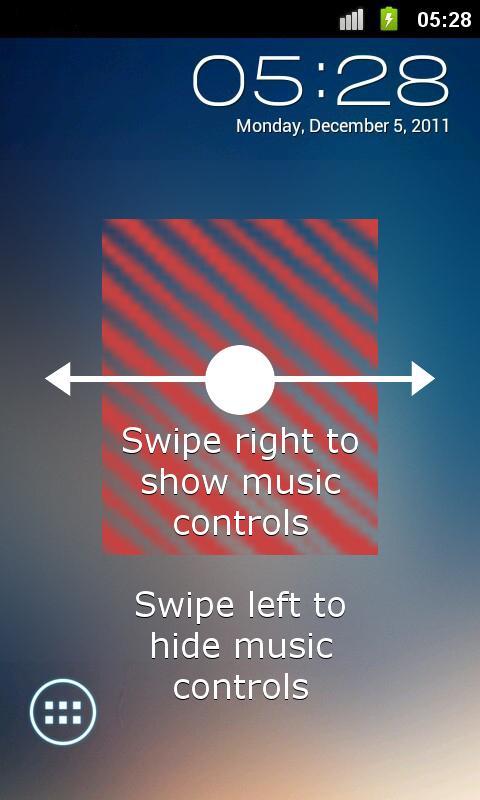
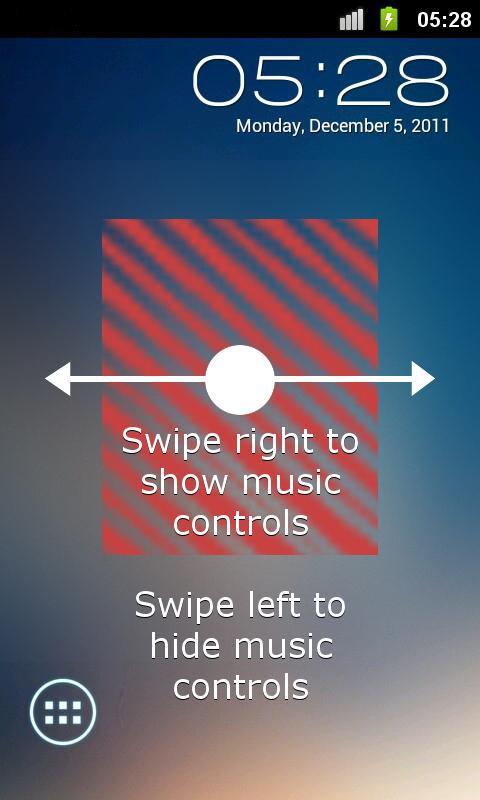
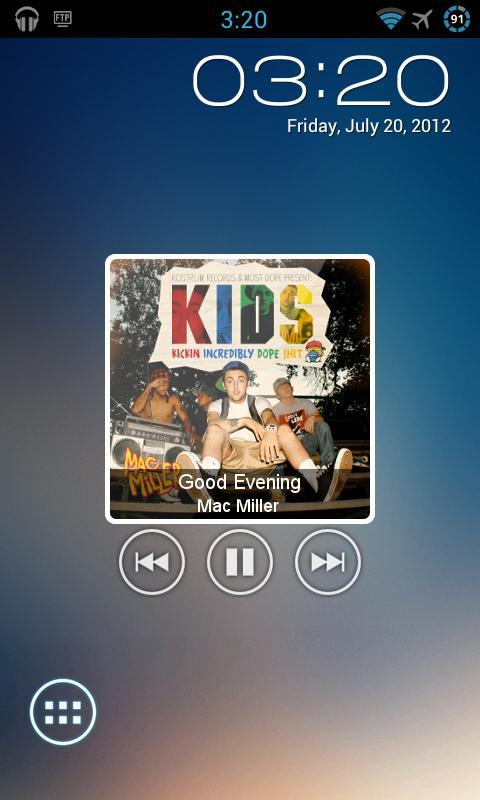
- *NEW* Music controls

- This theme includes shortcuts for phone, sms, gmail, and camera apps.

********

Design and icons copyright belongs to the author.

Q&A:

Q: How to find more MagicLocker Themes?

A: You can press 'More Themes' button in 'MagicLocker Setting -> Themes Tab'. Or search 'mobi.lockscreen.magiclocker.theme' in Google Market directly.

Q: How to install MagicLocker Themes?

A: After you install a MagicLocker theme app, you need to run the theme app and press 'Install this theme' button in the theme dialog.

Q: How to uninstall MagicLocker Themes?

A: You can long press a theme in 'MagicLocker Setting -> Themes Tab' then press 'Uninstall theme'. Or go to 'System Setting -> Applications -> Manage applications' then find the theme App to uninstall as general App.

Q: Why the 'Lost Robot' theme can't be uninstalled from MagicLocker?

A: 'Lost Robot' is the default theme in MagicLocker and MagicLocker must ensure there is at least one theme exist.

Q: Why a theme disappeared from 'MagicLocker Setting -> Themes Tab'?

A: First, please ensure your SD card is available, if yes, please try to reinstall the theme app.

What's New in the Latest Version 1.2

Last updated on Jan 11, 2017 v1.2:
Added marquee for song info

v1.1:
Added music controls
*Please refer to screenshots for how to use music controls*

Download(765.76KB)
Users also viewed
  • GLview

    GLview

    6.4.101 November 30, 2025
  • DevelopQuickSetting

    DevelopQuickSetting

    1.1 November 30, 2025
  • Signal Care Free

    Signal Care Free

    3.0.6 November 30, 2025
  • Sensor Check

    Sensor Check

    1.2 November 30, 2025
  • Gallery Pro

    Gallery Pro

    1.1 November 30, 2025
  • Japanese for GO Keyboard-Emoji

    Japanese for GO Keyboard-Emoji

    3.0 November 29, 2025
  • One tap boost

    One tap boost

    1.0.1 November 28, 2025
  • Beautiful Cloud WatchFace Free

    Beautiful Cloud WatchFace Free

    1.0 November 28, 2025
  • Floating Info

    Floating Info

    2.1 November 28, 2025
  • AMemoryTool Swap Enabler Root

    AMemoryTool Swap Enabler Root

    Dauis v6.8 November 28, 2025
  • RealTime Utilities - Sidebar

    RealTime Utilities - Sidebar

    1.1 November 28, 2025
  • 14 days Transparent Weather

    14 days Transparent Weather

    2.1.0 November 27, 2025
  • Ultimate Mandolin Tuner

    Ultimate Mandolin Tuner

    1.11.4 November 27, 2025
  • Photo Shine

    Photo Shine

    1.0.2 November 27, 2025
  • AI Interior Design - Interio

    AI Interior Design - Interio

    4.5.0 November 27, 2025
About Privacy Policy Terms of Service Cooking Policy

© Copyright 2017-2025 downzr.com