

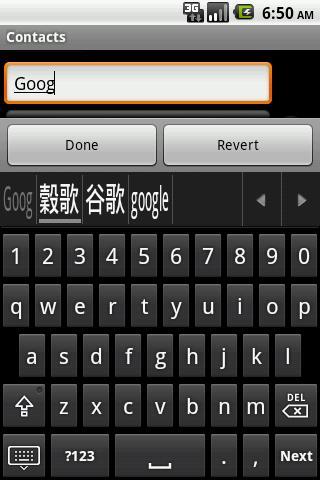
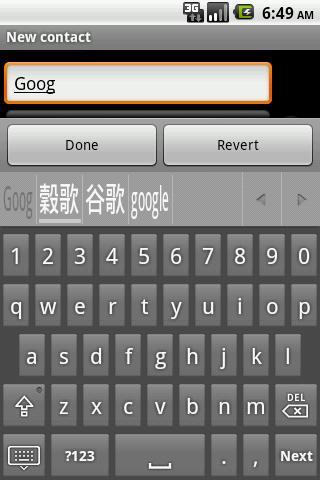
Soft keyboard for entering of traditional and simplified Chinese characters
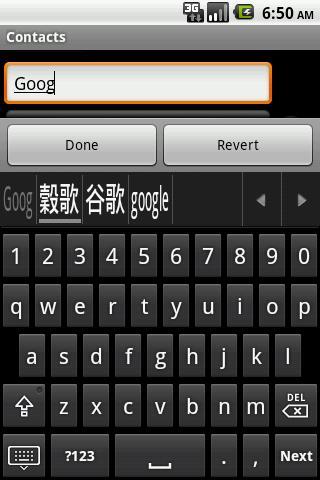
Jyutping keyboard (粵拼鍵盤) is an implementation of soft keyboard for the Google Android mobile operation system. It provides an interface for the entering of traditional and simplified Chinese characters on Android devices, by means of Jyutping romanization (粵拼) and English-Chinese dictionary look up.
* HK chars
* 16 keyboard layouts
* Selection history
* Learning related words
* Associated phrases
* Eng suggestion with correction
* Hard keys support
* Integrated Eng-Chi dictionary lookup
* Phrase lookup
* No insecure permission required
Phrase lookup (32MB of heap memory is required):
Input Chinese phrase directly by the following patterns;
* First code of the 1st char. + First code of the 2nd char. + … + First code of the last char., or
* First code of the 1st char. + First code of the 2nd char. + … + Full code of the last char.
E.g.
For '你好嗎'; key in ‘nhm’ or ‘nhmaa’.
Open by:
For Android 1.5 ~ 2.x;
1.Check the keyboard at Settings > Locale & text
2.Long press a text box > select input method
For Android 3.x ~ 4.x;
1.Check the keyboard at Settings > Language & input
2.Click a text box > drop down the notification bar and click 'Choose input method' > select input method
For Android 5.x;
1.Check the keyboard at Settings > Language & input > Current Keyboard > Choose Keyboards
2.Click a text box > Click the keyboard icon on the bottom navigation bar > select input method
Visit Web for details
Tips:
1. If you experience extreme lag after updating, try uninstalling and re-installing the keyboard again.
2. After changing theme, try to restart the keyboard or rotate the device with the keyboard active, to make the new theme effective.
3. If you experience touch difficulty, try to set the Touch sensitivity settings as High and Neutral.
4. If you experience missing candidates, try enabling the 'Rarely used characters' option of 'Chinese candidates' setting.
5. Simplified Chinese candidates are disabled by default. Enable it at the 'Character type' option of 'Chinese candidates' setting if required.
Known issues:
1. Keyboard closes itself on Contact's phone number text box of Samsung devices with Android 4.x. Will fix once we get a Samsung device on hand to check.
2. Keyboard plays sound on press on LG devices, even sound is disabled in settings. Will fix once we get a LG device on hand to check.
Ver 0.4.1:
1. New option for auto removing space between English and Chinese word.
2. New option for auto inserting space between Chinese and English word.
3. Fix the jumping candidate selection bar for tablets.
4. Minor bug fixes.
Ver 0.4.0:
1. Phrase lookup.
2. Better Associated phrases suggestion.
3. English auto completion with correction.
4. Various bug fixes.








 Download