

Control your devices screen using it's built in sensors!
Control your devices screen using it's built in sensors!
Please contact me via the in app contact form to report issues or submit requests.
Please do not leave poor comments as this app is in early development and will be updated and enhanced as issues and suggestions are submitted.
Some OEM mods and skins may affect feature performance or availability, please contact me via in app form to report issues and I will look into them ASAP.
Most Phones have both a Proximity Sensor as well as an Ambient Light Sensor. Some Tablets may only have an Ambient Light Sensor. Please check that your device support one of the two before downloading. Proximity Sensor is recommended if available. Otherwise try Ambient Light Sensor.
[Requires admin privileges in order to lock screen and put device to sleep. Permission will be requested in app. To uninstall first remove admin privileges in system settings.]
Features:
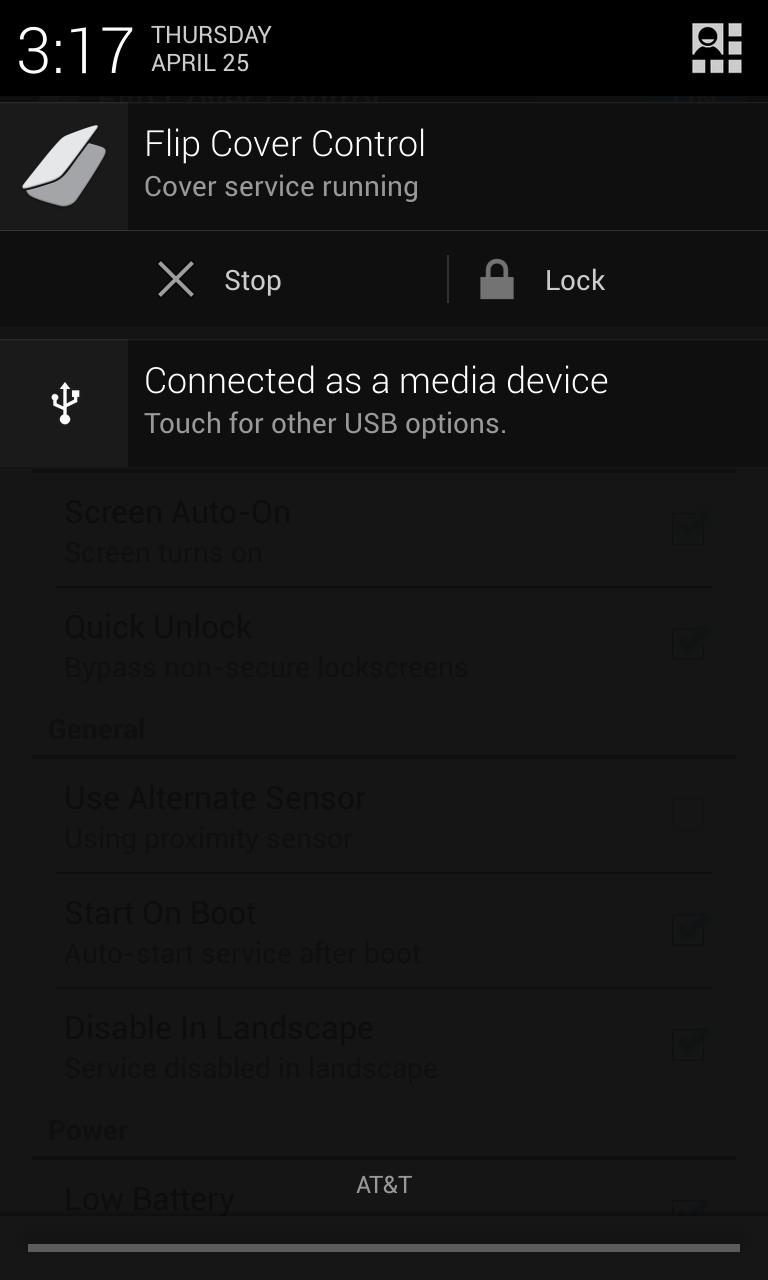
Rich notification to lock or stop service from notification tray.
Sensor selection, ambient light or proximity, may vary per device.
On / Off / Timeout Settings
Quick Unlock Option
Power Saving Options
More, see below...
Use Cases:
Control screen using a flip cover for your device.
Turn your screen on or off by simply waving your hand over the sensor.
Have device turn on/off automatically when put into/taken out of a pocket/purse.
Turn screen off by flipping device over.
Prolong power button life by pressing it less.
Notes:
Some older devices will not wake if security is enabled in system settings.
Some older devices take longer to wake due to software limitations.
Ice Cream Sandwich or newer is recommend.
Some features are only available on devices running JellyBean or later.
Tested On:
Samsung Galaxy III with a flip case running TouchWiz JB (Set lockscreen to "None" for quick unlock)
Samsung Galaxy III with a flip case running CyanogenMod10
Nexus 4 without a case running Vanilla Android 4.2.2
Motorola Xoom with a case running Stock Android 4.1.2
Motorola Atrix 4G without a case running CyanogenMod10 / MotoBlur 2.3.3
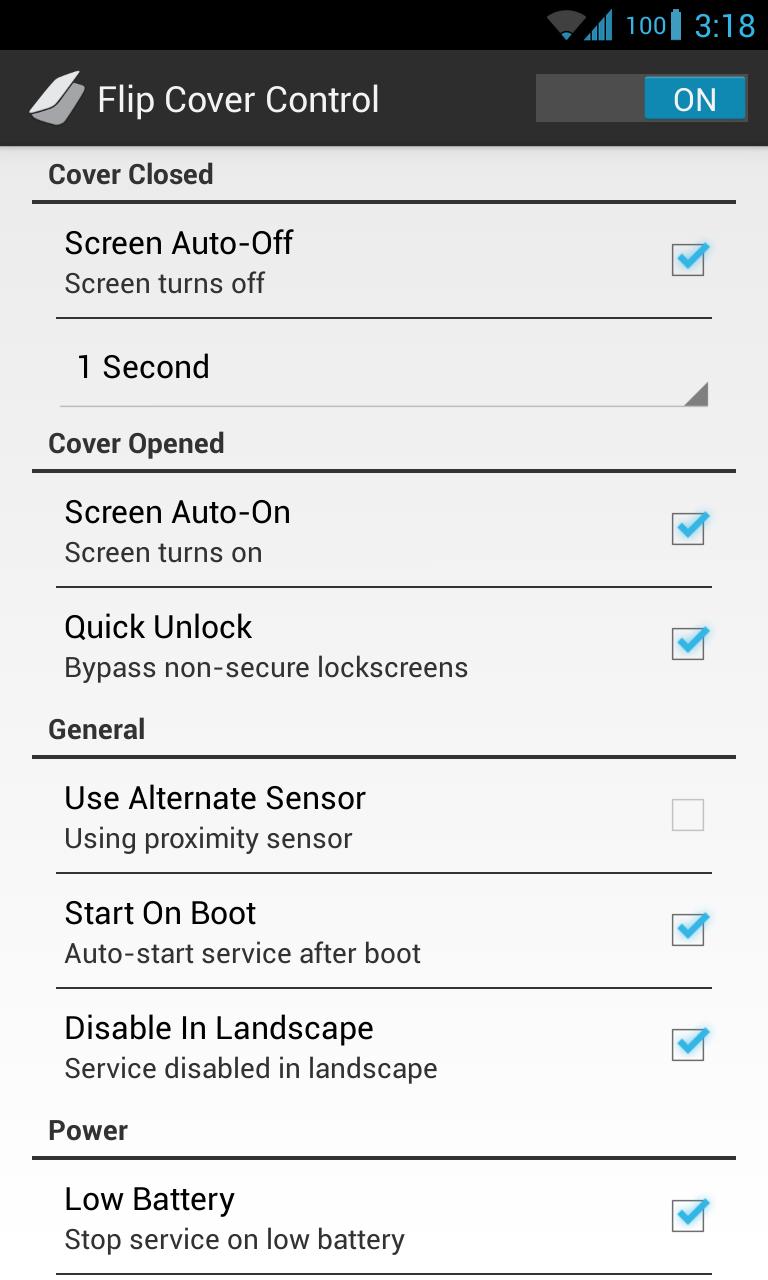
Explanation of settings:
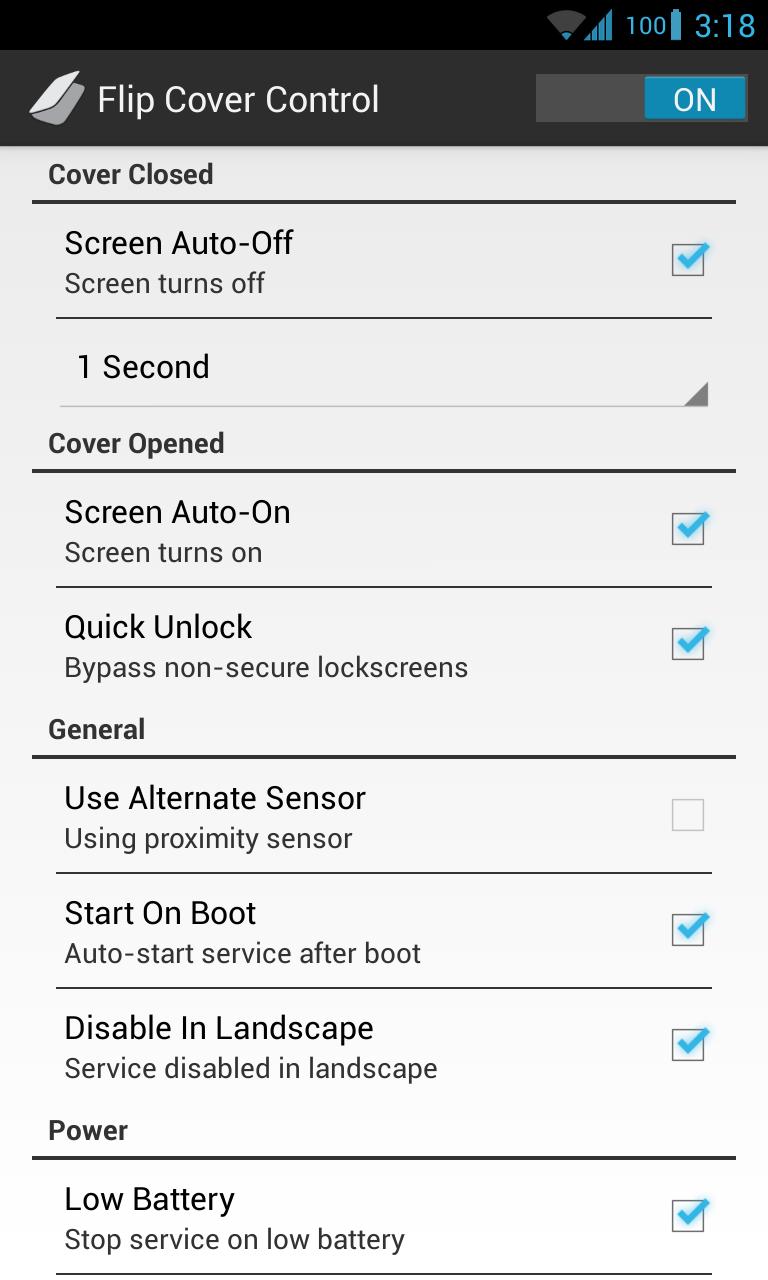
Control Service - The main service that controls the screen state based on either proximity or ambient light measurements.
Cover Closed:
Screen Auto-Off - Whether or not to turn the screen off when sensor is covered.
Screen Timeout - How long to wait after screen is covered before turning off screen.
Cover Opened:
Screen Auto-On - Whether or not to turn the screen on when the sensor is uncovered.
Quick Unlock - Whether or not to automatically bypass non-secure lockscreens.
General:
Use Alternate Sensor - Whether or not to use the ambient light sensor instead of the proximity sensor. (Some options not available on all devices)
Start On Boot - Whether or not to start the service automatically when the device starts up.
Disable In Landscape - Whether or not to enforce the service while device is rotated to landscape orientation.
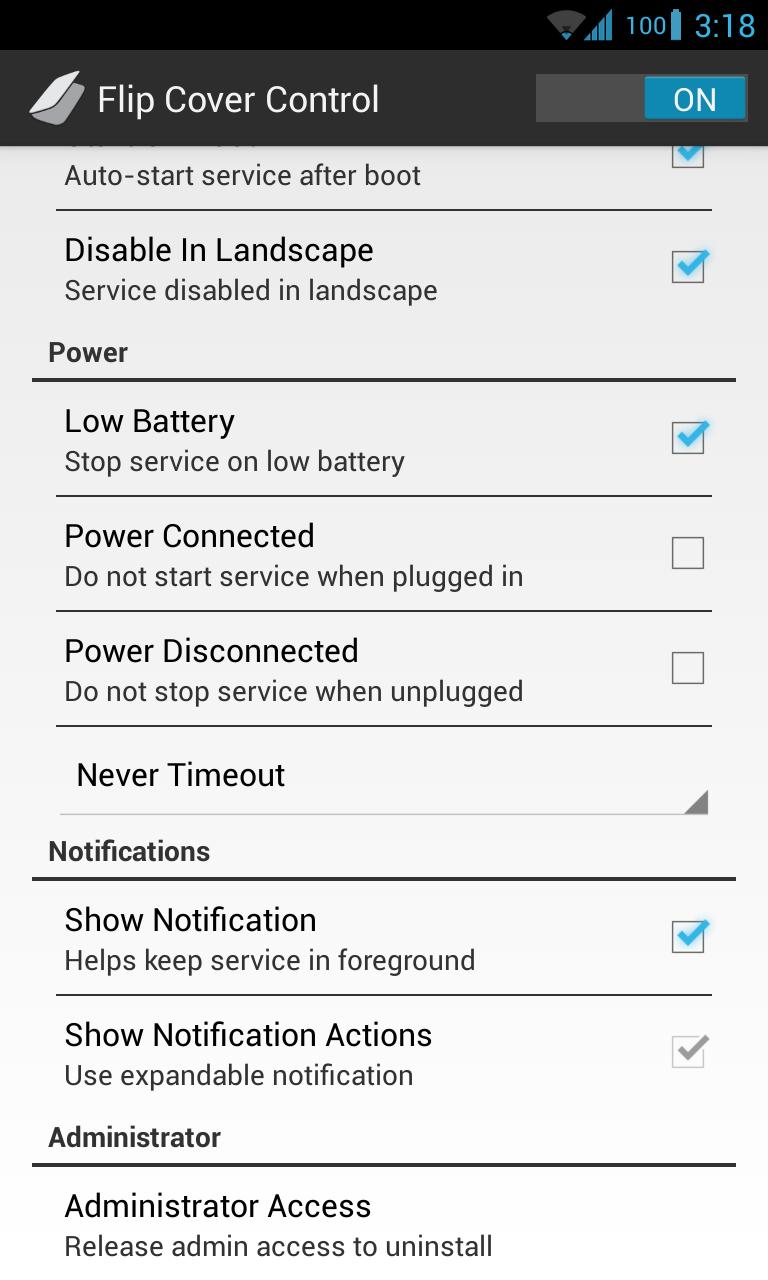
Power:
Low Battery - Whether or not to automatically stop service on system low battery.
Power Connected - Whether or not to automatically start the service when plugged in.
Power Disconnected - Whether or not to automatically stop the service when unplugged.
Screen Idle Timeout - If and when to terminate the service if screen has been off for selected time span.
Notification:
Show Notification - Whether or not to keep a notification in the tray. Helps keep service from being killed in low memory situations.
Admin:
Administrator Access - Whether or not admin access has been granted. Required in order to lock screen. Disable to uninstall application.







 Download