• Home
  • Games
    Action-adventure Simulation Business Role Playing Sports Competition Casual Intelligence Card Strategy Music Rhythm Text Puzzle Flying Shooting Love Development
  • Apps
    Business Office Newsletter Social Life Entertainment Online Shopping Practical Tools Travel Financial Management Educational Learning Information Reading Sports and Health
  • Articles

English 中文(简体) 中文(繁体) 한국어 日本語 Português Español Русский العربية Indonesia Deutsch Français ภาษาไทย
Home Apps Business Office Farad DistoDraw
Farad DistoDraw

Farad DistoDraw

1
2
3
4
5
Download
  • Version 1.9.5
  • Category Business Office
  • Package Name it.studioundici.farad_distodraw
  • Update Time May 18, 2026
  • Size 967.97KB
About this app

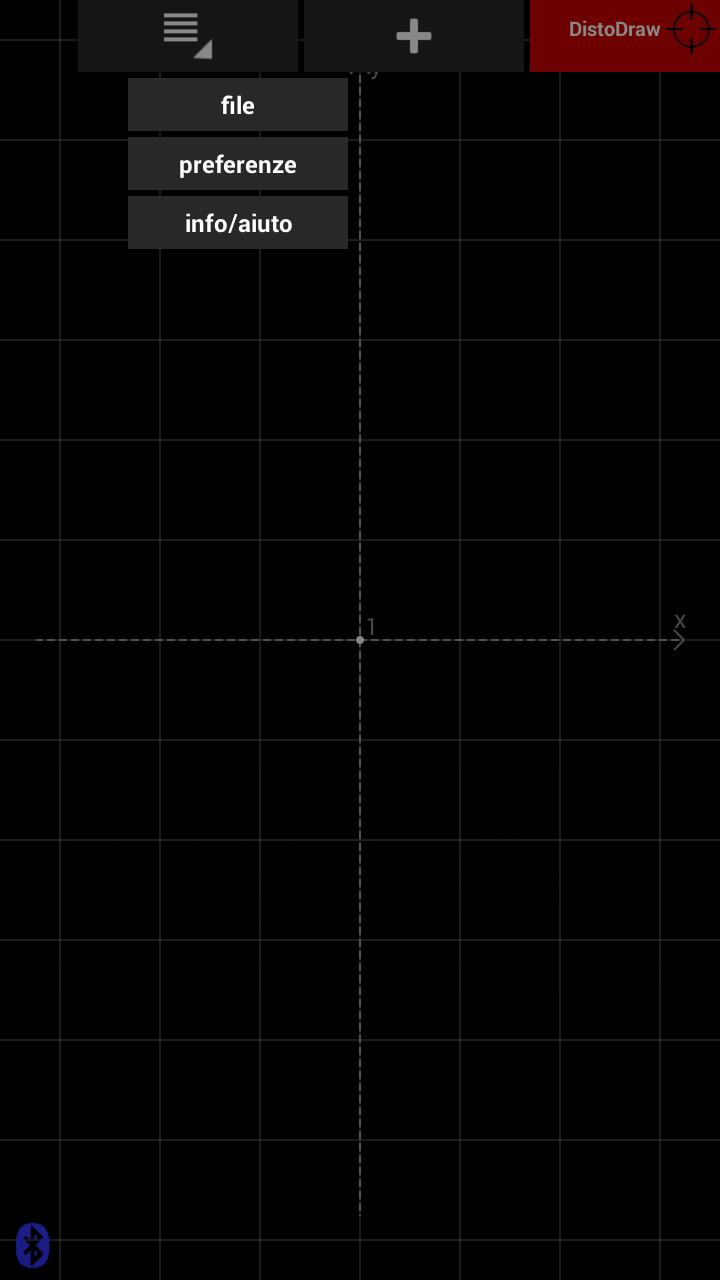
Reliefs on the construction site with a Leica Disto Bluetooth 4.0

SYSTEM REQUIREMENTS *** ***

This app works only in conjunction with a distance meter Leica DISTO D810, D510 or D110.

INTRODUCTION *** ***

This app wants to help you in your work of architectural significance. With this software you can easily store and check your measurements directly on the spot. No longer open perimeters or dimensions forget! You can immediately see your work without having to go back and correct it if necessary on the spot ...

HOW IT WORKS *** ***

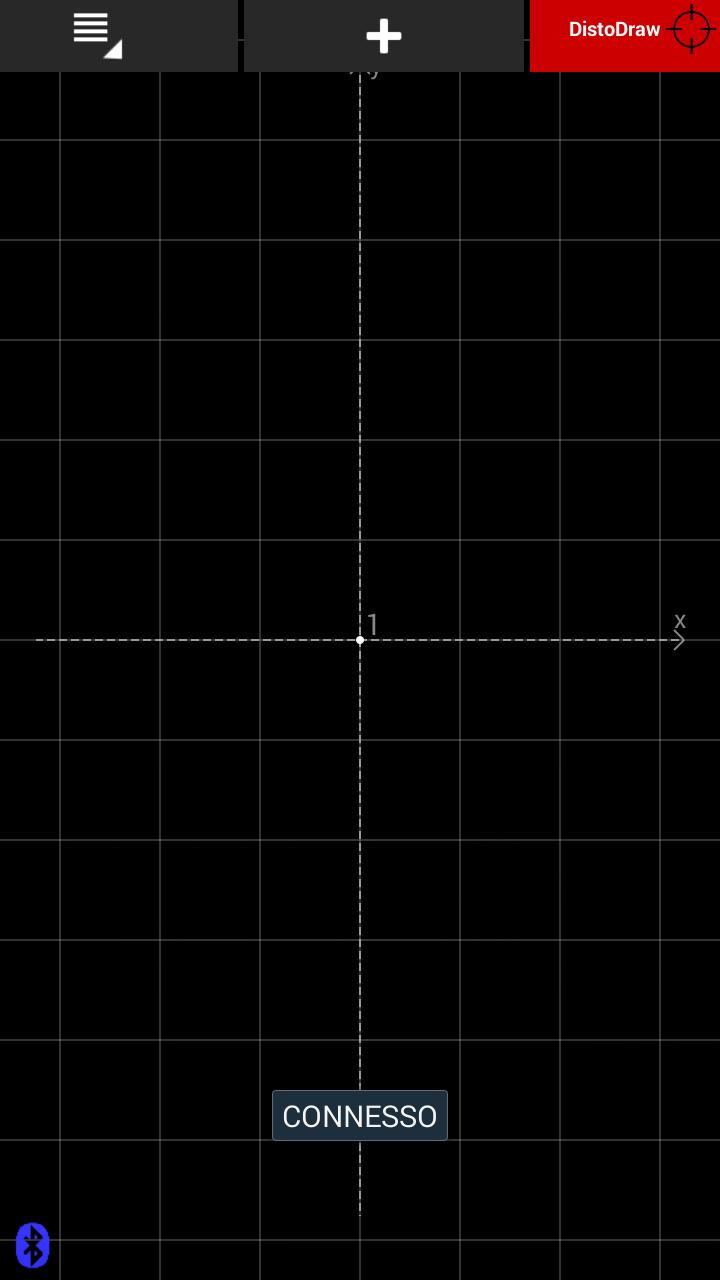
Just open the application you will find a first point already inserted, the "zero" point. Start by tapping the relief on this point is a contextual menu from which to choose whether to create a new item or a new line. Use the keypad to enter the coordinates of the selected point, or press the "dir" to communicate the direction in which to draw the size.

Make tap on all existing points to add more points or lines. The context menu also allows you to edit or delete existing points or lines.

For lines, you can also create parallel (offsets), always using the context menu.

The app stores the relief in DXF format in the "Farad-DistoDraw" created in the external memory of the device. This file can be shared quickly through the menu FILE> SEND or copied by connecting the device via USB cable. The DXF format can be opened directly in a study from any CAD program. It 'also possible to import DXF files simple in design (to be copied into the folder Farad-DistoDraw in external memory).

Connect your rangefinder for entries even faster. By coupling a rangefinder to your device (with Bluetooth 4.0) can enter the measurements directly in the selected field at the moment ...

What's New in the Latest Version 1.9.5

Last updated on Oct 18, 2021 Bug fixes
Download(967.97KB)
Users also viewed
  • 151462147071349223806149530521

    151462147071349223806149530521

    2.1 August 29, 2026
  • Emirates Identity Authority

    Emirates Identity Authority

    3.0.1 August 29, 2026
  • SB Nice

    SB Nice

    2.4.5 August 28, 2026
  • Expandable RecyclerView Demo

    Expandable RecyclerView Demo

    1.0.8 August 28, 2026
  • USB Endoscope Camera

    USB Endoscope Camera

    2.7 August 26, 2026
  • Captain's Log

    Captain's Log

    1.1.0 August 25, 2026
  • eco:Drive

    eco:Drive

    2.3.6 August 24, 2026
  • Best WAZE GPS Guide

    Best WAZE GPS Guide

    2.0 August 24, 2026
  • Goku Lock Screen

    Goku Lock Screen

    1.2 August 23, 2026
  • Ultimate To-Do List

    Ultimate To-Do List

    4.6.0 August 23, 2026
  • Airtel Work

    Airtel Work

    10.24.0 August 21, 2026
  • GLM floor plan

    GLM floor plan

    1.5.0.0 August 20, 2026
  • BD Holiday 2015

    BD Holiday 2015

    1.0 August 20, 2026
  • Guide Xender File transfer for Free

    Guide Xender File transfer for Free

    1.1.0 August 19, 2026
  • Worktime

    Worktime

    1.9.1 August 18, 2026
About Privacy Policy Terms of Service Cooking Policy

© Copyright 2017-2026 downzr.com