

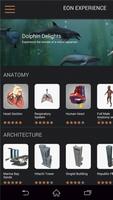
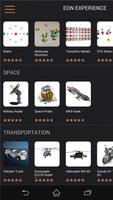
Library of interactive Virtual Reality and Augmented Reality applications
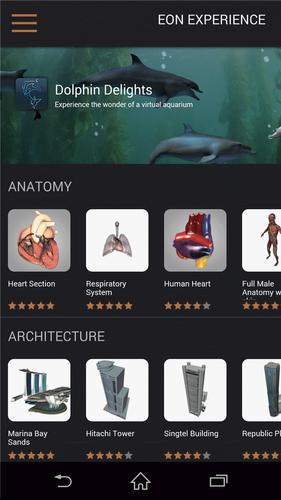
EON Experience VR is a service for viewing interactive Augmented Reality and Virtual Reality applications on your phone. The EON Experience VR application delivers an exceptional AR/VR experience anywhere, anytime.
Get the free app and become instantly immersed in a growing selection of AR and VR experiences on your phone. Currently, you can experience your application in three different modes: Normal, AR, and VR.
Note: Some applications require additional memory and RAM than others. In case the demo does not launch, be sure close all open apps to free up memory.
Normal Mode
This is the default mode and does not require additional devices to run the application. Simply navigate and interact directly on your screen.
Augmented Reality Mode (AR)
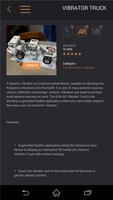
The Augmented Reality application uses your device’s camera to display interactive 3D models with motion tracking. To experience this content in Augmented Reality, (AR Mode), download and print the Tracker Image Marker from the Google Play Store listing and orient your device's camera toward it. The Tracker Image Marker works best when flat on a table. You can also download marker here: http://goo.gl/oLgJGj
Immersive VR Mode (VR)
To experience this content in Virtual Reality, (VR mode), insert the device in a VR case. Ensure the device fits and uses gyro tracking for best use. No controllers are needed. Simply use your head to look around.
Compatible Virtual Reality Android headsets: Zeiss VR ONE, DoDo Case VR, Google Cardboard, HOMIDO, Durovis Dive, Fibrum etc.
How does EON Experience VR work?
The EON Experience VR is an application similar to Movie and News apps, etc. This means stable internet connection is required to enable proper functionality. EON Experience VR gives you access to a growing number of free AR and VR applications. Browse a growing selection of titles, as new Experiences are added regularly. Content inside the EON Experience VR app will continue to update with more applications,. Simply stay up-to-date and be on the lookout for more applications coming soon!
About EON Reality
EON Reality Inc. is the world leader in Virtual Reality based knowledge transfer for industry, education, and edutainment and is now enabling the ability to publish EON applications to mobile devices. See more at www.eonreality.com.
Bug fixes:
- Some of the content were not displayed the second time you visit them (showing black screen). This is now fixed.















 Download