

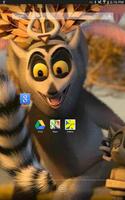

One-stop solution for your infinite number of Android devices
This is not a normal Launcher to design your Android device screen. This is Enterprise Launcher to install and maintain identical icons, applications, wallpapers to minimum 2 - Maximum infinite (1000+) Android devices through Google cloud by using your Gmail account.
Highly Technological, Google Cloud interface through Gmail ID, One-stop solution for your infinite Android devices, Identical home screen and Identical Android application in you all Android devices.
Galaxy Launcher features:
+ Install and Uninstall Android application using your Gmail ID through doc.google.com
+ Enterprise Launcher running with your Gmail ID
+ Google SDK integration
+ Storing your applications and Wallpapers in Google drive
+ Customizable applications for all your Android devices
+ Switch application option
One-stop solution for your infinite Android devices:
This Enterprise Launcher will install and update identical Wallpapers and applications in to all of your android devices through Google cloud using your gmail.
How to test Enterprise Launcher:
1. Enterprise Launcher is running through Google cloud by your Gmail id
2. We need mini 2 or more(1000+) android devices and follow this instructions with your 2 or all Android devices
3. Switch "ON" wi-fi and Sign-in to your same Gmail id in your 2 Android devices
4. Install this application into your 2 Android devices from Google play and follow the instructions on the screen
5. Now Enterprise Launcher will install Google drive application from Google play.
6. Place your choice of application from Hot seat (bottom center icon) in your one device and the new application automatically placed on your second devices.
7. Press and hold any place on your devices screen and select your wall paper and the wall paper will be installed in to your second device automatically with in 20 seconds.
8. Now we can monitor this Enterprise Launcher data's in your Gmail account. Log-in your Gmail id in any computer and open www.drive.google.com/LauncherConfig,txt and www.drive.google.com/Wallpaper.txt
How we can switch to Default or other Launcher from Enterprise Launcher :
1. Press home button on your devices and select your launcher or Press Hot seat and look for Switch app icon and press Switch app.
What is red-color cross icon in your other Android devices?
Red-color cross icon - indicates new application coming from cloud and press to install
Red-color cross icon means, this is new application for that particular devices and press the red-color cross icon to automatically install that application from Google play.
when you place any application in to your first Android devices, it will automatically push the installed app to other devices through Google cloud by using your gmail id. if the new application not exist in your second Android device, it will be treated as new application and create Red-color cross icon.






 Download