• Home
  • Games
    Action-adventure Simulation Business Role Playing Sports Competition Casual Intelligence Card Strategy Music Rhythm Text Puzzle Flying Shooting Love Development
  • Apps
    Business Office Newsletter Social Life Entertainment Online Shopping Practical Tools Travel Financial Management Educational Learning Information Reading Sports and Health
  • Articles

English 中文(简体) 中文(繁体) 한국어 日本語 Português Español Русский العربية Indonesia Deutsch Français ภาษาไทย
Home Apps Practical Tools Engineer Mode MTK Shortcut
Engineer Mode MTK Shortcut

Engineer Mode MTK Shortcut

1
2
3
4
5
Download
  • Version 1.6.1
  • Category Practical Tools
  • Package Name com.Go.EngModeMtkShortcut
  • Update Time July 4, 2025
  • Size 29.14KB
About this app

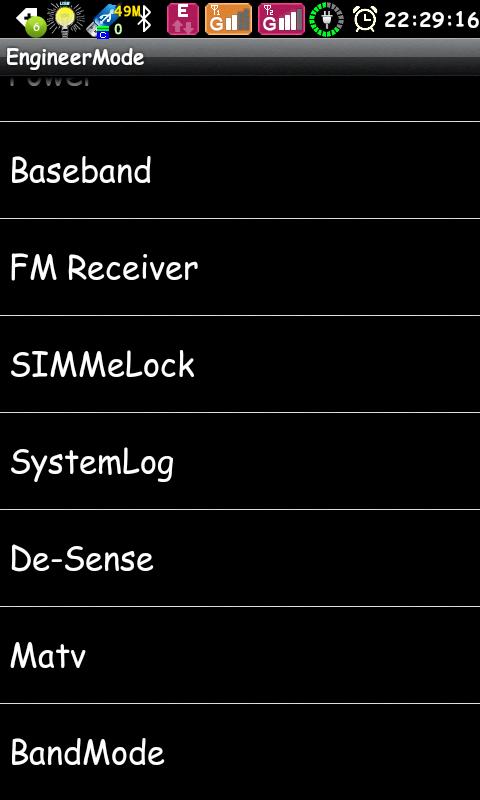
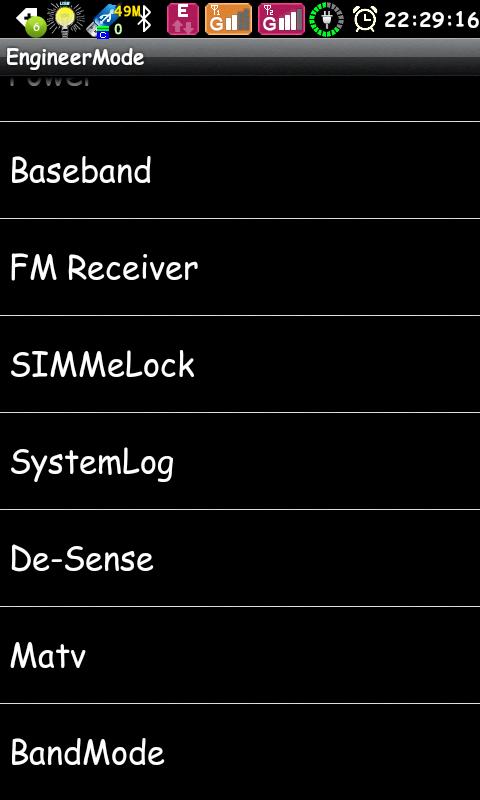
Quick and easy access to the Engineering Mode MediaTek!! This shortcut.

!! Application is only for devices running MTK (MediaTek) !!

Used for easy and fast access to the engineer menu (Engineering Mode) devices on the platform MTK (MediaTek).

Standard, built to cause the engineering menu, you need to dial *#*#3646633#*#* (for example only), which is not very convenient and practical - is a tiny application designed to eliminate this inconvenience :)

- Has a minimum size - just 25KByte.

- Does not require unnecessary permissions.

- Do not "hanging" in memory.

- No advertising.

!! Application is only for devices running MTK (MediaTek). If you have a different platform, you will get a message that the device is not supported with the proposal to uninstall this applicaton.

!!! Attention 1.

If you can not get into the Engineer and see the following message:

"EM is an advanced debug mode. If you want to entry the EM, please entry the developer options at settings"

, then you need to activate the developer mode in the device.

Usually, for this you need to open the "Settings" - "About the phone" and find the item "Build number", now you need to tap it 7-8 times - a pop-up message "Congratulations, you are a developer".

After that, the settings should appear "For developers" - go in and click "enable".

!!! Attention 2.

On some devices (basically, these are some models of Huawei) manufacturers denies access to the Engineering Menu, in connection with which these devices will be able to function the program only with the given Root access.

For those who would like to support the project, offer donate-version: Engineer Mode MTK donate

What's New in the Latest Version 1.6.1

Last updated on Feb 5, 2018 v1.6.1 Fixed gaps in the blocking logic, and as a test, a lock is implemented and when calling the Engineers by standard code (*#*#3646633#*#*).
v1.6 Added the ability to deny access to the Engineering Menu through this application. (Protection from children and strangers)
To do this, dial in the dialing code: *#*#505#*#* .
To return access, you need to dial the same code again.
Download(29.14KB)
Users also viewed
  • Wimoveis

    Wimoveis

    7.4.2 January 16, 2026
  • Heartbleed Security Scanner

    Heartbleed Security Scanner

    1.0 January 16, 2026
  • Kurdish Weather

    Kurdish Weather

    1.1.5 January 15, 2026
  • AirVista

    AirVista

    4.1.0 January 14, 2026
  • Summer GO Launcher Theme

    Summer GO Launcher Theme

    v1.0 January 13, 2026
  • Emoji Keyboard-Waterdrop

    Emoji Keyboard-Waterdrop

    1.0.0 January 13, 2026
  • Character Exo ShortCut

    Character Exo ShortCut

    1.0 January 13, 2026
  • AI Photo Editor, Collage-Fotor

    AI Photo Editor, Collage-Fotor

    7.6.19.2 January 13, 2026
  • At&t Payment go phone refill

    At&t Payment go phone refill

    0.1 January 12, 2026
  • Application Auto Starter

    Application Auto Starter

    1.0 January 12, 2026
  • GMS VersionUpList

    GMS VersionUpList

    3.5 January 12, 2026
  • Minimalist Weather

    Minimalist Weather

    1.2 January 12, 2026
  • Better DashClock Widget

    Better DashClock Widget

    1.5.0-Android 5.x+ January 12, 2026
  • FingerCMS

    FingerCMS

    1.11.21 January 12, 2026
  • Limousine Car Wash Simulator

    Limousine Car Wash Simulator

    0.9 January 11, 2026
About Privacy Policy Terms of Service Cooking Policy

© Copyright 2017-2026 downzr.com