

Analog Emotions Expressed with Digital Ink!
Hello, This is Selvas AI Co., Ltd.
Selvy notes will ★end the service★.
Please note that we will no longer support you due to restrictions imposed by PlayStore internal policies. OS updates and errors caused by this is not possible. Please refer to before you use!
(We recommend moving existing notes to another location.)
In the meantime, thank you very much for using Selvy Note.
Keep easy records of your life with Selvy Note! Analog Emotions Expressed with Digital Ink!
No more handwritten texts that cannot be edited! Unleash the creativity of your memos by using Selvy Note’s unique Handwriting Editing Function!
* Selvy Note is support resolutions of 1280x720,480x800,1080x1920.
* Selvy Note is compatible with OS’s up to Lollipop(5.0).
===== Selvy Note’s Unique Features =====
◆ Simple User Interface ◆
Selvy Note is an application that allows you to write memos using your own handwriting. You can create memos simply by using your own handwriting and freehand drawings.
◆ Creating and Editing Your Own Handwritten memos ◆
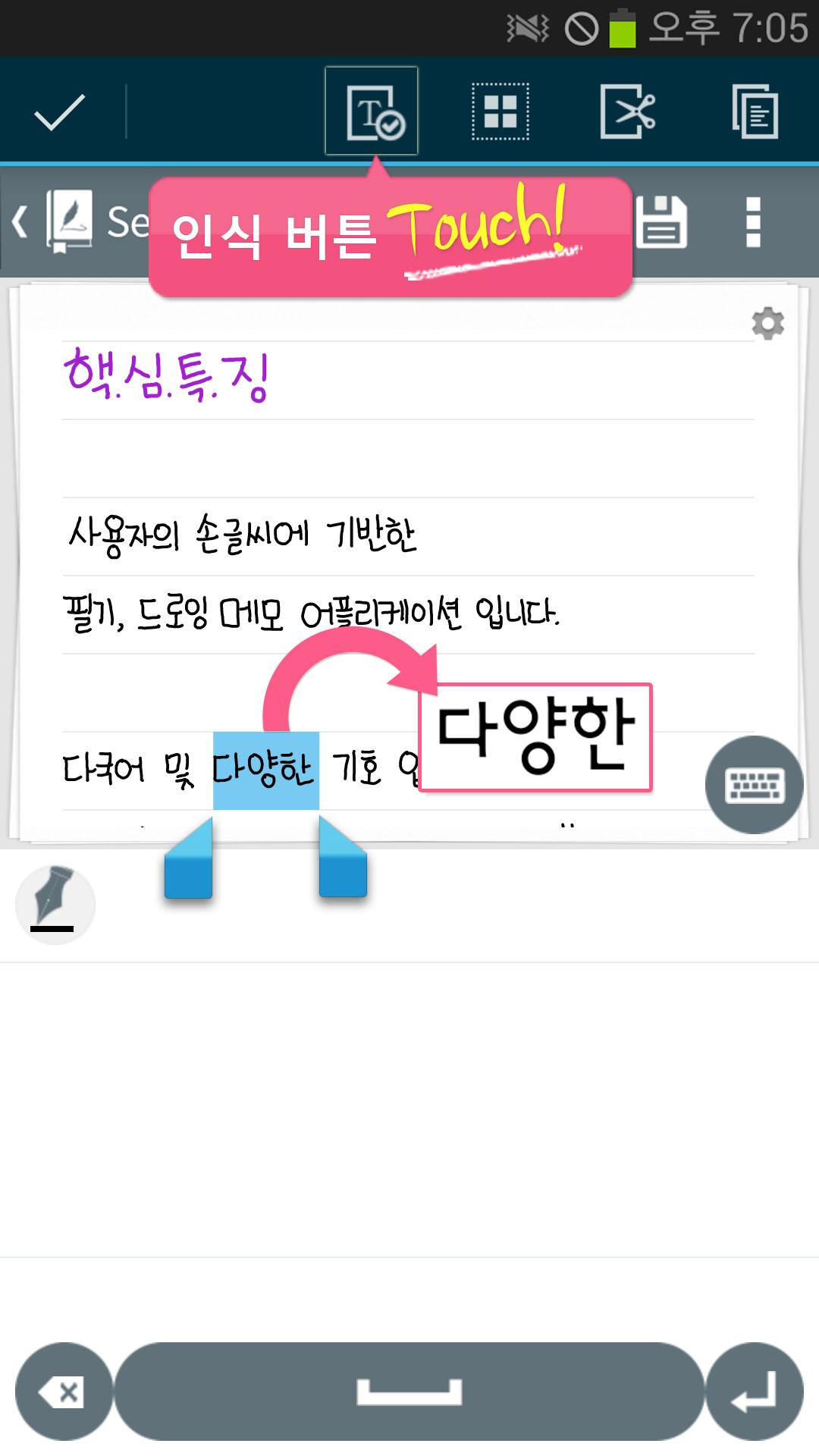
The "Ink Text Function" recognizes and converts your handwriting, and then saves it as a text! The "Ink Text Editor" lets you easily edit your handwritten text, by applying the "cursor" to it, just as you would in a normal text on screen. You can edit both handwritten text and normal text on the same page without any distinction between the two styles.
◆ Quick and Easy Searching ◆
The Ink Search Function saves the stroke data of your handwritten memos and lets you find your handwritten memos as quickly as memos created with normal text methods.
===== Key Features of Selvy Note =====
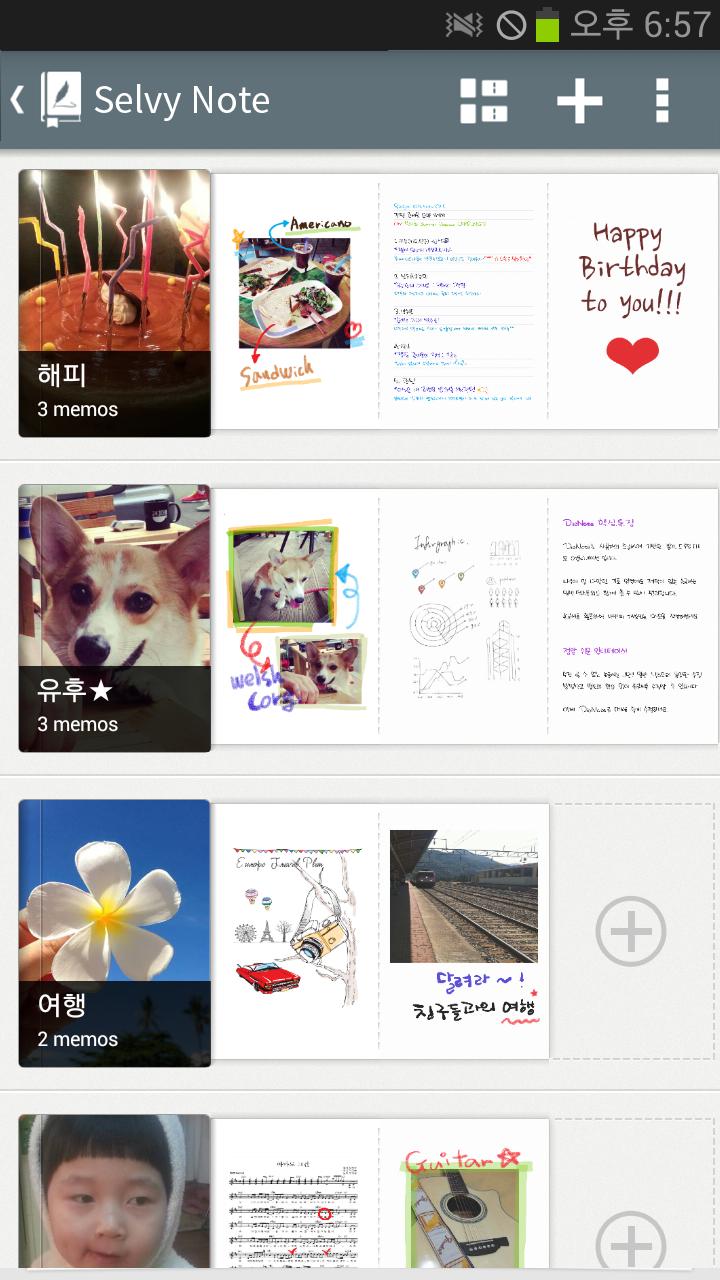
* Notebook: You can create notebooks and organize your memos in each notebook much like folders.
* View Settings: You can select a view with notebook & memo together, a notebook-only view, and a memo-only view.
* Memo Sharing: You can share your memos on social networks or use them in other apps.
* Decorate your notebooks by adding your own image or photo to the notebook cover.
* Send and receive your notebooks with your Evernote or Dropbox accounts. (Google Drive is not available)
* Tap and hold the thumbnail of a memo to add its shortcut to the Home screen.
===== Detailed Memo/Canvas Features of Selvy Note =====
* Entry Mode: Switch quickly between Handwriting Mode and a keyboard mode when writing memos.
* Canvas (image memo): Select different brush modes and create freehand drawings on the canvas.
* Add images to the canvas to decorate photos, mark locations on maps, etc.
* Use various brush types, colors, and stroke thicknesses to refine your sketches.
* Quick Handwriting Mode: When using cursive handwriting, this mode automatically adjusts the panel sliding speed by recognizing your input speed.
* Able to adjust "Idle Composition Timeout" after creating your handwritten memo.
* Reduce or enlarge the text in your memos.
===== Usage Examples for Selvy Note=====
* Taking memos at lectures / Recording minutes or summarizing an agenda at conferences
* Sketching your ideas quickly while taking public transportation
* Drawing up a travel plan and sharing it with your travel companions
* Making a checklist for an important event
* Recording your significant event with photos
* Keeping a record of your special recipes
■ CS center : [email protected]
Our company name is now 'SELVAS AI' officially changed from DIOTEK.
The new name reflects our dedication to Artificial Intelligence technology, all of us at SELVAS AI strive to do our best for our customers.
■ Homepage: http://www.selvasai.com






![[End of Service] Selvy Note- Handwriting note](https://images.downzr.com/uploads/20260613/logo_6a2cdc414900c1.jpg)
 Download