
• Home
  • Games
    Action-adventure Simulation Business Role Playing Sports Competition Casual Intelligence Card Strategy Music Rhythm Text Puzzle Flying Shooting Love Development
  • Apps
    Business Office Newsletter Social Life Entertainment Online Shopping Practical Tools Travel Financial Management Educational Learning Information Reading Sports and Health
  • Articles

English 中文(简体) 中文(繁体) 한국어 日本語 Português Español Русский العربية Indonesia Deutsch Français ภาษาไทย
Home Apps Sports and Health Dicomite
Dicomite

Dicomite

1
2
3
4
5
Download
  • Version 1.7.1
  • Category Sports and Health
  • Package Name com.samsung.mno.team1.dicomreader
  • Update Time May 22, 2025
  • Size 2.7MB
About this app

A simple and powerful DICOM image viewer, designed for use on mobile devices.

A free and powerful DICOM viewer with intuitive and simple user interface, optimized for use on multi-touch devices. Now with Google Cast support and a capability to import images from other apps.

Key features include:

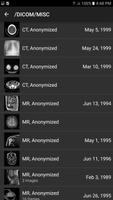
- built-in file browser, with thumbnail display support

- automatic grouping of images into series, to simplify navigation

- support for multi-frame images

- support for JPEG2000 compressed images, using jj2000 library: https://code.google.com/p/jj2000/

- support for JPEG LOSSLESS compressed images using jjlossless library: https://github.com/izzytwosheds/jjlossless/

- support for both little-endian and big-endian DICOM files

- support for both implicit and explicit DICOM files

- viewing basic patient, study and series information contained in a DICOM file

- displaying grayscale images using different palettes (negative, hot metal, PET, cold metal, PET20)

- interactive histogram, which allows window adjustment using "drag" and "pinch" touch gestures

- ability to share a rendered image to other applications

- scroll bar with "previous" and "next" buttons to navigate between frames or images in series

- auto-hiding menu to let user fully immerse into interacting with an image

- casting to Google Cast compatible devices, such as Chromecast, Nexus Player and others

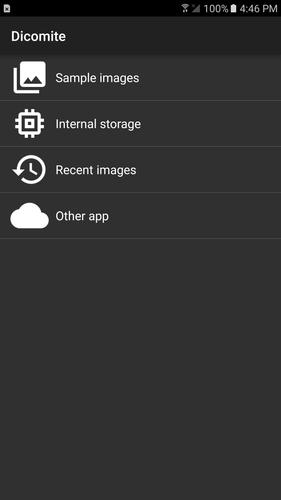
- importing images from other apps (for example, cloud storage apps)

Interaction with the image is performed using intuitive touch gestures:

- one-finger drag (when image is zoomed out) to adjust window level (horizontally) or width (vertical)

- pinch zoom image in/out

- when image is zoomed, use one-finger drag to pan it or double-tap and drag to adjust the window

- double-tap to zoom in/out

- single tap to show/hide menu and navigation

DISCLAIMER: This application is for informational and educational purposes only and not intended for diagnostic use.

What's New in the Latest Version 1.7.1

Last updated on Oct 13, 2016 Urgent bug fix for VIEW intent filter, which was causing issues in other apps.
Download(2.7MB)
Users also viewed
  • Complete Six Packs Guide

    Complete Six Packs Guide

    5.0 April 24, 2026
  • Praca dla lekarzy

    Praca dla lekarzy

    1.0.1 April 24, 2026
  • Champions League

    Champions League

    5.0 April 24, 2026
  • Cadence Calculator

    Cadence Calculator

    2.0.27 April 24, 2026
  • Bangladesh Society of Medicine

    Bangladesh Society of Medicine

    2.0 April 24, 2026
  • Teapioca Lounge

    Teapioca Lounge

    2.0.9 April 24, 2026
  • Wright Vet

    Wright Vet

    11.0 April 23, 2026
  • Papito Hayes

    Papito Hayes

    2.8.7 April 23, 2026
  • Nike Soccer

    Nike Soccer

    1.5.2 April 23, 2026
  • Moje VZP

    Moje VZP

    2502.0 April 22, 2026
  • SHU Pirates

    SHU Pirates

    2.5.8 April 21, 2026
  • Breakfast Paradise

    Breakfast Paradise

    3.10.0 April 21, 2026
  • Malaysian Recipes

    Malaysian Recipes

    1.0 April 21, 2026
  • Lugano Hockey

    Lugano Hockey

    14.1.1 April 20, 2026
  • BloodyHelp Free

    BloodyHelp Free

    3.0.3 April 20, 2026
About Privacy Policy Terms of Service Cooking Policy

© Copyright 2017-2026 downzr.com