

Imports contacts from .csv (comma separated values) file
CSV Contacts Importer lets you import your contacts (or address book) from another phone or Laptop/PC to your Android Phone. If you have just bought a new Android Phone and don't want to type in hundreds of your address book entries from your existing phone again, CSV Contacts Importer is the app for you. In just a few taps you are set.
Features:
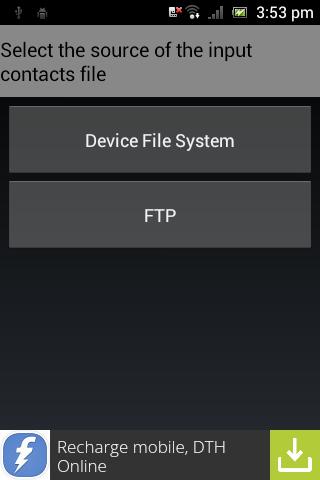
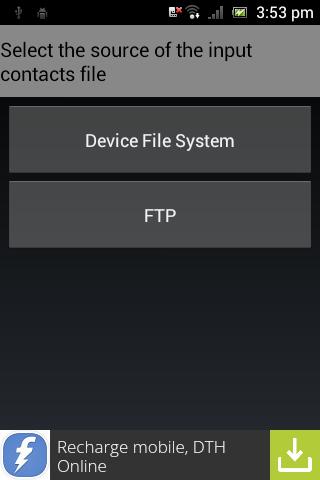
* Imports contacts from .csv (comma separated values) file either from device memory or from FTP server
* Automatically maps the address book fields from your .csv file (e.g. Postal code -> ZIP code)
* Gives you option to adjust the mapping
* Creates a new group for your imported contacts. You can also choose to import all the contacts into the main address book.
CSV Contacts Importer imports your contacts from a .csv file. Most of the handset providers have a PC suite (e.g. Nokia, Sony Ericsson, Samsung etc.) from which you can easily export all your contacts to a .csv file. You can also do the same from most of the computer applications (Outlook, Thunderbird etc.) and other mobile devices (Palm etc.). Here's the step-by-step guide to import your contacts
1. Export your existing address book to .csv file (refer to your mobile handset manual for details).
2. Upload the .csv file to an FTP site or get the .csv file in to device memory.
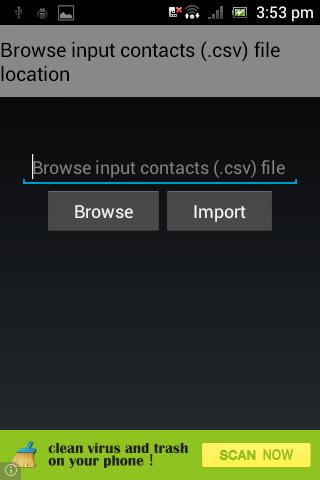
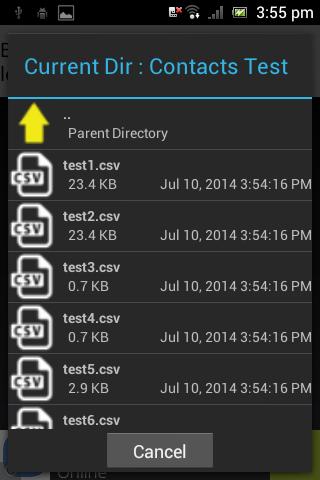
3. Launch CSV Contacts Importer and enter the access details to the FTP site (username, password and the csv filename) or browse & select the .csv file in the device file system.
4. CSV Contacts Importer will map the fields and present you with a table. You can edit the map if you want.
5. Enter a group name to which you want to import all the contacts to. Leave it blank to import to the main address book.
6. Tap 'Import' and you are done! The number of contacts that are imported will be displayed.
Note:
1. The developers of CSV Contacts Importer do not provide the FTP server for placing your contacts (.csv) file.
2. Import of first 250 contacts is free and you need to purchase the premium import if you want to import more than 250 contacts.








 Download