• Home
  • Games
    Action-adventure Simulation Business Role Playing Sports Competition Casual Intelligence Card Strategy Music Rhythm Text Puzzle Flying Shooting Love Development
  • Apps
    Business Office Newsletter Social Life Entertainment Online Shopping Practical Tools Travel Financial Management Educational Learning Information Reading Sports and Health
  • Articles

English 中文(简体) 中文(繁体) 한국어 日本語 Português Español Русский العربية Indonesia Deutsch Français ภาษาไทย
Home Apps Business Office Convert Word to PDF
Convert Word to PDF

Convert Word to PDF

1
2
3
4
5
Download
  • Version 36
  • Category Business Office
  • Package Name mobilesmart.convert.word.to.pdf.documents
  • Update Time May 6, 2025
  • Size 50MB
About this app

Convert Word to PDF exactly as the original PDF. Convert Word to PDF easily

MS Word is one of the most popular word processors around. However, even its most loyal users take advantage of online file converters to create PDF (Portable Document Format) versions when sending certain information like bills or handouts. This is because word documents can be altered whereas PDF ones can’t. If you want more reasons to Convert Word to PDF, here are five.

1) Word Documents Don’t Keep Their Formatting

2) References Can Become Mismatched

3) MS Word has Multiple Versions

4) There are Many Word Processors

5) PDF Files are Mobile Device-Friendly

With most users shifting their operations to mobile devices like smartphones and tablets, you can’t afford to stay behind. Most Convert Word to PDF because files of the latter are easy to access and their apps are usually free. On the other hand, Word files require special apps that cost a pretty penny and don’t support many features since they’re not by Microsoft.

Now that you know why you should Convert Word to PDF, bookmark the best online file converter around!

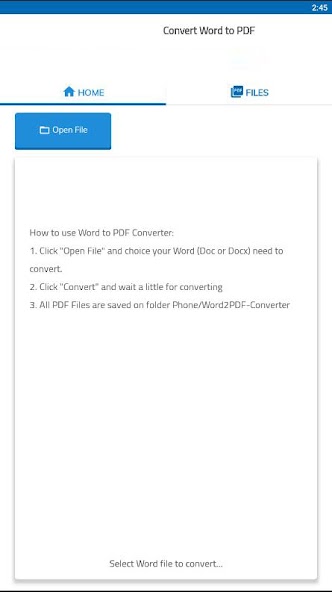
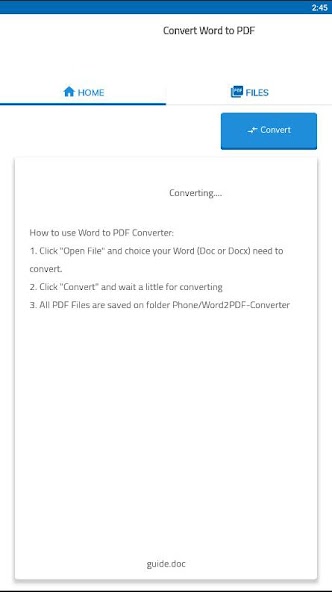
How to use Word to PDF Converter:

1. Click "Open File" and choice your Word (Doc or Docx) need to convert.

2. Click "Convert" and wait a little for converting

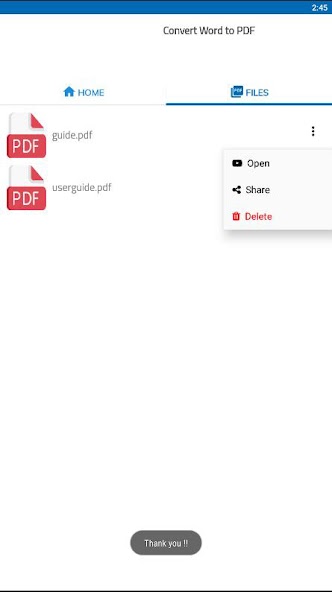
3. All PDF Files are saved on folder Phone/Word2PDF-Converter

What's New in the Latest Version 36

Last updated on Nov 17, 2024 Fix bugs!
Download(50MB)
Users also viewed
  • Face Recognition with OpenCV

    Face Recognition with OpenCV

    2.2 January 14, 2026
  • Followme-Social Trading

    Followme-Social Trading

    6.6.0 January 11, 2026
  • Paper3D (Cardboard)

    Paper3D (Cardboard)

    1.0 January 11, 2026
  • HTML/MHTML Viewer - Editor

    HTML/MHTML Viewer - Editor

    1.5.5 January 10, 2026
  • Natural Notes

    Natural Notes

    4.0 January 10, 2026
  • Echo Agent

    Echo Agent

    1.77 January 9, 2026
  • AlphaFile

    AlphaFile

    1.4.0 January 9, 2026
  • UID Lookup for Android

    UID Lookup for Android

    1.0 January 8, 2026
  • 8-Bit Paint

    8-Bit Paint

    2.1 January 8, 2026
  • Pinpoint Works

    Pinpoint Works

    4.1.14 January 6, 2026
  • Xenia Team

    Xenia Team

    10.5.1 January 6, 2026
  • Emoticons pack, People

    Emoticons pack, People

    1.0.1 January 6, 2026
  • Todo Cloud

    Todo Cloud

    10.4.25 January 5, 2026
  • Spell Checker Editor

    Spell Checker Editor

    1.23 January 4, 2026
  • Modern Pen

    Modern Pen

    1.72 January 4, 2026
About Privacy Policy Terms of Service Cooking Policy

© Copyright 2017-2026 downzr.com