• Home
  • Games
    Action-adventure Simulation Business Role Playing Sports Competition Casual Intelligence Card Strategy Music Rhythm Text Puzzle Flying Shooting Love Development
  • Apps
    Business Office Newsletter Social Life Entertainment Online Shopping Practical Tools Travel Financial Management Educational Learning Information Reading Sports and Health
  • Articles

English 中文(简体) 中文(繁体) 한국어 日本語 Português Español Русский العربية Indonesia Deutsch Français ภาษาไทย
Home Apps Practical Tools Cabinet BETA
Cabinet BETA

Cabinet BETA

1
2
3
4
5
Download
  • Version 1.9.8.1
  • Category Practical Tools
  • Package Name com.afollestad.cabinet
  • Update Time January 13, 2025
  • Size 2.02MB
About this app

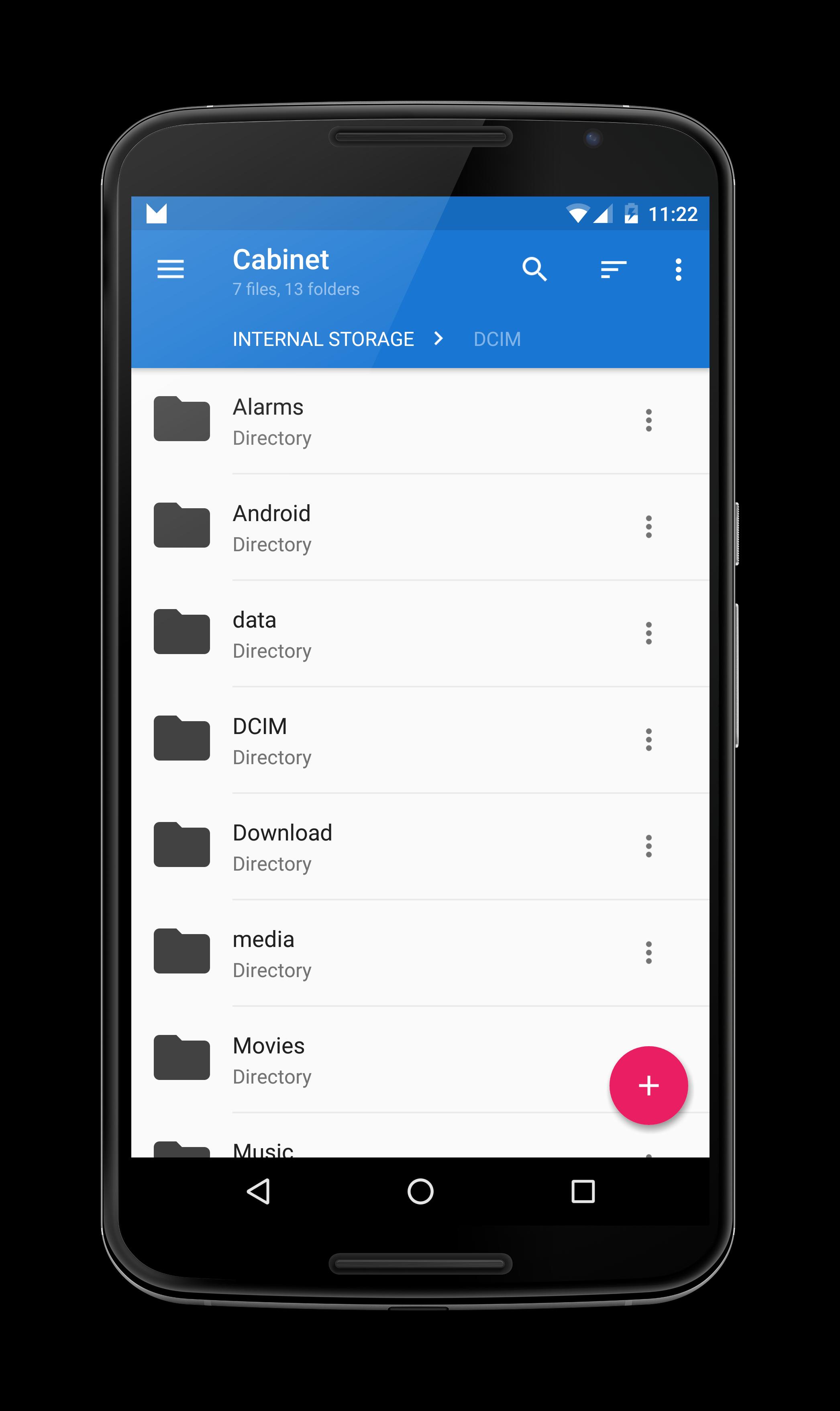
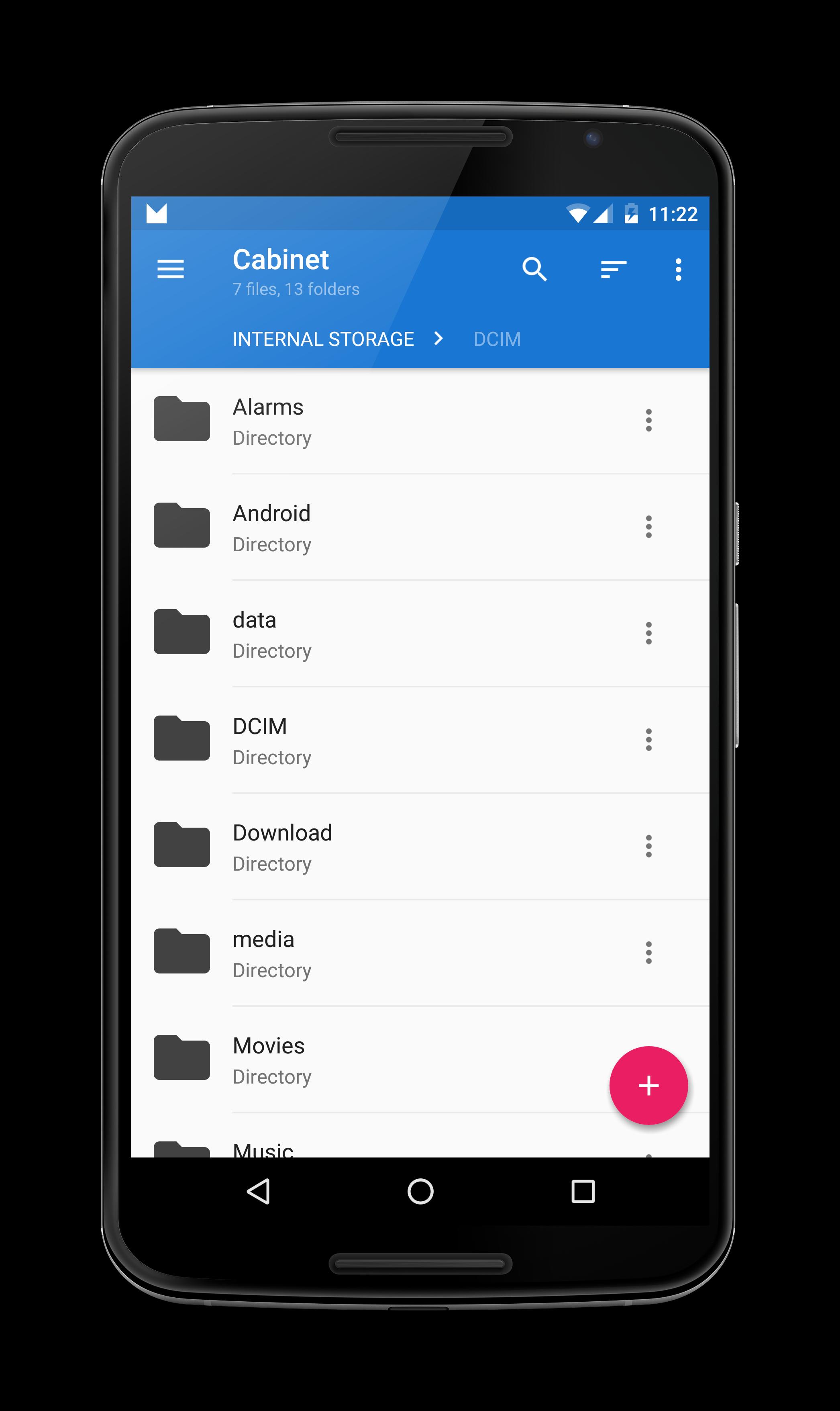
A minimalist, beautiful Material file manager for Android 4.1+

Report bugs (NOT crashes, I get reports for that automatically) and request features: https://github.com/afollestad/cabinet-issue-tracker/issues

A minimalist file manager for Android 4.1 and above.

You won't be using a file manager 24/7, why should you need to go through settings to configure different options for something you don't constantly use? Cabinet is designed to just work right off the bat with basically no configuration. Cabinet is user friendly and has UI that will please the eye.

Highlights:

** Fast, stable, built on very clean code.

** Easy to use and minimal UI that adheres to Google's design guidelines.

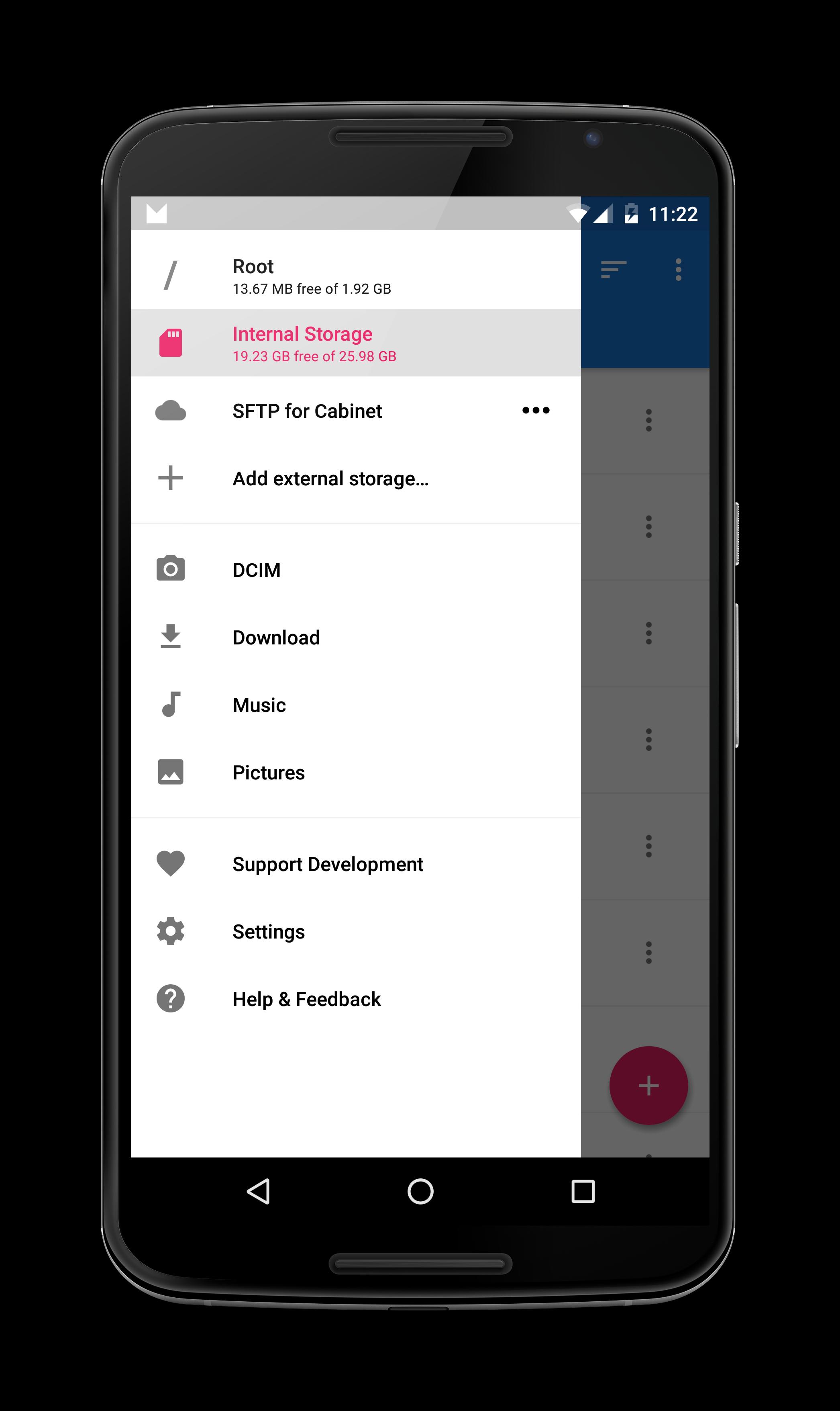
** Support for root access (access system directories and files using superuser permissions).

** Quick access to folder shortcuts in a slide-out navigation drawer.

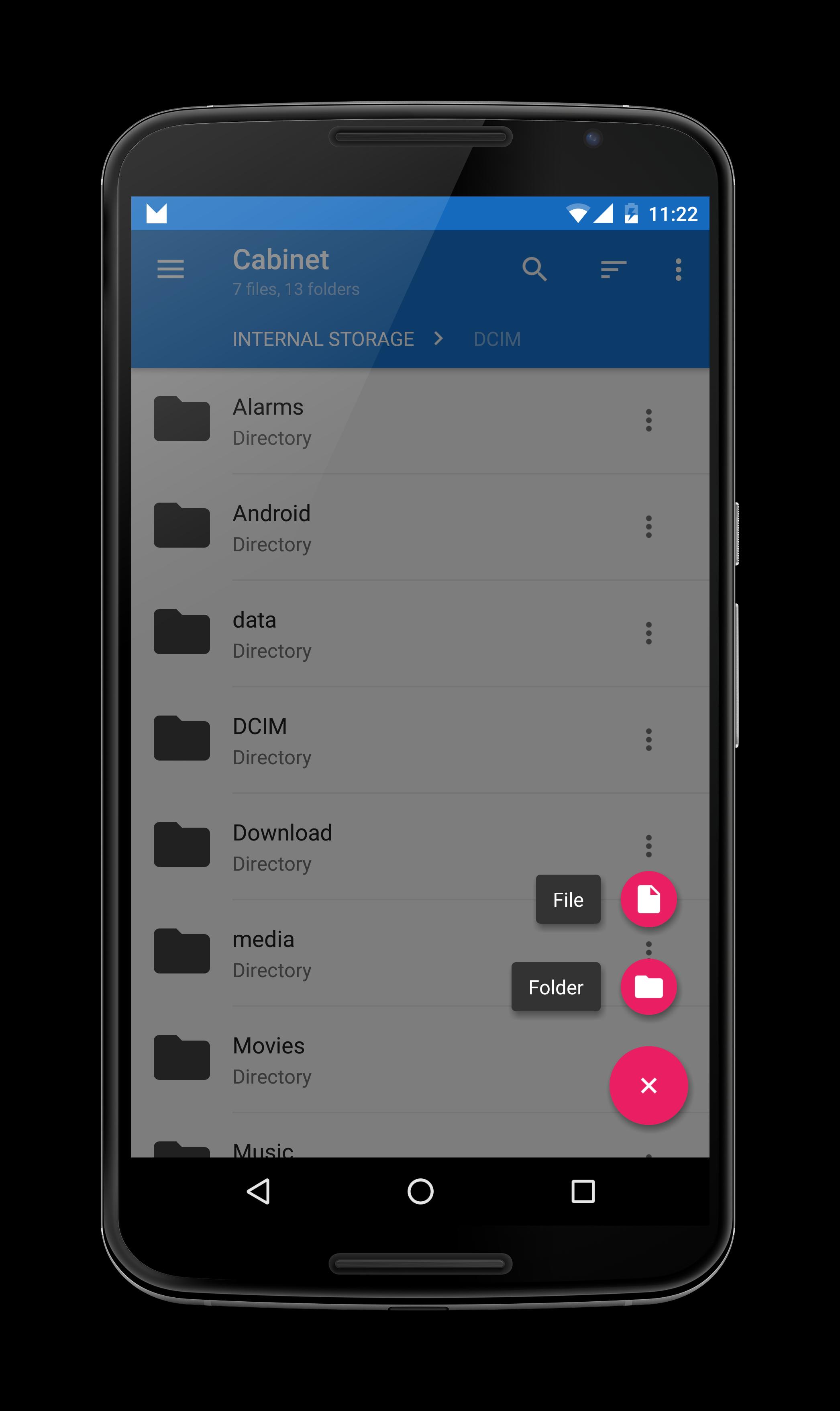
** Quick access to copy, cut, rename, delete, zip, extract, and details functions for files and directories.

** A plugin framework for third party developers to integrate other services.

See the Google+ community to get early dev updates, and contact the developer quickly: https://plus.google.com/communities/110440751142118056139

Translate Cabinet to your native language: https://cabinet.oneskyapp.com

Icon and feature graphic by Anmol Govinda Rao
What's New in the Latest Version 1.9.8.1

Last updated on Oct 19, 2015 1. NEW: You can open APKs as folders with the 'Open As…' function.
2. NEW: A new 'Compact View' option was added to the overflow menu.
3. NEW: The color chooser lets you input custom colors in addition to the presets.
4. FIX: Fixed selection mode being closed when 'Go Up' is used.
5. FIX: Fixed bugs related to copying, moving, and renaming.
6. FIX: Fixed issues related to mounting directories, along with inaccessible files.
7. FIX: Internal library updates and other misc fixes.
Download(2.02MB)
Users also viewed
  • PureSense Irrigation Manager

    PureSense Irrigation Manager

    1.4.0 December 2, 2025
  • GLview

    GLview

    6.4.101 November 30, 2025
  • DevelopQuickSetting

    DevelopQuickSetting

    1.1 November 30, 2025
  • Signal Care Free

    Signal Care Free

    3.0.6 November 30, 2025
  • Sensor Check

    Sensor Check

    1.2 November 30, 2025
  • Gallery Pro

    Gallery Pro

    1.1 November 30, 2025
  • Japanese for GO Keyboard-Emoji

    Japanese for GO Keyboard-Emoji

    3.0 November 29, 2025
  • One tap boost

    One tap boost

    1.0.1 November 28, 2025
  • Beautiful Cloud WatchFace Free

    Beautiful Cloud WatchFace Free

    1.0 November 28, 2025
  • Floating Info

    Floating Info

    2.1 November 28, 2025
  • AMemoryTool Swap Enabler Root

    AMemoryTool Swap Enabler Root

    Dauis v6.8 November 28, 2025
  • RealTime Utilities - Sidebar

    RealTime Utilities - Sidebar

    1.1 November 28, 2025
  • 14 days Transparent Weather

    14 days Transparent Weather

    2.1.0 November 27, 2025
  • Ultimate Mandolin Tuner

    Ultimate Mandolin Tuner

    1.11.4 November 27, 2025
  • Photo Shine

    Photo Shine

    1.0.2 November 27, 2025
About Privacy Policy Terms of Service Cooking Policy

© Copyright 2017-2025 downzr.com