

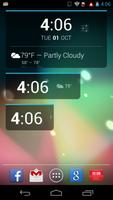
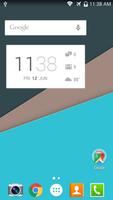
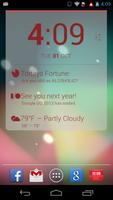
Enhanced version of DashClock Widget that supports all DashClock Extensions
=This app is free to download and test. However, it's a 24 hour trial, you can uninstall/reinstall to reset the trial if you need to test it longer=
**Currently you won't be able to display 3rd party extensions if you don't have the original DashClock already installed at the time you install Better DashClock. **
2 steps WORKAROUND:
1. Install Original DashClock
2. Uninstall/reinstall Better DashClock
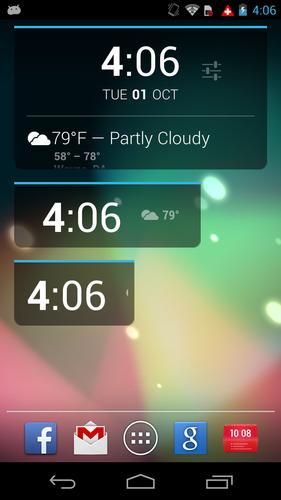
Better DashClock Widget is an enhanced version of DashClock Widget. It's compatible with all DashClock Extensions.
This app is based from the original DashClock Widget, it supports all the functions of the original DashClock Widget app.
• Text Clock widget for both home screen and lock screen
• Bundle with many built-in extensions: weather, gmail, alarm, calendar, etc
• Extensible with other extensions available from the Play store
Better DashClock added many enhancements, here are some highlights:
• Enhanced built-in weather extension
• Many more built-in extensions: network info, storage, call/message stats, etc
• Better looking main widget
• Add extension as "Always collapsed"
• Setting to increase max collapsed extensions to 6 (horizontal aligned only if more than 4)
• Hide the clock, horizontally aligned the extensions
• Many appearance options were added. You can now change widget appearance settings such as text color, text size, widget background color etc.
• Major compatibility enhancement to make the app compatible with Android 4.0 or higher
***Important***
• This app is free to download and test. However, its extension will be disabled after 24 hours of installations until you purchase the unlock key. If you are looking for a free version, please download the original DashClock Widget app.
If you have published any DashClock extensions, contact me and I will send you the unlock key for free.
• Some extensions, such as DashNet , needs to update its extension description meta data in the AndroidManifest to allow other 3rd party apps to be able to read its data. If you added an extension to Better DashClock and its information is not showing up, you should contact the extension developer to ask him/her to add the "worldReadable" meta data to its extension as followed:
http://bit.ly/19kKUWA
You should also point the extension developer to this link: http://api.dashclock.googlecode.com/git/reference/com/google/android/apps/dashclock/api/DashClockExtension.html
• It may not be compatible with some older devices due to bugs in some versions of Android, please try it before you make the purchase. If it's not compatible with your device's default launcher, try it with a 3rd party launcher such as Better Launcher
• To use this widget as a lock screen widget on Android 4.4 KitKat, you need to enable a setting first https://www.youtube.com/watch?v=CDCJpi-vv7s
Please also see FAQs when encounter any issues:
http://bit.ly/19kKUWA
Due to a change to how permissions work in Android 5.x , currently 3rd party extensions won't display if you don't have the original DashClock already installed at the time you install Better DashClock.
To workaround this issue, please follow these 2 steps:
Step #1: Install the Original DashClock OR Better DashClock Helper (smaller size)
Please note you in Android 5.x you can only install one of them.
Step #2: Uninstall/reinstall Better DashClock


 Download