

Enjoy millions of the latest Android apps, games, music, movies, TV, books, magazines & more. Anytime, anywhere, across your devices.
Do you ever find that when using your smartphone it has a bad signal seems to never recover, or, when it's really bad, it cannot recover a signal once it has lost connection?
When that happens one option is to simply wait until the phone recovers a signal, but for people whose school or office is in an area with a weak signal, waiting for the phone to connect to the network can be quite frustrating.
"AutoSignalRecovery" is an app that makes it possible for a phone to reconnect to the signal on an elective timing schedule or to connect automatically.
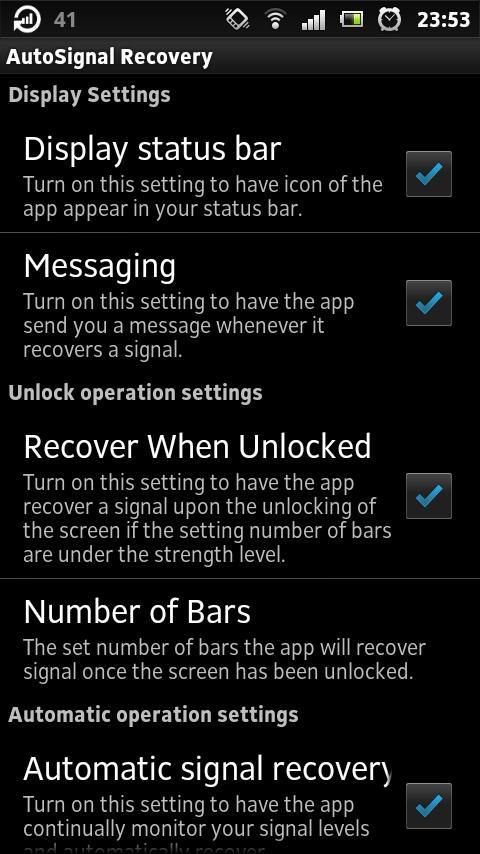
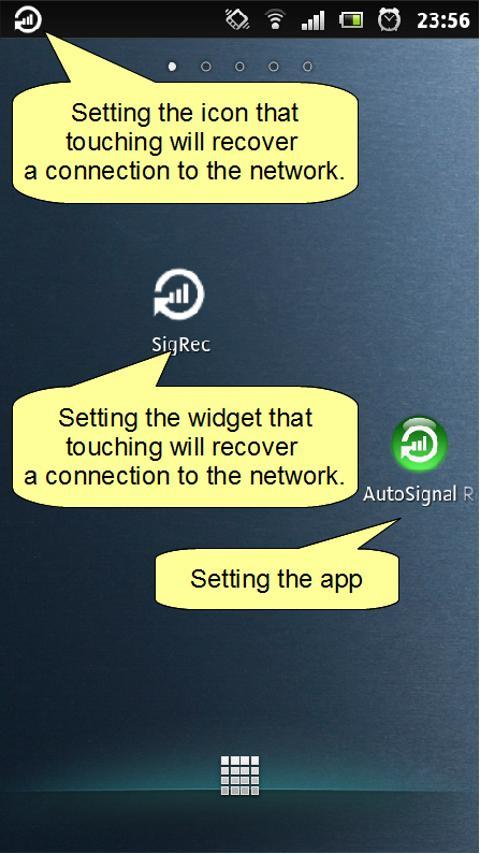
With this app, one touch to the widget or icon on the status bar will activate the function that recovers a network signal, but it also offers the function of automatically reconnecting to the network when signal is weak.
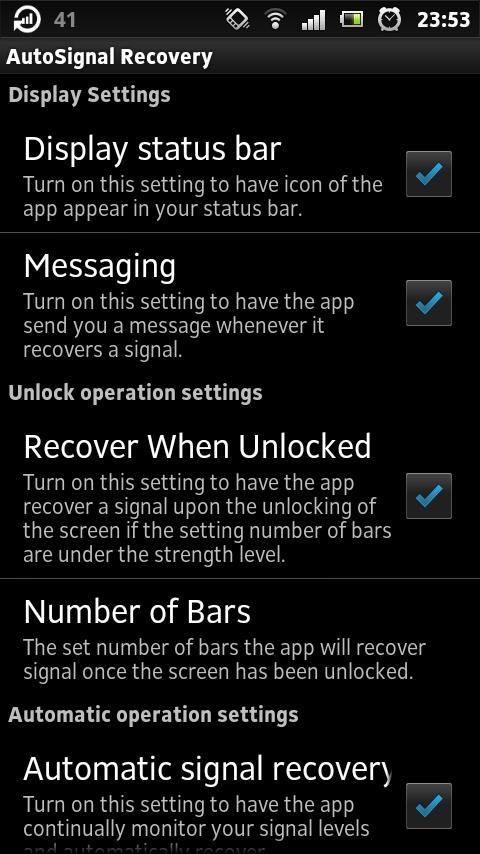
Also, this app also offers the option of reconnecting to the network automatically when you begin use of your smartphone, such as when you unlock your screen.
This app is recommended for customers who often face the following problems:
-Your smartphone fails to recover after being disconnected from the network.
For example, your smartphone has the network connection bug; even after you have re-entered a service area, your smartphone does not fully recover service and can only make emergency calls.
-It takes a long time for your smartphone to recover signal after re-entering a service area.
For example, when riding the subway and moving in and out of a service area, your smartphone cannot send text messages immediately after arriving at the station.
-Even though the service in the area is strong, your phone only establishes a weak connection.
For example, you want to send a large data packet but you it takes a very long time because the connection is weak.
[Functions]
-A single touch to the widget icon will recover and improve signal.
-A single touch to the icon appearing in the status bar will recover and improve signal.
-The app will monitor your phone's connection status and when it loses signal the app will recover and improve connection. Once you turn on the "automatic signal recovery" function, the phone will begin monitoring connection.
-You can choose whether or not to receive a notification through vibration when your phone loses network service.
-You can choose to set your phone to only re-establish a connection when the screen is locked.
-You can set a time limit for the application to re-connect to the network once it has recognized a loss of service.
-If your connection does not recover after re-establishing service the first time, you can set up for the app to check service at regular intervals.
*The free version of the Automatic Signal Recovery app will only recover signal automatically the first time your phone loses signal. When you require continued monitoring of your service connection, you will need to turn on the "automatic signal recovery" function again.
(If you purchase the paid version of the app, you will not be required to turn on the function more than once. Once you turn on the "automatic signal recovery" function the first time, the app will continually monitor your signal.)
-When you unlock your screen, the app will recover signal and improve service.
-You can set the app to recover connection when your connection strength falls under a certain level of bars.
-The app will save your settings even if you restart your phone.
[Caution]
- "AutoSignalRecovery" is designed to improve or recover signal, when network service is available. If network service is unavailable, the app will not be able to establish a connection.
-Tapping the widget or status bar icon when your phone is in airplane mode will automatically turn off airplane mode as the app re-establishes connection.






 Download