• Home
  • Games
    Action-adventure Simulation Business Role Playing Sports Competition Casual Intelligence Card Strategy Music Rhythm Text Puzzle Flying Shooting Love Development
  • Apps
    Business Office Newsletter Social Life Entertainment Online Shopping Practical Tools Travel Financial Management Educational Learning Information Reading Sports and Health
  • Articles

English 中文(简体) 中文(繁体) 한국어 日本語 Português Español Русский العربية Indonesia Deutsch Français ภาษาไทย
Home Apps Business Office ai.type Dutch Dictionary
ai.type Dutch Dictionary

ai.type Dutch Dictionary

1
2
3
4
5
Download
  • Version 5.0.10
  • Category Business Office
  • Package Name com.aitype.android.lang.nl
  • Update Time October 27, 2025
  • Size 11.65MB
About this app

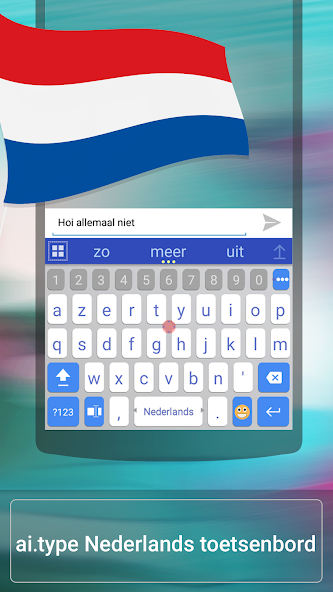
Get a FREE world leading Dutch prediction & auto-correction package by ai.type

★★★ With over 50 million downloads, aitype Keyboard is now available in Dutch as well ★★★

(ai.type Keyboard can be found in : https://play.google.com/store/apps/details?id=com.aitype.android)

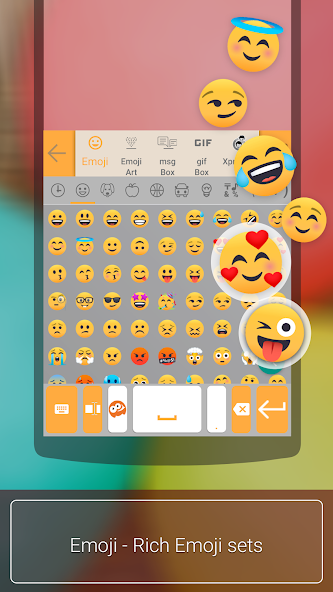
aitype.com replaces your default Android keyboard with a powerful, fully customized keyboard! aitype.com keyboard enables next word prediction, completion, correction, spelling and grammar check as you type. It includes built in emoji support (https://play.google.com/store/apps/details?id=com.aitype.android.emojinew) and hundreds of themes, It’s among the 10 leading productivity apps in over 35 countries.

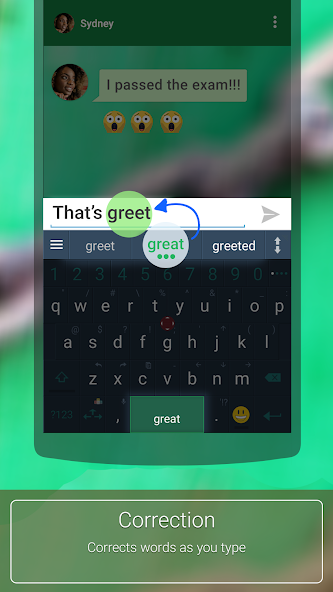
Download this FREE Dutch dictionary pack to use it with your ai.type.com Keyboard. You’ll be able to type much faster with our world leading next word prediction, completion and correction self learning technology. The ai.type Keyboard makes a perfect tool that learns your typing patterns then predicts and corrects your typing- as you type. Try it out now for FREE!

After installing the Dutch dictionary pack, open your ai.type Keyboard settings menu from the ai.type application or by long clicking the menu button on your ai.type Keyboard (bottom left area) then press “languages”. Inside languages, please select Dutch under the ‘Installed’ section. Once installed, you can switch between languages by swiping the Space key right or left from your keyboard.

Please rate our Dutch language pack on Google Play if you liked it! (-:

The Dutch language pack requires ai.type Keyboard Plus or Free (https://play.google.com/store/apps/details?id=com.aitype.android)


What's New in the Latest Version 5.0.10

Last updated on Mar 22, 2020 fix security issues and bugs
Download(11.65MB)
Users also viewed
  • QRAlarm

    QRAlarm

    2.6.3 March 2, 2026
  • Tap Log

    Tap Log

    v6.0.12 March 1, 2026
  • Tools for Snapchat

    Tools for Snapchat

    2.0 February 27, 2026
  • Battery Saving Service

    Battery Saving Service

    0.25 February 26, 2026
  • Streit Zeiterfassung (Gratis)

    Streit Zeiterfassung (Gratis)

    2.9.5.4 February 26, 2026
  • eMoviliza

    eMoviliza

    1.3.10 February 25, 2026
  • Proton Calendar

    Proton Calendar

    2.23.3 February 25, 2026
  • BizCard Digital

    BizCard Digital

    1.0 February 23, 2026
  • Hiperweb

    Hiperweb

    6.04.17 February 23, 2026
  • Protection 1 eSmartSecurity

    Protection 1 eSmartSecurity

    3.4.1 February 22, 2026
  • Real Time Blue Button

    Real Time Blue Button

    0.1.26 February 21, 2026
  • Point Code Calculator

    Point Code Calculator

    6.0 February 20, 2026
  • MetaDoc

    MetaDoc

    2.3 February 19, 2026
  • Erledigt

    Erledigt

    2.0 February 17, 2026
  • MTN UG Assistant

    MTN UG Assistant

    1.0 February 17, 2026
About Privacy Policy Terms of Service Cooking Policy

© Copyright 2017-2026 downzr.com